
Open Screen Time
Open Screen Time: A free, technical option for iOS scheduling and device supervision. Ranked #90 of 106 in Parental Control Apps by our editors (3.0/10); pricing: Free plan; best for technical families wanting open-source iOS controls.
At a glance
- Editor score3.0 / 10
- PricingFree plan
- Best forTechnical families wanting open-source iOS controls
- Free planYes
- Paid fromFree
- Facts checked20 Sep 2026
Where it wins
- Free and open source with native iOS enforcement
- Recurring downtime and screen-time schedules
- Parent-child pairing with Firebase storage options
Where it doesn't
- Child-device supervision is focused on iOS
- Does not include content filtering or location tracking
- Beta software requires Firebase setup and Apple frameworks
Our verdict on Open Screen Time
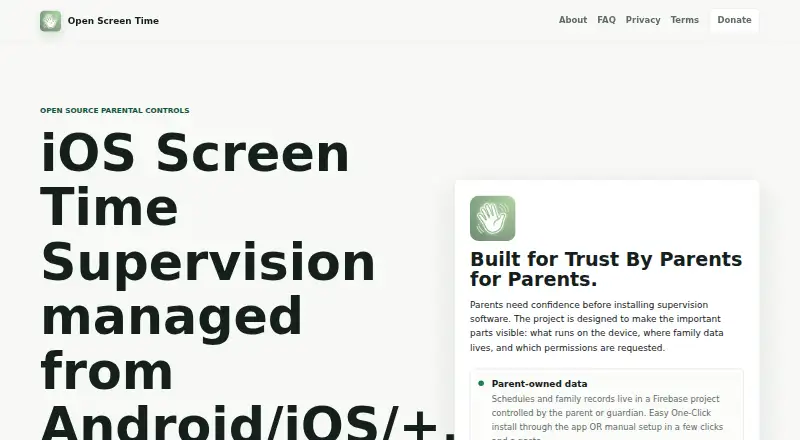
Open Screen Time is a free, open-source parental-control app for parents and guardians supervising child iOS devices. A parent device acts as the Controller, with Controller mode supported on Android and iOS. Parents pair supervised devices, configure recurring downtime and screen-time schedules, and apply app limits through Apple's Screen Time settings. Child-device supervision is focused on iOS, while the project relies on Apple's FamilyControls, ManagedSettings, and DeviceActivity frameworks.
Its standout feature is native iOS enforcement rather than a broad monitoring dashboard. Policies persist locally on the supervised device, and the app provides basic sync-status reporting for supervised devices. Parent-child pairing gives families a defined control model, while Firebase supports family-data storage through Firestore and Firebase Cloud Messaging. Families can choose automated, assisted, or manual Firebase provisioning, and Google Sign-In, APNs, and Apple Screen Time form part of the surrounding platform fit. This makes Open Screen Time relevant for technically comfortable households that want control over their data setup and are prepared to work within Apple's platform rules.
The trade-off is a narrow scope. Open Screen Time focuses on schedules, app limits, pairing, and enforcement; it does not extend to content filtering, location tracking, or activity reports. The product is beta software, and its Bring Your Own Firebase approach adds configuration responsibility compared with a fully managed service. Choose it when open-source code, free access, iOS-native controls, and configurable Firebase storage matter most. Families seeking broader supervision across child devices, location features, content filtering, or detailed activity reporting should consider a product centered on those capabilities instead.
Your product? Our editors can test Open Screen Time in depth and publish a review, labelled as paid · from $149/mo →
Open Screen Time pricing
Open Screen Time fact sheet
| Free plan | Yes |
|---|---|
| Paid from | Free |
| Device platforms | Not verified |
| Content filtering | Not verified |
| Screen-time schedules | Yes |
| App blocking | Not verified |
| Activity reports | Not verified |
| Location tracking | Not verified |
| Device limit | Not verified |
| Deployment | Cloud, Mobile |
| Platforms | iOS, Android |
| Support | Docs |
| Built for | Solo, Small business (editorial estimate) |
| Integrations | 6 integrations: Firebase, Apple Screen Time APIs, Google Sign-In, Firebase Cloud Messaging, Firestore, Cloud Functions |
| Pricing | Free plan |
| Website | openscreentime.org |
| Facts checked | 20 Sep 2026 |
Open Screen Time integrations
Open Screen Time lists 6 integrations on its own site.
- Firebase
- Apple Screen Time APIs
- Google Sign-In
- Firebase Cloud Messaging
- Firestore
- Cloud Functions
Alternatives to Open Screen Time
- BarkA broad cross-platform monitor with schedules, blocking, alerts, and location tools.9.2
- QustodioA broad parental-control suite with AI safety alerts and five-platform coverage.9.0
- OurPactA broad parental-control toolkit for families managing up to 20 child devices.8.9



See all Open Screen Time alternatives →
Used Open Screen Time? Be the first to review it
The editor score above is our own research. What this page doesn't have yet is a reader's view — what you used Open Screen Time for, what worked and what didn't. No stars are seeded and no review is paid for; an editor reads every one before it appears.
Write a reviewTwo minutes · verified accounts only · read by an editor before it appears
Featured on iTechGuides

Open Screen Time is listed in our Parental Control Apps directory. Add the badge to your site — it links back to this page.
<a href="https://www.itechguides.com/products/open-screen-time/"><img src="https://www.itechguides.com/best/badge/open-screen-time.svg" alt="Featured on iTechGuides" width="230" height="46"></a>
Reviewed by iTechGuides Editors · Editorial team · Updated Oct 2026
Advertiser disclosure: iTechGuides is reader-supported. Vendors can pay for top positions in our rankings and for a place on other products' pages, and we may earn a commission when you click some links. Bought places stand at the number bought; this page and our disclosure say so. Paying vendors may get a fuller, more detailed review from our editors, and that review can change their score. How we rank.
Last updated · How we research and update