Ootake
Ootake: Free Windows emulation with HuCard, CD-ROM2, SuperGrafx, save states, and display controls. Ranked #6 of 32 in TurboGrafx-16 Emulators by our editors (8.4/10); pricing: Free plan; best for free Windows TurboGrafx-16 emulation.
At a glance
- Editor score8.4 / 10
- PricingFree plan
- Best forFree Windows TurboGrafx-16 emulation
- Free planYes
- Paid fromFree
- Console coverageTg16_and_pce
- Founded2006
- Facts checked21 Sep 2026
Where it wins
- Supports HuCard, TurboChip, CD-ROM2, and SuperGrafx games
- Includes save states, resume saves, screenshots, and controller configuration
- Offers filtering and configurable Direct3D or DirectDraw rendering
Where it doesn't
- Runs on Windows only
- PC Engine CD-ROM2 play may require a computer CD drive
- Distributed as freeware without a formal open-source license
Our verdict on Ootake
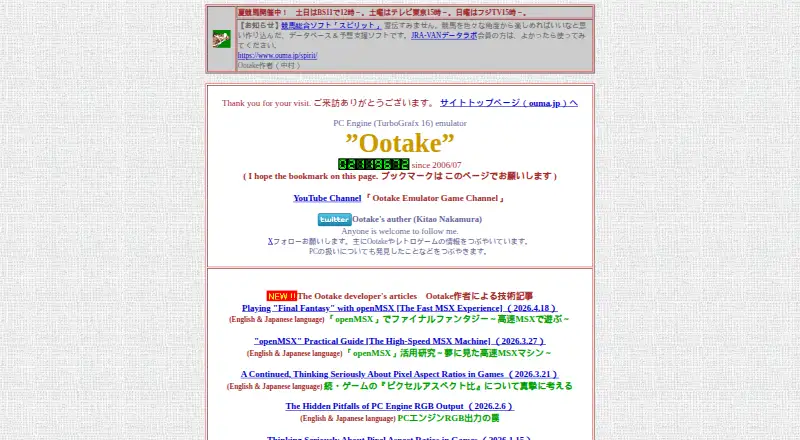
Ootake is a Windows emulator for the PC Engine, also known as the TurboGrafx-16. It is designed for players who want to run PC Engine and TurboGrafx-16 Hu-Card or TurboChip ROM images, along with PC Engine CD-ROM2 games from original discs or images. SuperGrafx ROM images are supported through the .sgx extension. The software is freeware, includes source files, and the current release is version 3.06.
Its strongest area is console and media coverage within the PC Engine family. Ootake supports HuCard, TurboChip, CD-ROM2, and SuperGrafx software rather than focusing only on standard TurboGrafx-16 ROM images. CD-DA playback and audio timing adjustments add control for CD-based games, while save-state and resume-save support make it easier to continue progress. Screenshot capture is also included. Buyers should choose Ootake when this focused PC Engine and TurboGrafx-16 coverage matches their library.
Display and input controls give the emulator useful configuration depth for Windows users. Bilinear filtering and configurable Direct3D or DirectDraw rendering provide options for how games appear, while Windows gamepad and additional-player controller configuration support different play setups. The trade-off is a Windows-only platform focus, and CD-ROM2 use may involve a computer CD drive depending on the chosen game source. Ootake is less suitable for users seeking a broader multi-console emulator or a formally open-source project, since it is distributed as freeware without a formal open-source license.
Your product? Our editors can test Ootake in depth and publish a review, labelled as paid · from $149/mo →
Ootake pricing
Ootake fact sheet
| Free plan | Yes |
|---|---|
| Paid from | Free |
| Supported platforms | windows |
| Console coverage | Tg16_and_pce |
| Save states | Yes |
| Cheat support | Not verified |
| Netplay | Not verified |
| Video filters | Yes |
| License | Freeware |
| Deployment | Desktop |
| Platforms | Windows |
| Support | |
| Built for | Solo, Small business (editorial estimate) |
| Pricing | Free plan |
| Website | ouma.jp |
| Facts checked | 21 Sep 2026 |
Alternatives to Ootake
- GeargrafxA free, open-source choice for multi-platform TurboGrafx-16 and PC Engine emulation.9.4
- RetroArchA broad, free emulator frontend with strong collection, controller, video, and netplay tools.9.2
- MednafenA free, open-source emulator with broad system support and advanced playback tools.8.9
Ootake vs the competition
- Ootake vs Geargrafx
- Ootake vs RetroArch
- Ootake vs Mednafen
- Ootake vs MagicEngine
- Ootake vs ePceCD
- Ootake vs PCE.emu
Compare Ootake with any tool side by side →
Used Ootake? Be the first to review it
The editor score above is our own research. What this page doesn't have yet is a reader's view — what you used Ootake for, what worked and what didn't. No stars are seeded and no review is paid for; an editor reads every one before it appears.
Write a reviewTwo minutes · verified accounts only · read by an editor before it appears
Featured on iTechGuides

Ootake is listed in our TurboGrafx-16 Emulators directory. Add the badge to your site — it links back to this page.
<a href="https://www.itechguides.com/products/ootake/"><img src="https://www.itechguides.com/best/badge/ootake.svg" alt="Featured on iTechGuides" width="230" height="46"></a>
Reviewed by iTechGuides Editors · Editorial team · Updated Oct 2026
Advertiser disclosure: iTechGuides is reader-supported. Vendors can pay for top positions in our rankings and for a place on other products' pages, and we may earn a commission when you click some links. Bought places stand at the number bought; this page and our disclosure say so. Paying vendors may get a fuller, more detailed review from our editors, and that review can change their score. How we rank.
Last updated · How we research and update