
OneStream Live
OneStream Live: An all-in-one cloud studio with broad distribution, scheduling, and team features. Ranked #16 of 136 in Live Streaming Software by our editors (7.9/10); pricing: Free plan; best for teams needing an all-in-one live studio.
At a glance
- Editor score7.9 / 10
- PricingFree plan
- Best forTeams needing an all-in-one live studio
- Free planYes
- Paid from$15/mo
- Facts checked20 Sep 2026
Where it wins
- Browser studio supports guests, screen sharing, layouts, and branding
- Multistreams to social platforms, websites, and custom RTMP destinations
- Scheduling, playlists, continuous YouTube looping, and unified chat
Where it doesn't
- Streaming resolution tops out at 1080p
- Free plan includes only 2 destinations and 3 scheduled events
- Paid plans specify a 24-hour stream limit
Our verdict on OneStream Live
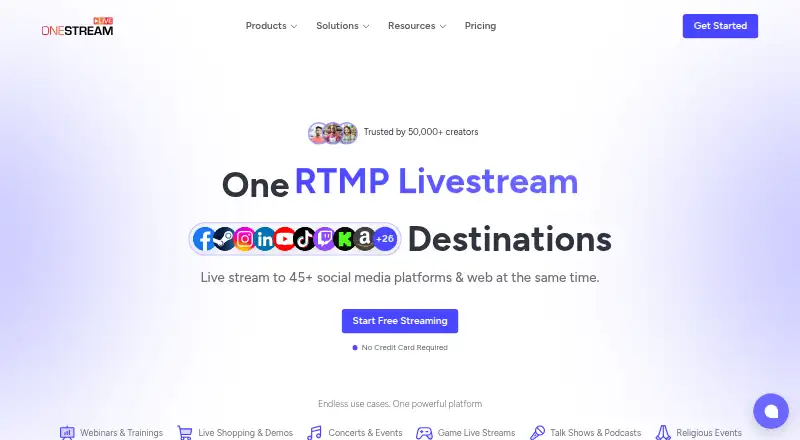
OneStream Live is a cloud-based live streaming platform for creators, businesses, gamers, churches, and other organizations. It combines a browser studio with guests, screen sharing, layouts, and branding; external encoder support for OBS Studio, Zoom, vMix, and Wirecast; and distribution to social platforms, websites, and custom RTMP destinations. Prerecorded broadcasts, playlists, continuous YouTube looping, embeddable players, hosted custom websites, unified audience chat, role-based team access, and mobile apps make it suited to teams managing recurring or multi-channel broadcasts.
Pricing scales by destinations, resolution, seats, storage, bandwidth, and stream duration. The Free plan is $0 forever with 2 multistreaming destinations, 720p streaming, 1 team seat, 1 GB storage, and 3 scheduled events. Basic costs $15 per month and adds 5 destinations, 5 GB storage, 0.5 TB monthly bandwidth, and 24-hour streams while retaining 720p and 1 seat. Standard is $39 per month with 10 destinations, 1080p, 4 seats, 20 GB storage, and 1.5 TB monthly bandwidth. Professional is $49 per month with 30 destinations, 6 seats, 50 GB storage, and 2.5 TB monthly bandwidth. Enterprise is $139 per month with 50 destinations, 10 seats, 150 GB storage, and 5 TB monthly bandwidth.
Its strongest fit is for teams that want production, scheduling, distribution, and remote management in one cloud service. Integrations span YouTube, Facebook, Instagram, TikTok, Twitch, LinkedIn, X, Zoom, OBS Studio, vMix, Wirecast, Google Drive, OneDrive, Webex, and Custom RTMP, with web, iOS, Android, and Chrome extension access. The main trade-off is the 1080p ceiling, while Free and Basic remain limited to 720p. Choose OneStream Live for broad workflows and team collaboration; choose an alternative if higher-than-1080p streaming is essential.
Your product? Our editors can test OneStream Live in depth and publish a review, labelled as paid · from $149/mo →
OneStream Live pricing
All 5 OneStream Live plans and prices →
OneStream Live fact sheet
| Free plan | Yes |
|---|---|
| Paid from | $15/mo |
| Multistreaming | Not verified |
| Pre-recorded streams | Not verified |
| 24/7 looping | Not verified |
| Browser-based studio | Yes |
| Custom RTMP destinations | Not verified |
| Cloud recording | Not verified |
| Unified chat | Not verified |
| Deployment | Cloud, Mobile, Browser extension |
| Platforms | Web, iOS, Android, Chrome extension |
| Support | Live chat, Docs |
| Built for | Solo, Small business, Mid-market, Enterprise (editorial estimate) |
| Integrations | 15 integrations: YouTube, Facebook, Instagram, TikTok, Twitch, LinkedIn … See all → |
| Pricing | Free plan (source) |
| Website | onestream.live |
| Facts checked | 20 Sep 2026 |
OneStream Live integrations
OneStream Live lists 15 integrations on its own site.
- YouTube
- TikTok
- Twitch
- X
- Zoom
- OBS Studio
- vMix
- Wirecast
- Google Drive
- OneDrive
- Webex
- Custom RTMP
See all OneStream Live integrations →
Alternatives to OneStream Live
- OBS StudioA highly customizable free desktop production tool for creators, educators, and broadcasters.9.4
- Streamlabs DesktopA capable desktop streamer with strong alerts, automation, and creator tools.9.2
- vMixA Windows production suite for multicamera switching, replay, graphics, guests, and multistreaming.9.1



See all OneStream Live alternatives →
Also Ranked In
OneStream Live is ranked in 13 of our directories; the 6 strongest besides Live Streaming Software.
Used OneStream Live? Be the first to review it
The editor score above is our own research. What this page doesn't have yet is a reader's view — what you used OneStream Live for, what worked and what didn't. No stars are seeded and no review is paid for; an editor reads every one before it appears.
Write a reviewTwo minutes · verified accounts only · read by an editor before it appears
Featured on iTechGuides

OneStream Live is listed in our Live Streaming Software directory. Add the badge to your site — it links back to this page.
<a href="https://www.itechguides.com/products/onestream-live/"><img src="https://www.itechguides.com/best/badge/onestream-live.svg" alt="Featured on iTechGuides" width="230" height="46"></a>
Reviewed by iTechGuides Editors · Editorial team · Updated Oct 2026
Advertiser disclosure: iTechGuides is reader-supported. Vendors can pay for top positions in our rankings and for a place on other products' pages, and we may earn a commission when you click some links. Bought places stand at the number bought; this page and our disclosure say so. Paying vendors may get a fuller, more detailed review from our editors, and that review can change their score. How we rank.
Last updated · How we research and update