
vMix
vMix: A Windows production suite for multicamera switching, replay, graphics, guests, and multistreaming. Ranked #4 of 136 in Live Streaming Software by our editors (9.1/10); pricing: 60-day trial; best for windows live production and multicamera switching.
At a glance
- Editor score9.1 / 10
- Pricing60-day trial
- Best forWindows live production and multicamera switching
- Free planNo
- Paid from$50/mo
- Facts checked20 Sep 2026
Where it wins
- Combines camera, NDI, SRT, media, graphics, and audio inputs.
- Supports up to five simultaneous live streams with the MAX plan.
- Includes replay, recording, remote guests, chroma key, and virtual sets.
Where it doesn't
- Windows-only; there is no browser studio.
- No free plan; paid options include substantial one-time purchases.
- Basic HD is limited to four total inputs and 1920 x 1080.
Our verdict on vMix
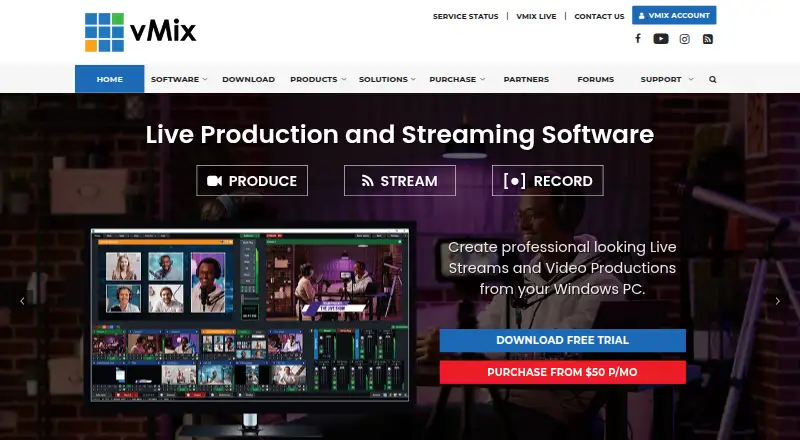
vMix is Windows-based live video production and streaming software for broadcasters, event producers, churches, educators, sports teams, and other organizations. It combines live video mixing, multicamera switching, recording, graphics, remote guests, replay, and streaming in one desktop application. Productions can use camera, video, image, audio, NDI, and SRT inputs, then stream to multiple destinations or output to displays and professional video equipment.
Pricing covers distinct production needs. Basic HD costs USD 60 one-time and supports up to four total inputs, up to three camera or NDI inputs, and 1920 x 1080 resolution. HD costs USD 350 one-time and expands input capacity to 1000 total and 1000 camera or NDI inputs, with one vMix Call caller. The 4K plan costs USD 700 one-time and adds 4096 x 2160 resolution, two recorders, one-camera instant replay, and four vMix Call callers. Pro costs USD 1200 one-time and adds eight-camera replay, four SRT outputs, and eight callers. MAX costs USD 50 monthly, supports five simultaneous live streams, and includes 4K, two recorders, and eight-camera replay. A 60-day free trial is available.
The platform fits workflows built around YouTube, Facebook, Twitch, Vimeo, Zoom, NDI, and SRT. Its feature set is broad for a desktop encoder: graphics, titles, virtual sets, chroma key, ISO recording, slow-motion replay, remote guests, and NDI/SRT output are all included across the product range, with capabilities varying by plan. Choose vMix for Windows-based multicamera production that needs substantial switching and replay depth. Choose another option if you need a browser studio, non-Windows support, or a free plan.
Your product? Our editors can test vMix in depth and publish a review, labelled as paid · from $149/mo →
vMix pricing
vMix fact sheet
| Free plan | No |
|---|---|
| Paid from | $50/mo |
| Multistreaming | Not verified |
| Pre-recorded streams | Not verified |
| 24/7 looping | Not verified |
| Browser-based studio | No |
| Custom RTMP destinations | Not verified |
| Cloud recording | Not verified |
| Unified chat | Not verified |
| Free trial | 60 days |
| Deployment | Desktop |
| Platforms | Windows |
| Support | Email, Community, Docs |
| Built for | Solo, Small business, Mid-market, Enterprise (editorial estimate) |
| Integrations | 7 integrations: YouTube, Facebook, Twitch, Vimeo, Zoom, NDI … |
| Pricing | 60-day trial (source) |
| Website | vmix.com |
| Facts checked | 20 Sep 2026 |
vMix integrations
vMix lists 7 integrations on its own site.
- YouTube
- Twitch
- Vimeo
- Zoom
- NDI
- SRT
Alternatives to vMix
- OBS StudioA highly customizable free desktop production tool for creators, educators, and broadcasters.9.4
- Streamlabs DesktopA capable desktop streamer with strong alerts, automation, and creator tools.9.2
- XSplit BroadcasterA capable Windows streaming encoder with multistreaming, 4K support, and AI production tools.9.0



vMix vs the competition
- vMix vs OBS Studio
- vMix vs XSplit Broadcaster
- vMix vs Wirecast
- vMix vs Livestream Studio
- vMix vs Ecamm Live



Compare vMix with any tool side by side →
Also Ranked In
vMix is ranked in 7 of our directories.
Used vMix? Be the first to review it
The editor score above is our own research. What this page doesn't have yet is a reader's view — what you used vMix for, what worked and what didn't. No stars are seeded and no review is paid for; an editor reads every one before it appears.
Write a reviewTwo minutes · verified accounts only · read by an editor before it appears
Featured on iTechGuides

vMix is listed in our Live Streaming Software directory. Add the badge to your site — it links back to this page.
<a href="https://www.itechguides.com/products/vmix/"><img src="https://www.itechguides.com/best/badge/vmix.svg" alt="Featured on iTechGuides" width="230" height="46"></a>
Reviewed by iTechGuides Editors · Editorial team · Updated Oct 2026
Advertiser disclosure: iTechGuides is reader-supported. Vendors can pay for top positions in our rankings and for a place on other products' pages, and we may earn a commission when you click some links. Bought places stand at the number bought; this page and our disclosure say so. Paying vendors may get a fuller, more detailed review from our editors, and that review can change their score. How we rank.
Last updated · How we research and update