OggSync
OggSync: A focused Windows utility for keeping Outlook and Google calendars aligned. Ranked #158 of 193 in Calendar Apps by our editors (3.0/10); pricing: Free plan; best for outlook users needing dependable Google synchronization.
At a glance
- Editor score3.0 / 10
- PricingFree plan
- Best forOutlook users needing dependable Google synchronization
- Free planYes
- Paid from$29/device/yr
- Founded2007 · Madison, Alabama, USA
- Facts checked22 Sep 2026
Where it wins
- Two-way sync includes recurring-event exceptions and conflict rules.
- Pro adds scheduled sync plus Google Contacts and Tasks synchronization.
- Local syncing communicates directly with Google's official Calendar API.
Where it doesn't
- Runs on Windows rather than across multiple desktop platforms.
- The Free plan supports one calendar and manual synchronization only.
- Pro costs $29 per device per year on annual billing.
Our verdict on OggSync
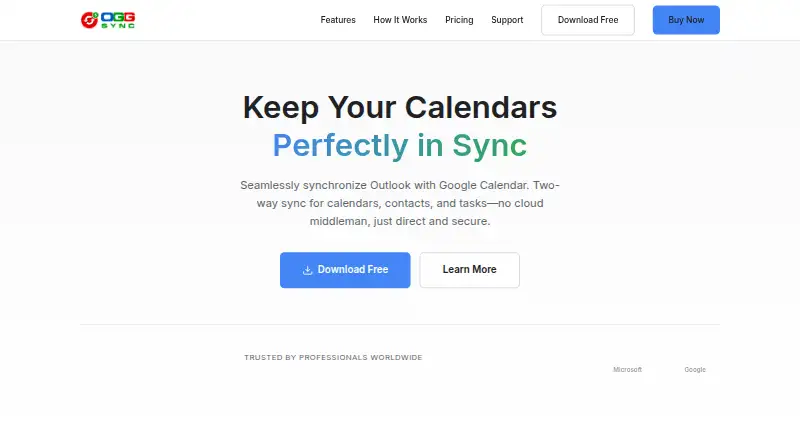
OggSync is a Windows desktop application for individuals, professionals, and small teams managing calendars across Microsoft Outlook and Google. Its core job is two-way synchronization between Outlook and Google Calendar, with support for recurring events, multiple calendars, configurable sync direction, and Google Workspace accounts. It is a focused synchronization utility rather than a broad calendar app, making it a practical fit for Outlook users who need their Google calendars to stay aligned.
The plan structure keeps the basic workflow accessible. The Free plan includes two-way calendar sync, support for one calendar, manual synchronization, and recurring events. Pro costs $29 per device per year and adds multiple calendars, automatic scheduled sync, Google Contacts and Google Tasks synchronization, and priority support. For someone managing one calendar and comfortable starting sync manually, Free covers the essential exchange. The annual per-device price makes Pro more relevant when scheduled updates, additional calendars, or Outlook access to Google contacts and tasks justify the cost.
OggSync’s depth is in synchronization control. It supports recurring-event exceptions, configurable sync direction, and conflict-resolution rules where the most recent change, Google, or Outlook can win. Local synchronization through Google’s official Calendar API also suits users who prefer the application to communicate directly with Google rather than route calendar data through intermediary servers. The trade-off is a narrow platform focus: OggSync runs on Windows, supports Microsoft Outlook 2010 or later, and has no mobile apps. Choose it for detailed Outlook-Google coordination on Windows; choose an alternative if mobile access or broader platform coverage is central.
Questions about OggSync
Does OggSync have a free plan? Yes, there is a free plan; paid plans start at $29/device/yr (Pro).
What does OggSync run on? Windows. It runs as a desktop app.
What does OggSync integrate with? 5 integrations: Microsoft Outlook, Google Calendar, Google Contacts, Google Tasks and Google Workspace.
Does OggSync offer a money-back guarantee? Yes: 30 days.
Who is OggSync built for? Solo users and small businesses (our editorial estimate).
Your product? Our editors can test OggSync in depth and publish a review, labelled as paid · from $149/mo →
OggSync pricing
All 2 OggSync plans and prices →
OggSync fact sheet
| Free plan | Yes |
|---|---|
| Paid from | $29/device/yr |
| Shared calendars | Not verified |
| Time blocking | Not verified |
| Scheduling links | Not verified |
| Calendar sync | Two_way |
| Mobile apps | None |
| Video meeting support | Not verified |
| Money-back guarantee | 30 days |
| Deployment | Desktop |
| Platforms | Windows |
| Support | Email, Docs |
| Built for | Solo, Small business (editorial estimate) |
| Integrations | 5 integrations: Microsoft Outlook, Google Calendar, Google Contacts, Google Tasks, Google Workspace |
| Pricing | Free plan (source) |
| Website | oggsync.com |
| Facts checked | 22 Sep 2026 |
OggSync integrations
OggSync lists 5 integrations on its own site.
- Microsoft Outlook
- Google Calendar
- Google Contacts
- Google Tasks
- Google Workspace
Alternatives to OggSync
- Google CalendarA versatile calendar for personal schedules and Google Workspace collaboration.9.4
- Microsoft OutlookA flexible calendar choice for people and teams already working in Microsoft’s ecosystem.9.2
- Zoho CalendarA low-cost calendar with booking, sync, room reservations, and broad integrations.9.1


See all OggSync alternatives →
Used OggSync? Be the first to review it
The editor score above is our own research. What this page doesn't have yet is a reader's view — what you used OggSync for, what worked and what didn't. No stars are seeded and no review is paid for; an editor reads every one before it appears.
Write a reviewTwo minutes · verified accounts only · read by an editor before it appears
Featured on iTechGuides

OggSync is listed in our Calendar Apps directory. Add the badge to your site — it links back to this page.
<a href="https://www.itechguides.com/products/oggsync/"><img src="https://www.itechguides.com/best/badge/oggsync.svg" alt="Featured on iTechGuides" width="230" height="46"></a>
Reviewed by iTechGuides Editors · Editorial team · Updated Nov 2026
Advertiser disclosure: iTechGuides is reader-supported. Vendors can pay for top positions in our rankings and for a place on other products' pages, and we may earn a commission when you click some links. Bought places stand at the number bought; this page and our disclosure say so. Paying vendors may get a fuller, more detailed review from our editors, and that review can change their score. How we rank.
Last updated · How we research and update