
OfficeBooks
OfficeBooks: A broad browser-based system for small distributor and manufacturing teams. Ranked #65 of 75 in Inventory Management Software by our editors (3.0/10); pricing: Free plan; best for small teams needing purchasing and manufacturing.
At a glance
- Editor score3.0 / 10
- PricingFree plan
- Best forSmall teams needing purchasing and manufacturing
- Free planYes
- Facts checked20 Sep 2026
Where it wins
- Tracks inventory changes across purchasing, building, and sales
- Combines purchasing, fulfillment, invoicing, and manufacturing workflows
- Permanent free plan includes inventory, invoices, and work orders
Where it doesn't
- Web-only access does not provide native mobile apps
- Barcode workflows are not a stated focus
- Multi-location inventory depth may not suit larger operations
Our verdict on OfficeBooks
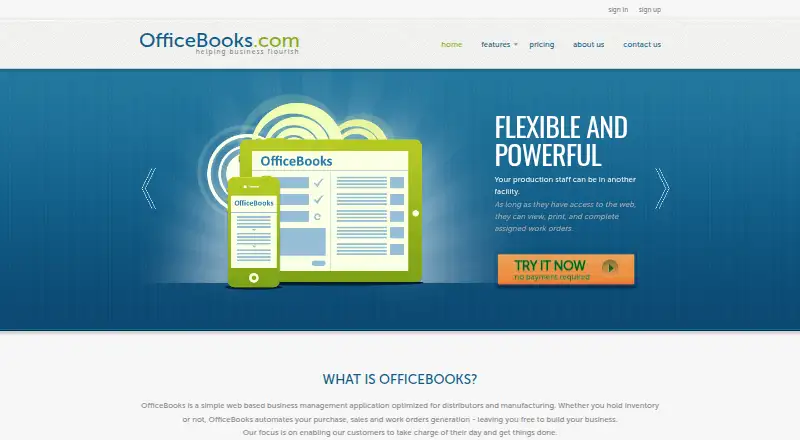
OfficeBooks is a web-based business management application for distributors and manufacturing businesses. It brings inventory control, sales quotations, purchase orders, work orders, invoicing, reports, contact management, and credit-card processing into one browser-accessible system. Inventory quantities adjust when goods are purchased, built, or sold, while reorder triggers and shortage alerts support purchasing decisions. Small teams that need both purchasing and manufacturing tools should find its scope particularly relevant.
Pricing is structured around a permanent free plan and paid packages. The Free plan costs $0 per month and includes reports, inventory control, invoices, work orders, and work centers, with no time limit. The Purchasing plan includes unlimited users and records, budgets, an approval system, QuickBooks Online integration, and reports. Distributor costs $79 per month and adds sales and quotes, inventory control, and invoices alongside unlimited users, unlimited records, and reports. Full costs $169 per month and is optimized for manufacturing with inventory control and work orders. The paid tiers provide a clearer fit for purchasing, distribution, or manufacturing-led operations.
Its strongest breadth comes from connecting operational steps: sales quotations can be accepted online, sales orders support fulfillment and packing lists, purchase orders can notify suppliers, and manufacturing uses work orders and bills of material. Reports export to Excel, PDF, and HTML, while integrations include QuickBooks Online, Excel, Gmail, Stripe, and Google. The trade-off is a web-only platform with no native mobile apps and less emphasis on barcode-centric or multi-location workflows. Choose OfficeBooks when a small team wants purchasing, inventory, invoicing, and manufacturing in one system; consider another option when mobile warehouse work or deeper multi-location control is central.
Your product? Our editors can test OfficeBooks in depth and publish a review, labelled as paid · from $149/mo →
OfficeBooks pricing
All 4 OfficeBooks plans and prices →
OfficeBooks fact sheet
| Free plan | Yes |
|---|---|
| Paid from | Not verified |
| Warehouse limit | Not verified |
| SKU limit | Not verified |
| Barcode scanning | Not verified |
| Purchase orders | Yes |
| Sales orders | Yes |
| Stock alerts | Yes |
| Mobile apps | Not verified |
| Deployment | Cloud |
| Platforms | Web |
| Support | Email, Phone, Live chat |
| Built for | Small business (editorial estimate) |
| Integrations | 5 integrations: QuickBooks Online, Excel, Gmail, Stripe, Google |
| Pricing | Free plan (source) |
| Website | officebooks.com |
| Facts checked | 20 Sep 2026 |
OfficeBooks integrations
OfficeBooks lists 5 integrations on its own site.
- QuickBooks Online
- Excel
- Gmail
- Stripe
Alternatives to OfficeBooks
- Zoho InventoryA broad inventory suite with multi-location controls, integrations, and scalable annual plans.9.2
- Cin7 OmniA broad inventory and fulfillment system for larger, multichannel enterprises.8.8
- MobilityeCommerceA broad operations platform for marketplace-heavy, multichannel inventory workflows.8.6



See all OfficeBooks alternatives →
Used OfficeBooks? Be the first to review it
The editor score above is our own research. What this page doesn't have yet is a reader's view — what you used OfficeBooks for, what worked and what didn't. No stars are seeded and no review is paid for; an editor reads every one before it appears.
Write a reviewTwo minutes · verified accounts only · read by an editor before it appears
Featured on iTechGuides

OfficeBooks is listed in our Inventory Management Software directory. Add the badge to your site — it links back to this page.
<a href="https://www.itechguides.com/products/officebooks/"><img src="https://www.itechguides.com/best/badge/officebooks.svg" alt="Featured on iTechGuides" width="230" height="46"></a>
Reviewed by iTechGuides Editors · Editorial team · Updated Oct 2026
Advertiser disclosure: iTechGuides is reader-supported. Vendors can pay for top positions in our rankings and for a place on other products' pages, and we may earn a commission when you click some links. Bought places stand at the number bought; this page and our disclosure say so. Paying vendors may get a fuller, more detailed review from our editors, and that review can change their score. How we rank.
Last updated · How we research and update