
NowMax
NowMax: A strong fit for production teams needing synchronized local tracks and editor-ready exports. Ranked #20 of 22 in Podcast Recording Software by our editors (7.3/10); pricing: Pricing on request; best for production teams needing high-fidelity capture.
At a glance
- Editor score7.3 / 10
- PricingPricing on request
- Best forProduction teams needing high-fidelity capture
- Separate participant tracksYes
- Facts checked23 Sep 2026
Where it wins
- Local synchronized audio and video tracks for each participant
- 48 kHz WAV audio and video recording up to 4K
- Exports and integrations for Premiere, Final Cut Pro, and Resolve
Where it doesn't
- Pricing is handled through contact sales
- Native transcription is not presented as a core workflow
- Best suited to teams with a post-production editing process
Our verdict on NowMax
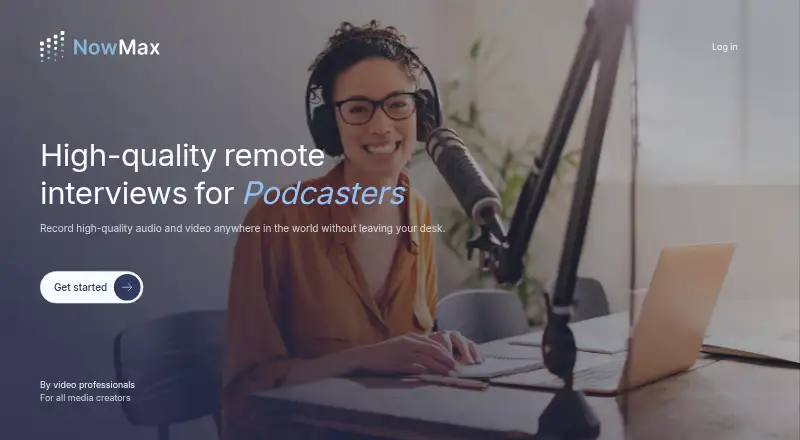
NowMax is a remote interview and podcast recording application for podcasters, journalists, marketers, and media creators. Each participant records audio and video locally on their device, while the service produces synchronized separate tracks for editing. Browser-based joining supports computers and smartphones, with Windows, iOS, and Android also listed among the supported platforms. The product is aimed at remote productions that need high-quality capture without dedicated cameras, travel, or an onsite crew.
Its strongest area is recording control and output quality. NowMax supports uncompressed 48 kHz WAV audio, video recording up to 4K, AVC and HEVC output, constant-frame-rate recording, and audio/video synchronization. Hosts can remotely adjust guest audio and video settings, while live recording status indicators provide visibility during a session. The workflow also fits established post-production environments through integrations with Adobe Premiere, Final Cut Pro, DaVinci Resolve, and Microsoft Clipchamp. These capabilities make NowMax a practical choice when editors need separate, synchronized media rather than a single mixed recording.
Pricing is contact-sales, so production teams should expect to discuss their requirements directly before selecting the service. NowMax's materials reference AI transcript-based editing in Microsoft Clipchamp, while the main workflow is centered on recording and exporting synchronized media. Teams seeking a focused capture tool with high-resolution video, WAV audio, remote controls, and editor compatibility should consider NowMax. Buyers who want clearly packaged self-serve pricing or a native transcription and editing suite may prefer a broader production platform.
Your product? Our editors can test NowMax in depth and publish a review, labelled as paid · from $149/mo →
NowMax pricing
NowMax fact sheet
| Free plan | Not verified |
|---|---|
| Paid from | Not verified |
| Separate participant tracks | Yes |
| Local recording | Yes |
| Maximum participants | Not verified |
| Audio export format | Wav |
| Video recording | Yes |
| Automatic transcription | Not verified |
| Recording platform | Browser_and_desktop |
| Deployment | Cloud, Mobile |
| Platforms | Web, iOS, Android |
| Compliance & security | GDPR |
| Support | |
| Built for | Small business, Mid-market (editorial estimate) |
| Integrations | 4 integrations: Adobe Premiere, Final Cut Pro, DaVinci Resolve, Microsoft Clipchamp |
| Pricing | Pricing on request |
| Website | nowmax.app |
| Facts checked | 23 Sep 2026 |
NowMax integrations
NowMax lists 4 integrations on its own site.
- Adobe Premiere
- Final Cut Pro
- DaVinci Resolve
- Microsoft Clipchamp
Alternatives to NowMax
- RiversideA full recording-to-publishing workspace for creators who want polished remote production.9.4
- Adobe PodcastA capable browser studio for remote recording and AI-assisted podcast editing.9.2
- AsyncA full podcast workflow with a free plan and scalable recording, editing, and AI tools.9.1



Used NowMax? Be the first to review it
The editor score above is our own research. What this page doesn't have yet is a reader's view — what you used NowMax for, what worked and what didn't. No stars are seeded and no review is paid for; an editor reads every one before it appears.
Write a reviewTwo minutes · verified accounts only · read by an editor before it appears
Featured on iTechGuides

NowMax is listed in our Podcast Recording Software directory. Add the badge to your site — it links back to this page.
<a href="https://www.itechguides.com/products/nowmax/"><img src="https://www.itechguides.com/best/badge/nowmax.svg" alt="Featured on iTechGuides" width="230" height="46"></a>
Reviewed by iTechGuides Editors · Editorial team · Updated Oct 2026
Advertiser disclosure: iTechGuides is reader-supported. Vendors can pay for top positions in our rankings and for a place on other products' pages, and we may earn a commission when you click some links. Bought places stand at the number bought; this page and our disclosure say so. Paying vendors may get a fuller, more detailed review from our editors, and that review can change their score. How we rank.
Last updated · How we research and update