
Noise Blocker
Noise Blocker: A simple Windows filter with one-time pricing, broad app support, and limited platform reach. Ranked #16 of 24 in AI Noise Cancellation Software by our editors (7.1/10); pricing: Paid; best for windows users wanting simple one-time filtering.
At a glance
- Editor score7.1 / 10
- PricingPaid
- Best forWindows users wanting simple one-time filtering
- Free planNo
- Paid from$50 one-time
- Real-time cancellationYes
- Facts checked20 Sep 2026
Where it wins
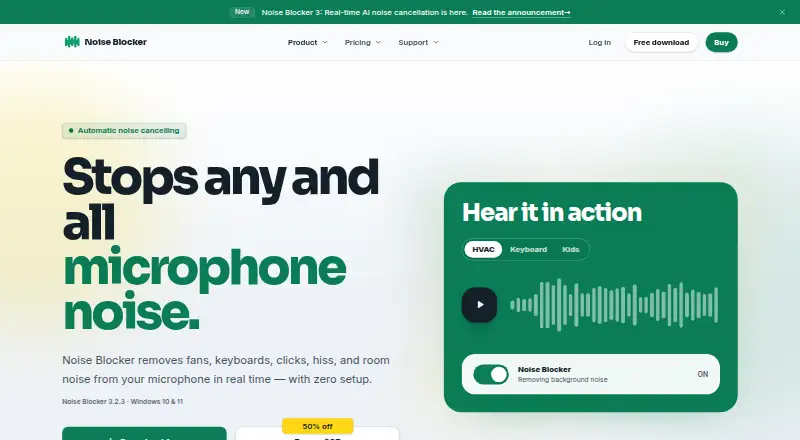
- Filters fans, keyboards, clicks, hiss, and room noise in real time
- Virtual microphone output works across six meeting and streaming apps
- One-time $50 license covers up to 3 PCs and 12 months of updates
Where it doesn't
- Windows-only, with support limited to Windows 10 and Windows 11
- No free plan is available
- Echo cancellation is not verified
Our verdict on Noise Blocker
Noise Blocker is a Windows desktop utility for individuals and household users who want cleaner outgoing microphone audio during meetings, chats, recordings, or streams. Its AI noise cancellation works in real time, targeting fans, keyboards, clicks, hiss, and room noise. The filtered signal is delivered through a virtual microphone, allowing other applications to receive the processed audio. Automatic operation and an optional voice gate keep the feature set focused on straightforward microphone filtering rather than extensive audio configuration.
Pricing is simple: the Personal license costs $50 USD as a one-time payment. It provides perpetual use of the current version, 12 months of updates and priority support, and installation on up to 3 PCs. A 14-day money-back guarantee is included. There is no free plan, so the product suits buyers who prefer a fixed purchase over recurring billing and expect to keep using the current version after the included update period. The plan structure is easy to understand, but the one-time license still requires a paid commitment before use.
Application support is a clear strength. Noise Blocker works with Zoom, Google Meet, Discord, Slack, Microsoft Teams, and OBS, covering meetings, team communication, gaming or chat, recording, and streaming workflows. The virtual microphone output helps connect the filtered signal to those applications without requiring each app to provide its own filtering feature. However, the product is limited to Windows 10 and Windows 11, and echo cancellation is not verified. Windows users seeking automatic real-time filtering and broad meeting or streaming compatibility should consider it; users on other operating systems or those who specifically need confirmed echo cancellation should choose an alternative.
Your product? Our editors can test Noise Blocker in depth and publish a review, labelled as paid · from $149/mo →
Noise Blocker pricing
All 1 Noise Blocker plans and prices →
Noise Blocker fact sheet
| Free plan | No |
|---|---|
| Paid from | $50 one-time |
| Real-time cancellation | Yes |
| Supported operating systems | Windows |
| Recording support | Yes |
| Streaming support | Yes |
| Voice isolation | Not verified |
| Echo cancellation | Not verified |
| Audio source support | Microphone |
| Money-back guarantee | 14 days |
| Deployment | Desktop |
| Platforms | Windows |
| Support | Email, Docs |
| Built for | Solo, Small business (editorial estimate) |
| Integrations | 6 integrations: Zoom, Google Meet, Discord, Slack, Microsoft Teams, OBS |
| Pricing | Paid (source) |
| Website | closedlooplabs.com |
| Facts checked | 20 Sep 2026 |
Noise Blocker integrations
Noise Blocker lists 6 integrations on its own site.
- Zoom
- Google Meet
- Discord
- Slack
- Microsoft Teams
- OBS
Alternatives to Noise Blocker
- KleervoxA broad freemium option for cleaner meetings, streams, recordings, and calls.9.4
- neepA cross-platform choice for bidirectional noise removal with local processing.9.2
- NVIDIA BroadcastA free Windows toolkit for noise removal, audio routing, and meeting or streaming effects.9.0


See all Noise Blocker alternatives →
Also Ranked In
Noise Blocker is ranked in 2 of our directories.
Used Noise Blocker? Be the first to review it
The editor score above is our own research. What this page doesn't have yet is a reader's view — what you used Noise Blocker for, what worked and what didn't. No stars are seeded and no review is paid for; an editor reads every one before it appears.
Write a reviewTwo minutes · verified accounts only · read by an editor before it appears
Featured on iTechGuides

Noise Blocker is listed in our AI Noise Cancellation Software directory. Add the badge to your site — it links back to this page.
<a href="https://www.itechguides.com/products/noise-blocker/"><img src="https://www.itechguides.com/best/badge/noise-blocker.svg" alt="Featured on iTechGuides" width="230" height="46"></a>
Reviewed by iTechGuides Editors · Editorial team · Updated Oct 2026
Advertiser disclosure: iTechGuides is reader-supported. Vendors can pay for top positions in our rankings and for a place on other products' pages, and we may earn a commission when you click some links. Bought places stand at the number bought; this page and our disclosure say so. Paying vendors may get a fuller, more detailed review from our editors, and that review can change their score. How we rank.
Last updated · How we research and update