
Ninja Ripper
Ninja Ripper: A focused Windows extractor for rendered game assets and 3D editor workflows. Ranked #21 of 23 in Game Asset Extractors by our editors (6.9/10); pricing: Paid; best for rendered-scene model and texture ripping.
At a glance
- Editor score6.9 / 10
- PricingPaid
- Best forRendered-scene model and texture ripping
- Free planNo
- Asset types3D models, meshes, textures, shaders
- Facts checked21 Sep 2026
Where it wins
- Extracts models, meshes, textures, and shaders from rendered scenes
- Supports DirectX, Vulkan, OpenGL, frame, and forced ripping modes
- Imports extracted NR files into Blender, 3ds Max, Maya, and Noesis
Where it doesn't
- Windows-only availability limits cross-platform workflows
- The experimental tool does not support every game
- There is no free plan
Our verdict on Ninja Ripper
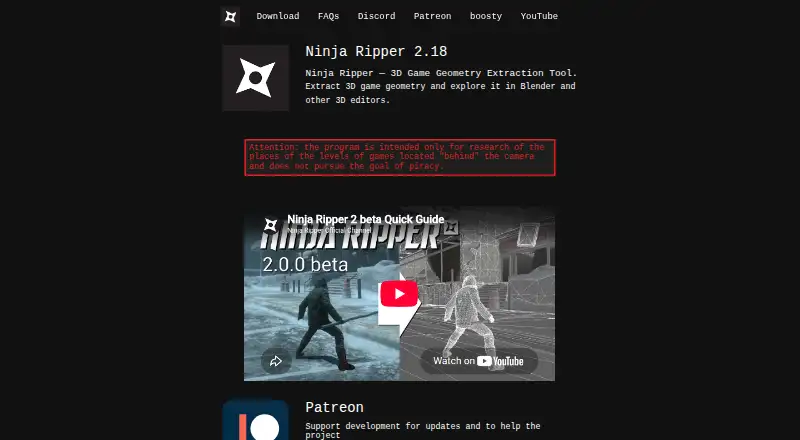
Ninja Ripper is an experimental Windows utility for extracting rendered 3D models, meshes, textures, and shaders from games and 3D programs. It is aimed at environment exploration, 3D modeling, mod creation, enthusiast projects, and research. The extractor supports DirectX 12 through DirectX 7, Vulkan, and OpenGL rendering, making it suited to projects that need assets captured from varied rendered scenes rather than files exposed through a standard game archive.
Its strongest fit is the workflow after extraction. NR files can be imported into Blender, 3ds Max, Maya, and Noesis, while supported texture formats include JPG, BMP, PNG, HDR, and EXR. Frame and forced ripping modes provide two capture approaches, and batch extraction is supported. The ecosystem also extends to selected Android emulators, including Nox, BlueStacks, MuMuPlayer, and LDPlayer, plus Firefox, Palemoon, and SeaMonkey. That combination makes Ninja Ripper useful when the target content appears inside a rendered application rather than a conventional asset package.
The trade-offs are important for buyers choosing a dependable production pipeline. Ninja Ripper is Windows-only, paid, and has no free plan. Its experimental status means compatibility is not universal, and the published description states that not all games are supported. The available paid tiers include Fan, Ninja Ripper - Latest Releases, and Ninja Ripper — Developer Support, with the latter two distinguishing current releases and developer support. Choose it for targeted rendered-scene capture and downstream 3D editing; choose an alternative when broad game compatibility, cross-platform operation, or a free entry point is essential.
Your product? Our editors can test Ninja Ripper in depth and publish a review, labelled as paid · from $149/mo →
Ninja Ripper pricing
All 3 Ninja Ripper plans and prices →
Ninja Ripper fact sheet
| Free plan | No |
|---|---|
| Paid from | Not verified |
| Asset types | 3D models, meshes, textures, shaders |
| Game file formats | Not verified |
| Model formats | Not verified |
| Texture formats | JPG, BMP, PNG, HDR, EXR |
| Batch extraction | Yes |
| Command-line support | Not verified |
| Archive repacking | Not verified |
| Deployment | Desktop |
| Platforms | Windows |
| Support | Community, Docs |
| Built for | Solo, Small business (editorial estimate) |
| Integrations | 11 integrations: Blender, 3ds Max, Maya, Noesis, Nox, BlueStacks … |
| Pricing | Paid (source) |
| Website | ninjaripper.com |
| Facts checked | 21 Sep 2026 |
Ninja Ripper integrations
Ninja Ripper lists 11 integrations on its own site.
- Blender
- 3ds Max
- Maya
- Noesis
- Nox
- BlueStacks
- MuMuPlayer
- LDPlayer
- Firefox
- Palemoon
- SeaMonkey
Alternatives to Ninja Ripper
- QuickBMSA broad, free toolkit for scripted extraction, reimporting, and mod packaging.9.4
- Source 2 ViewerA deep Source 2 asset toolkit with GUI inspection, conversion, automation, and VPK repacking.9.3
- NoesisA free Windows utility for extracting, inspecting, converting, and batch-exporting game assets.9.1

See all Ninja Ripper alternatives →
Used Ninja Ripper? Be the first to review it
The editor score above is our own research. What this page doesn't have yet is a reader's view — what you used Ninja Ripper for, what worked and what didn't. No stars are seeded and no review is paid for; an editor reads every one before it appears.
Write a reviewTwo minutes · verified accounts only · read by an editor before it appears
Featured on iTechGuides

Ninja Ripper is listed in our Game Asset Extractors directory. Add the badge to your site — it links back to this page.
<a href="https://www.itechguides.com/products/ninja-ripper/"><img src="https://www.itechguides.com/best/badge/ninja-ripper.svg" alt="Featured on iTechGuides" width="230" height="46"></a>
Reviewed by iTechGuides Editors · Editorial team · Updated Oct 2026
Advertiser disclosure: iTechGuides is reader-supported. Vendors can pay for top positions in our rankings and for a place on other products' pages, and we may earn a commission when you click some links. Bought places stand at the number bought; this page and our disclosure say so. Paying vendors may get a fuller, more detailed review from our editors, and that review can change their score. How we rank.
Last updated · How we research and update