NESER
NESER: A polished multi-system emulator with strong NES tools across four platforms. Ranked #4 of 26 in NES Emulators by our editors (9.0/10); pricing: Free plan; best for multi-system users wanting polished NES support.
At a glance
- Editor score9.0 / 10
- PricingFree plan
- Best forMulti-system users wanting polished NES support
- Free planYes
- Paid fromFree
- Supported platformsWeb browser, Windows, macOS, and Linux desktop builds
- Facts checked20 Sep 2026
Where it wins
- Supports NES, Famicom, Game Boy, GBA, and SNES systems
- Runs through native desktop and WebAssembly browser frontends
- Adds save states, shaders, peripherals, debugging, and ROM management
Where it doesn't
- Source installation may require a more technical setup
- Advanced timing and video controls are focused on NES
- The interface spans multiple frontends rather than one unified app
Our verdict on NESER
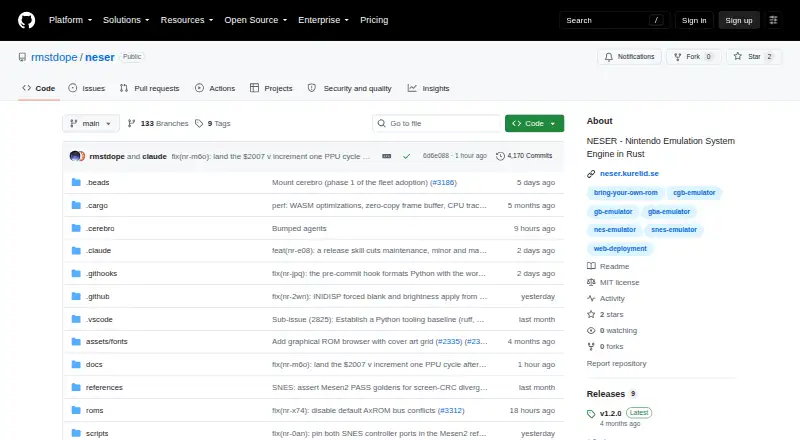
NESER is an open-source Nintendo emulation engine for users who want NES and Famicom support alongside Game Boy, Game Boy Color, Game Boy Advance, and SNES systems. It runs through native desktop builds for Windows, macOS, and Linux, as well as a browser frontend using WebAssembly. The project suits players managing multiple ROM libraries, developers who need debugging tools, and users who want more control over NES presentation and input than a basic emulator provides.
Its strongest everyday feature set centers on library management and playback control. The ROM browser adds metadata, cover art, filtering, and launching, while save and load states support flexible progress management. Keyboard, gamepad, and NES peripheral input are supported, and NES shader and video filter presets provide options for changing the rendered image. NESER also includes timing modes, palette options, and overscan controls, giving NES-focused users several ways to tune playback.
NESER goes beyond a player with a debugger, CPU tracing, breakpoints, and autorun recording and playback. Headless PNG frame capture extends that focus to scripting and CI workflows. The MIT License and distribution through source, crates.io, and release archives make it suitable for users comfortable choosing an installation route. It is a strong pick for multi-system users who value NES depth, browser access, and development-oriented tooling. Those seeking the simplest possible single-system interface may prefer a narrower emulator with fewer configuration and diagnostic features.
Your product? Our editors can test NESER in depth and publish a review, labelled as paid · from $149/mo →
NESER pricing
NESER fact sheet
| Free plan | Yes |
|---|---|
| Paid from | Free |
| Supported platforms | Web browser, Windows, macOS, and Linux desktop builds |
| Save states | Yes |
| Rewind | Not verified |
| Netplay | Not verified |
| Shader support | Yes |
| Cheat support | Not verified |
| Deployment | Desktop |
| Platforms | Web, Windows, macOS, Linux |
| Support | Community, Docs |
| Built for | Solo, Small business (editorial estimate) |
| Pricing | Free plan |
| Website | github.com |
| Facts checked | 20 Sep 2026 |
Alternatives to NESER
- KuroganeNESA feature-rich, open-source NES emulator delivered as a self-contained HTML file.9.4
- DendyA feature-rich, open-source NES emulator for desktop, browser, and multiplayer play.9.2
- puNESA feature-rich, free NES emulator for Windows and Linux desktops.9.1
NESER vs the competition
- NESER vs KuroganeNES
- NESER vs Dendy
- NESER vs puNES
- NESER vs FCEUX
- NESER vs Nestopia Undead Edition
- NESER vs Nintengo
Compare NESER with any tool side by side →
Used NESER? Be the first to review it
The editor score above is our own research. What this page doesn't have yet is a reader's view — what you used NESER for, what worked and what didn't. No stars are seeded and no review is paid for; an editor reads every one before it appears.
Write a reviewTwo minutes · verified accounts only · read by an editor before it appears
Featured on iTechGuides

NESER is listed in our NES Emulators directory. Add the badge to your site — it links back to this page.
<a href="https://www.itechguides.com/products/neser/"><img src="https://www.itechguides.com/best/badge/neser.svg" alt="Featured on iTechGuides" width="230" height="46"></a>
Reviewed by iTechGuides Editors · Editorial team · Updated Oct 2026
Advertiser disclosure: iTechGuides is reader-supported. Vendors can pay for top positions in our rankings and for a place on other products' pages, and we may earn a commission when you click some links. Bought places stand at the number bought; this page and our disclosure say so. Paying vendors may get a fuller, more detailed review from our editors, and that review can change their score. How we rank.
Last updated · How we research and update