My NES
My NES: A focused free NES emulator for Windows users who want GUI-based essentials. Ranked #16 of 26 in NES Emulators by our editors (7.7/10); pricing: Free plan; best for windows users wanting a straightforward GUI.
At a glance
- Editor score7.7 / 10
- PricingFree plan
- Best forWindows users wanting a straightforward GUI
- Free planYes
- Paid fromFree
- Supported platformsWindows
- Facts checked20 Sep 2026
Where it wins
- Free, open-source distribution under the GNU GPL v3 license
- Includes launcher, snapshots, recording, save states, and Game Genie support
- Supports keyboard, joystick, and Xbox 360 controller input
Where it doesn't
- Windows-only support limits platform coverage
- Does not include rewind or netplay features
- Requires a Windows system capable of running .NET Framework 4
Our verdict on My NES
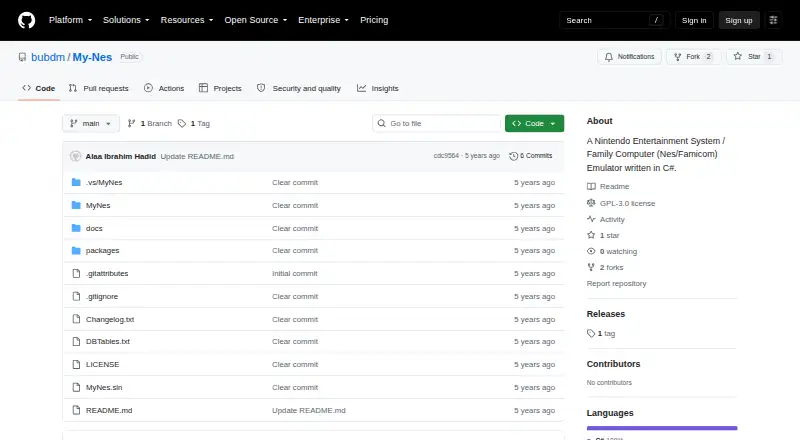
My NES is a free, open-source emulator for Nintendo Entertainment System and Family Computer software. Written in C#, it is aimed at Windows users who prefer a graphical interface rather than a command-line workflow. The built-in game launcher keeps game access in one place, while windowed and fullscreen modes support different viewing preferences. Input options cover keyboard, joystick, and Xbox 360 controllers, giving the software a practical fit for common Windows setups.
The feature set focuses on the core functions expected from an NES emulator, with configurable video renderers, game snapshots, sound recording, and save/load states. Game Genie support adds cheat functionality, while the launcher and graphical controls keep the experience centered on direct access and configuration. Because the software is freeware and open source under the GNU GPL v3 license, its pricing is straightforward: there is no paid tier described, and the available feature set is presented as part of the free distribution.
My NES is a narrower choice than emulators that support more platforms or online play. Its documented coverage is limited to Windows systems capable of running .NET Framework 4, and it does not provide rewind or netplay. Choose it if Windows compatibility, a simple GUI, controller support, save states, snapshots, recording, and Game Genie are the priorities. Look elsewhere if you need broader operating-system coverage, network multiplayer, or rewind controls.
Your product? Our editors can test My NES in depth and publish a review, labelled as paid · from $149/mo →
My NES pricing
My NES fact sheet
| Free plan | Yes |
|---|---|
| Paid from | Free |
| Supported platforms | Windows |
| Save states | Yes |
| Rewind | Not verified |
| Netplay | Not verified |
| Shader support | Not verified |
| Cheat support | Yes |
| Deployment | Desktop |
| Platforms | Windows |
| Built for | Solo, Small business (editorial estimate) |
| Pricing | Free plan |
| Website | github.com |
| Facts checked | 20 Sep 2026 |
Alternatives to My NES
- KuroganeNESA feature-rich, open-source NES emulator delivered as a self-contained HTML file.9.4
- DendyA feature-rich, open-source NES emulator for desktop, browser, and multiplayer play.9.2
- puNESA feature-rich, free NES emulator for Windows and Linux desktops.9.1
Used My NES? Be the first to review it
The editor score above is our own research. What this page doesn't have yet is a reader's view — what you used My NES for, what worked and what didn't. No stars are seeded and no review is paid for; an editor reads every one before it appears.
Write a reviewTwo minutes · verified accounts only · read by an editor before it appears
Featured on iTechGuides

My NES is listed in our NES Emulators directory. Add the badge to your site — it links back to this page.
<a href="https://www.itechguides.com/products/my-nes/"><img src="https://www.itechguides.com/best/badge/my-nes.svg" alt="Featured on iTechGuides" width="230" height="46"></a>
Reviewed by iTechGuides Editors · Editorial team · Updated Oct 2026
Advertiser disclosure: iTechGuides is reader-supported. Vendors can pay for top positions in our rankings and for a place on other products' pages, and we may earn a commission when you click some links. Bought places stand at the number bought; this page and our disclosure say so. Paying vendors may get a fuller, more detailed review from our editors, and that review can change their score. How we rank.
Last updated · How we research and update