
Mozilla PDF.js
Mozilla PDF.js: A developer-focused PDF viewer and rendering platform for web applications. Ranked #5 of 23 in PDF Readers by our editors (8.8/10); pricing: Free plan; best for web and application developers.
At a glance
- Editor score8.8 / 10
- PricingFree plan
- Best forWeb and application developers
- Free planYes
- Paid fromFree
- Facts checked24 Sep 2026
Where it wins
- Open-source PDF parsing, rendering, search, and browser viewing
- Annotation editing includes highlights, free text, ink, stamps, and signatures
- Supports npm, CDNs, APIs, self-hosting, and Firefox and Chrome extensions
Where it doesn't
- Requires developer integration rather than serving as a conventional end-user app
- Its focus is PDF viewing, parsing, forms, and annotations
- Interactive scripting is centered on PDF form calculations and actions
Our verdict on Mozilla PDF.js
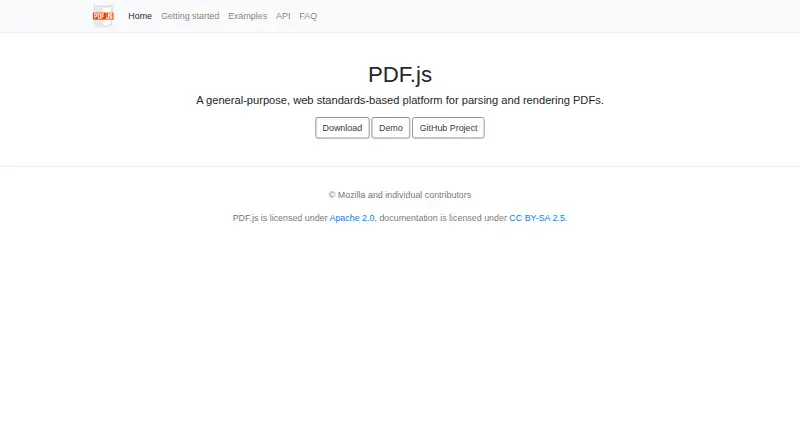
Mozilla PDF.js is an open-source JavaScript library and browser-based viewer for parsing and rendering Portable Document Format files. It is aimed at web and application developers who need to embed PDF capabilities in web applications or distribute a viewer through browser extensions. The platform includes text extraction, selection, search, page navigation, zoom, printing, downloading, annotation handling, interactive PDF scripting, and annotation-editing interfaces.
Its ecosystem fit is a major strength. Developers can work with prebuilt packages, source code, npm distribution, a CDN, a display API, and a core parsing layer. The published integrations include npm, jsDelivr, cdnjs, and unpkg, while the platform list covers web, Chrome extensions, APIs, and self-hosted deployments. Firefox and Chrome browser extensions extend its reach beyond an embedded application viewer. This combination suits teams that need control over how PDFs are delivered, rendered, or integrated into an existing application stack.
PDF.js also offers broader document interaction than a basic reader. Annotation editing supports highlights, free text, ink, stamps, and signatures, while interactive-PDF scripting handles form calculations, validations, and button actions. Its category capabilities include annotation tools, form filling, and cross-platform support. The trade-off is that PDF.js is a library and viewer rather than a conventional end-user subscription product, so teams seeking a packaged consumer reader should choose a product built around that use case. Developers who want an open-source foundation for browser PDF viewing, parsing, annotations, and forms should consider PDF.js.
Your product? Our editors can test Mozilla PDF.js in depth and publish a review, labelled as paid · from $149/mo →
Mozilla PDF.js pricing
Mozilla PDF.js fact sheet
| Free plan | Yes |
|---|---|
| Paid from | Free |
| Annotation tools | Yes |
| OCR support | None |
| Form filling | Yes |
| Offline access | Not verified |
| Text-to-speech | Not verified |
| Platform support | Web |
| Deployment | Self-hosted |
| Platforms | Web |
| Support | Community, Docs |
| Built for | Solo, Small business, Mid-market, Enterprise (editorial estimate) |
| Pricing | Free plan |
| Website | mozilla.github.io |
| Facts checked | 24 Sep 2026 |
Alternatives to Mozilla PDF.js
- Foxit PDF ReaderA free cross-platform reader with collaboration, forms, signatures, and cloud integrations.9.4
- OkularA capable open-source desktop reader with annotations, forms, signatures and accessibility tools.9.2
- PreviewA capable free PDF reader for Apple users, with practical editing and signing tools.9.1



See all Mozilla PDF.js alternatives →
Mozilla PDF.js vs the competition
- Mozilla PDF.js vs Foxit PDF Reader
- Mozilla PDF.js vs Okular
- Mozilla PDF.js vs Preview
- Mozilla PDF.js vs SumatraPDF
- Mozilla PDF.js vs KDAN PDF
- Mozilla PDF.js vs Evince


Compare Mozilla PDF.js with any tool side by side →
Also Ranked In
Mozilla PDF.js is ranked in 2 of our directories.
Used Mozilla PDF.js? Be the first to review it
The editor score above is our own research. What this page doesn't have yet is a reader's view — what you used Mozilla PDF.js for, what worked and what didn't. No stars are seeded and no review is paid for; an editor reads every one before it appears.
Write a reviewTwo minutes · verified accounts only · read by an editor before it appears
Featured on iTechGuides

Mozilla PDF.js is listed in our PDF Readers directory. Add the badge to your site — it links back to this page.
<a href="https://www.itechguides.com/products/mozilla-pdf-js/"><img src="https://www.itechguides.com/best/badge/mozilla-pdf-js.svg" alt="Featured on iTechGuides" width="230" height="46"></a>
Reviewed by iTechGuides Editors · Editorial team · Updated Oct 2026
Advertiser disclosure: iTechGuides is reader-supported. Vendors can pay for top positions in our rankings and for a place on other products' pages, and we may earn a commission when you click some links. Bought places stand at the number bought; this page and our disclosure say so. Paying vendors may get a fuller, more detailed review from our editors, and that review can change their score. How we rank.
Last updated · How we research and update