
Preview
Preview: A capable free PDF reader for Apple users, with practical editing and signing tools. Ranked #3 of 23 in PDF Readers by our editors (9.1/10); pricing: Free plan; best for apple users wanting a capable free reader.
At a glance
- Editor score9.1 / 10
- PricingFree plan
- Best forApple users wanting a capable free reader
- Free planYes
- Paid fromFree
- Offline accessYes
- Facts checked24 Sep 2026
Where it wins
- Annotates, signs, fills, and manages PDF pages
- Includes basic OCR, text search, compression, and protection
- Works with local files and iCloud on Apple platforms
Where it doesn't
- Available on macOS and iOS rather than broader platforms
- OCR support is basic
- Cloud access centers on iCloud
Our verdict on Preview
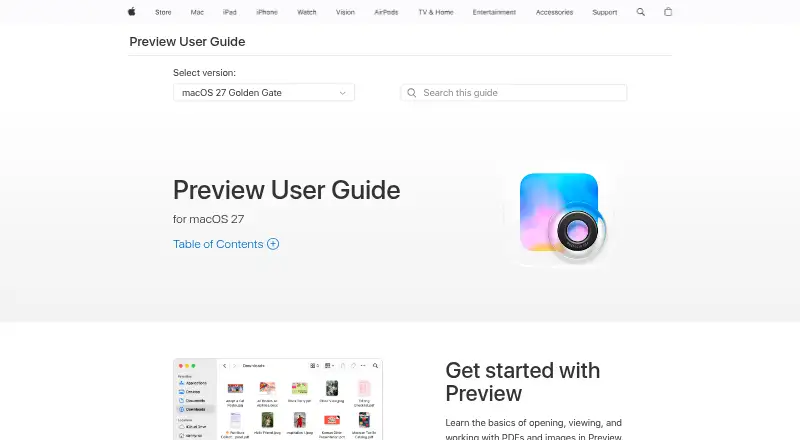
Preview is Apple’s built-in utility for viewing and editing PDFs and images on Mac and iPhone. It handles multipage PDF navigation, annotations, form filling, signatures, page management, text search, exporting, compression, password protection, and sharing. It also recognizes and embeds text in image-based PDFs. For Apple users who want a free reader that covers everyday document tasks without a separate purchase, Preview is a practical fit.
The published feature set goes beyond reading. Users can add notes, speech bubbles, highlights, underlines, and strikethroughs; combine or split files; add, delete, and reorder pages; and fill out and sign forms. Basic OCR makes image-based PDFs searchable, while password protection and compression support common file-preparation needs. Preview also opens files stored locally or in iCloud, giving Mac users a straightforward way to work across those locations. Its strongest appeal is breadth within a focused PDF and image utility rather than specialization in one advanced workflow.
Platform fit is the main consideration. Preview is documented for macOS and iOS, so it suits people whose document work stays within Apple’s ecosystem. iCloud access supports that fit, while the narrower platform coverage makes it less suitable for teams that need a reader across a wider range of operating systems. Choose Preview for free viewing, annotation, forms, signing, page organization, and basic OCR on Apple devices. Choose an alternative when broader platform coverage or more advanced OCR is a priority.
Your product? Our editors can test Preview in depth and publish a review, labelled as paid · from $149/mo →
Preview pricing
Preview fact sheet
| Free plan | Yes |
|---|---|
| Paid from | Free |
| Annotation tools | Yes |
| OCR support | Not verified |
| Form filling | Yes |
| Offline access | Yes |
| Text-to-speech | Not verified |
| Platform support | Desktop |
| Deployment | Desktop |
| Platforms | macOS |
| Support | Docs |
| Built for | Solo, Small business, Mid-market, Enterprise (editorial estimate) |
| Pricing | Free plan |
| Website | support.apple.com |
| Facts checked | 24 Sep 2026 |
Alternatives to Preview
- Foxit PDF ReaderA free cross-platform reader with collaboration, forms, signatures, and cloud integrations.9.4
- OkularA capable open-source desktop reader with annotations, forms, signatures and accessibility tools.9.2
- SumatraPDFA portable Windows reader with broad format support, annotations, signatures, and command-line tools.9.0



See all Preview alternatives →
Preview vs the competition
- Preview vs Foxit PDF Reader
- Preview vs Okular
- Preview vs SumatraPDF
- Preview vs Mozilla PDF.js
- Preview vs KDAN PDF
- Preview vs Evince


Compare Preview with any tool side by side →
Used Preview? Be the first to review it
The editor score above is our own research. What this page doesn't have yet is a reader's view — what you used Preview for, what worked and what didn't. No stars are seeded and no review is paid for; an editor reads every one before it appears.
Write a reviewTwo minutes · verified accounts only · read by an editor before it appears
Featured on iTechGuides

Preview is listed in our PDF Readers directory. Add the badge to your site — it links back to this page.
<a href="https://www.itechguides.com/products/preview/"><img src="https://www.itechguides.com/best/badge/preview.svg" alt="Featured on iTechGuides" width="230" height="46"></a>
Reviewed by iTechGuides Editors · Editorial team · Updated Oct 2026
Advertiser disclosure: iTechGuides is reader-supported. Vendors can pay for top positions in our rankings and for a place on other products' pages, and we may earn a commission when you click some links. Bought places stand at the number bought; this page and our disclosure say so. Paying vendors may get a fuller, more detailed review from our editors, and that review can change their score. How we rank.
Last updated · How we research and update