
Mixea
Mixea: A web mastering service for comparing many AI-generated master variations. Ranked #3 of 50 in AI Music Mastering Software by our editors (9.0/10); pricing: Paid; best for users wanting many mastering variants.
At a glance
- Editor score9.0 / 10
- PricingPaid
- Best forUsers wanting many mastering variants
- Free planNo
- Facts checked22 Sep 2026
Where it wins
- Generates 15 mastering options for each uploaded track
- Offers adjustable intensity and EQ controls
- Exports 24-bit, 48 kHz HD WAV files plus WAV and MP3
Where it doesn't
- Web-only access limits use to a browser-based workflow
- The workflow focuses on complete-track mastering
- No documented reference-track matching or loudness-target controls
Our verdict on Mixea
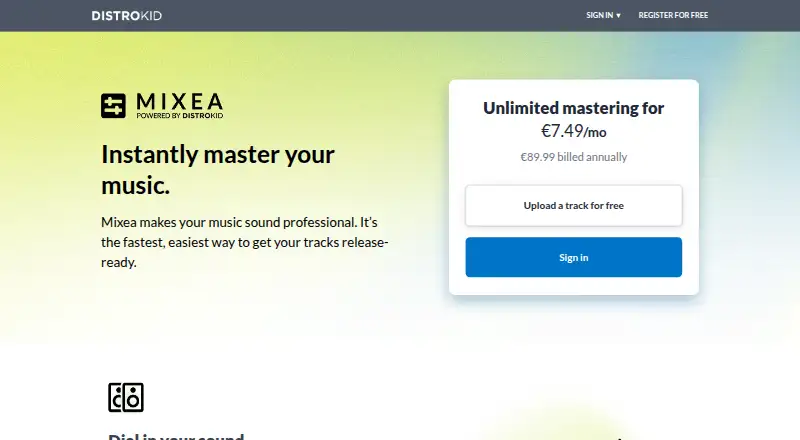
Mixea is DistroKid’s online mastering service for musicians and artists who want multiple versions of a completed track before distribution. Users upload audio through the web, receive 15 generated mastering options, compare the original and mastered waveforms, then adjust intensity and EQ before selecting an export. It supports WAV, FLAC, MP3, AIFF, and MP4 inputs, making it suitable for solo musicians and small teams preparing releases for streaming services.
The main strength is variation. Rather than presenting one fixed result, Mixea creates 15 options for each track and provides controls for intensity and EQ, giving users a way to compare tonal and processing choices. The first mastered track is free, while the Mixea plan includes unlimited mastering and unlimited artists under a subscription. Export formats cover 24-bit, 48 kHz HD WAV, 16-bit, 44.1 kHz WAV, and 256 kbps MP3, so the service can support both higher-resolution delivery and compressed listening copies.
Mixea’s focused, cloud-based workflow should appeal to artists who want accessible track-level mastering without installing desktop software. The waveform comparison and multiple variants are useful when choosing between different presentations of the same mix. Its fit is narrower for producers looking for advanced mastering workflows involving stems, reference tracks, or loudness-target controls. Choose Mixea when breadth of generated options and straightforward web access matter most; consider an alternative when mastering decisions depend on deeper mix-level control or a more specialized production workflow.
Your product? Our editors can test Mixea in depth and publish a review, labelled as paid · from $149/mo →
Mixea pricing
All 1 Mixea plans and prices →
Mixea fact sheet
| Free plan | No |
|---|---|
| Paid from | Not verified |
| Monthly masterings | Not verified |
| Reference track matching | Not verified |
| Stem mastering | Not verified |
| WAV export | Yes |
| Loudness targets | Not verified |
| Input formats | WAV, FLAC, MP3, AIFF, MP4 |
| Supported platforms | Web |
| Deployment | Cloud |
| Platforms | Web |
| Support | Docs |
| Built for | Solo, Small business (editorial estimate) |
| Pricing | Paid (source) |
| Website | distrokid.com |
| Facts checked | 22 Sep 2026 |
Alternatives to Mixea
- iZotope OzoneA mature DAW mastering suite with broad control, references, and stem workflows.9.4
- Waves Online MasteringA focused web mastering service with reference matching, previews, and flexible credit plans.9.1
- LANDR Mastering PluginA focused DAW plugin for real-time AI mastering, metering, and stereo control.8.7



Mixea vs the competition
- Mixea vs iZotope Ozone
- Mixea vs Waves Online Mastering
- Mixea vs LANDR Mastering Plugin
- Mixea vs Auralith Forge
- Mixea vs Sauce Mastering AI
- Mixea vs RoEx Mastering



Compare Mixea with any tool side by side →
Used Mixea? Be the first to review it
The editor score above is our own research. What this page doesn't have yet is a reader's view — what you used Mixea for, what worked and what didn't. No stars are seeded and no review is paid for; an editor reads every one before it appears.
Write a reviewTwo minutes · verified accounts only · read by an editor before it appears
Featured on iTechGuides

Mixea is listed in our AI Music Mastering Software directory. Add the badge to your site — it links back to this page.
<a href="https://www.itechguides.com/products/mixea/"><img src="https://www.itechguides.com/best/badge/mixea.svg" alt="Featured on iTechGuides" width="230" height="46"></a>
Reviewed by iTechGuides Editors · Editorial team · Updated Oct 2026
Advertiser disclosure: iTechGuides is reader-supported. Vendors can pay for top positions in our rankings and for a place on other products' pages, and we may earn a commission when you click some links. Bought places stand at the number bought; this page and our disclosure say so. Paying vendors may get a fuller, more detailed review from our editors, and that review can change their score. How we rank.
Last updated · How we research and update