
MixCaptions
MixCaptions: A mobile-first captioning app with editing, styling, translation, and social exports. Ranked #65 of 99 in AI Video Caption Generators by our editors (3.0/10); pricing: Free plan; best for mobile social-media captioning.
At a glance
- Editor score3.0 / 10
- PricingFree plan
- Best forMobile social-media captioning
- Free planYes
- Caption stylingYes
- Facts checked22 Sep 2026
Where it wins
- Automatic transcription with editable caption text and timing
- Styling controls for fonts, colors, backgrounds, and placement
- SRT support, burn-in captions, watermarks, and social ratios
Where it doesn't
- The free first video is limited to 3 minutes
- Subtitle import and export use SRT format only
- Some capabilities are divided across multiple plan types
Our verdict on MixCaptions
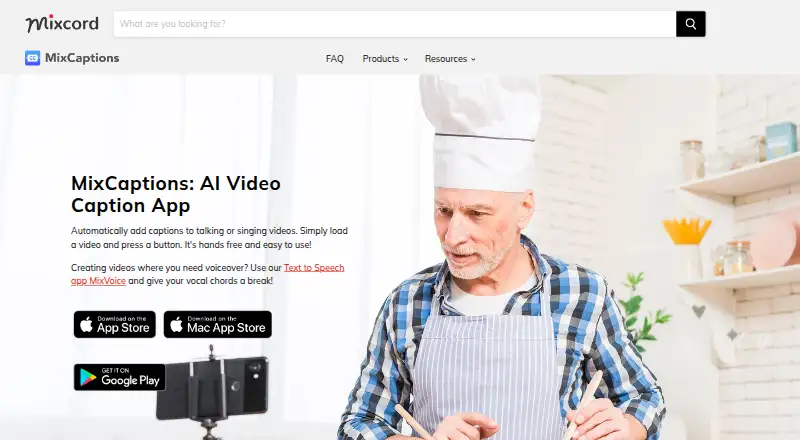
MixCaptions is an AI captioning app for creators, influencers, business owners, and educators who need to turn spoken video into editable subtitles. It automatically transcribes video audio, generates captions, and supports caption text and timing edits. The app is available on iPhone, iPad, Mac, and Android, with tools suited to short-form social content as well as broader video workflows.
Its plan structure covers several usage needs. The published options include 3 minutes, 10 minutes, 60 minutes, and 300 minutes, each centered on caption transcription. Other plans focus on specific capabilities: Short video subscription provides short-video captioning, Business Monthly Subscription provides business transcription access, Transcribe videos for Pros provides pro transcription access, and Unlock MixCaptions Editor provides caption editing. The free first video is up to 3 minutes, while individual subscribers can transcribe up to 10 minutes and business subscribers up to 30 minutes. App Store pricing is region-specific and may change.
MixCaptions stands out through the breadth of its caption workflow rather than transcription alone. Users can style captions with fonts, colors, backgrounds, and placement; translate and transcribe in multiple languages; import and export SRT files; burn captions into exported videos; add custom text or image watermarks; and work with common social-media video ratios. That makes it a practical fit for mobile creators who publish across social formats and need visual control. It is less suitable for buyers seeking a single, simple plan or subtitle workflows built around formats beyond SRT.
Your product? Our editors can test MixCaptions in depth and publish a review, labelled as paid · from $149/mo →
MixCaptions pricing
All 10 MixCaptions plans and prices →
MixCaptions fact sheet
| Free plan | Yes |
|---|---|
| Paid from | Not verified |
| Max video length | 3 minutes |
| Caption languages | 23 languages |
| Caption styling | Yes |
| Subtitle export | Srt only |
| Burn-in captions | Yes |
| Speaker identification | Not verified |
| Brand caption presets | Not verified |
| Deployment | Cloud, Desktop, Mobile |
| Platforms | macOS, iOS, Android |
| Support | Email, Docs |
| Built for | Solo, Small business (editorial estimate) |
| Pricing | Free plan (source) |
| Website | mixcord.co |
| Facts checked | 22 Sep 2026 |
Alternatives to MixCaptions
- WhisperA flexible local transcription engine, but not a complete caption-editing product.9.2
- CaptionHubA workflow-rich caption and localization platform for enterprise video teams.8.8
- SubmagicAn all-in-one caption editor with styling, text editing, B-roll, and publishing tools.8.7


See all MixCaptions alternatives →
Used MixCaptions? Be the first to review it
The editor score above is our own research. What this page doesn't have yet is a reader's view — what you used MixCaptions for, what worked and what didn't. No stars are seeded and no review is paid for; an editor reads every one before it appears.
Write a reviewTwo minutes · verified accounts only · read by an editor before it appears
Featured on iTechGuides

MixCaptions is listed in our AI Video Caption Generators directory. Add the badge to your site — it links back to this page.
<a href="https://www.itechguides.com/products/mixcaptions/"><img src="https://www.itechguides.com/best/badge/mixcaptions.svg" alt="Featured on iTechGuides" width="230" height="46"></a>
Reviewed by iTechGuides Editors · Editorial team · Updated Oct 2026
Advertiser disclosure: iTechGuides is reader-supported. Vendors can pay for top positions in our rankings and for a place on other products' pages, and we may earn a commission when you click some links. Bought places stand at the number bought; this page and our disclosure say so. Paying vendors may get a fuller, more detailed review from our editors, and that review can change their score. How we rank.
Last updated · How we research and update