
MIXaiR
MIXaiR: Automates complex live sports mixes across stereo, 5.1 and immersive workflows. Ranked #8 of 41 in AI Audio Mixing Software by our editors (7.4/10); pricing: Pricing on request; best for live and immersive automatic mixing.
At a glance
- Editor score7.4 / 10
- PricingPricing on request
- Best forLive and immersive automatic mixing
- Founded2017 · Studio 231, Ducie House, Ducie St, Manchester, M1 2JW, United Kingdom
- Facts checked22 Sep 2026
Where it wins
- Automates pitch, crowd, commentary and AUX-in feeds
- Creates multiple simultaneous mix variants and output formats
- Combines immersive processing, plugins, monitoring and recording
Where it doesn't
- Commercial details require contacting Salsa Sound
- Designed primarily for live sports broadcasting workflows
- Its feature depth may exceed simpler mixing requirements
Our verdict on MIXaiR
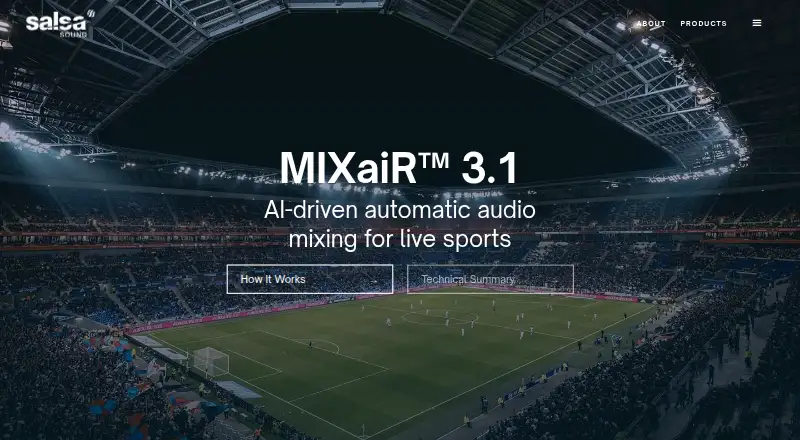
MIXaiR is AI audio-mixing software from Salsa Sound Ltd. for broadcasters and sports organizations producing live sports coverage. It processes standard microphone feeds and automatically manages pitch, crowd, commentary and AUX-in audio. The software can generate multiple simultaneous mix variants and output formats, including stereo, 5.1 and immersive broadcast workflows. Its focus is automated production for complex live environments rather than general-purpose music mixing.
Platform coverage is broad for a broadcast tool: MIXaiR is available on Windows, macOS and Linux, with deployment documented for cloud environments, broadcast trucks and studios. VST and AU plugin support extends across inputs, sub-mixes and outgroups. Monitoring is available for those same signal groups, while multitrack recording captures inputs, submixes and outgroups. These capabilities give production teams several ways to fit MIXaiR into existing audio workflows and review the underlying stages of a mix.
The standout feature is the combination of automatic mixing and format-aware processing. MIXaiR includes automatic loudness normalization, real-time dynamic loudness processing, immersive upmixing and downmixing, and object-based audio production. That makes it suited to organizations managing varied broadcast outputs without assigning every adjustment to a mixing operator. Salsa Sound presents the product for live sports, so teams outside that setting should assess whether its broadcast depth matches their needs. Commercial details are handled through Salsa Sound rather than a published plan structure, making a direct sales conversation part of evaluating the product.
Your product? Our editors can test MIXaiR in depth and publish a review, labelled as paid · from $149/mo →
MIXaiR pricing
MIXaiR fact sheet
| Free plan | Not verified |
|---|---|
| Paid from | Not verified |
| DAW plugin | Yes |
| Stem separation | Not verified |
| Automatic EQ | Not verified |
| Automatic dynamics | Not verified |
| Spatial processing | Immersive |
| Maximum track count | Not verified |
| Plugin formats | Vst |
| Deployment | Cloud, Desktop |
| Platforms | Windows, macOS, Linux |
| Support | |
| Built for | Mid-market, Enterprise (editorial estimate) |
| Pricing | Pricing on request |
| Website | salsasound.com |
| Facts checked | 22 Sep 2026 |
Alternatives to MIXaiR
- iZotope Neutron 5A deep AI-assisted mixing suite for producers who want detailed control inside a DAW.9.2
- iZotope Nectar 4A focused vocal suite with AI assistance, harmonies, effects, and unmasking.7.9
- EZmix 3A flexible preset-led mixing tool, but not a complete automatic full-mix solution.7.9



MIXaiR vs the competition
- MIXaiR vs iZotope Neutron 5
- MIXaiR vs iZotope Nectar 4
- MIXaiR vs EZmix 3
- MIXaiR vs StemMaster
- MIXaiR vs StemDesk
- MIXaiR vs NeuroMix AI


Compare MIXaiR with any tool side by side →
Used MIXaiR? Be the first to review it
The editor score above is our own research. What this page doesn't have yet is a reader's view — what you used MIXaiR for, what worked and what didn't. No stars are seeded and no review is paid for; an editor reads every one before it appears.
Write a reviewTwo minutes · verified accounts only · read by an editor before it appears
Featured on iTechGuides

MIXaiR is listed in our AI Audio Mixing Software directory. Add the badge to your site — it links back to this page.
<a href="https://www.itechguides.com/products/mixair/"><img src="https://www.itechguides.com/best/badge/mixair.svg" alt="Featured on iTechGuides" width="230" height="46"></a>
Reviewed by iTechGuides Editors · Editorial team · Updated Oct 2026
Advertiser disclosure: iTechGuides is reader-supported. Vendors can pay for top positions in our rankings and for a place on other products' pages, and we may earn a commission when you click some links. Bought places stand at the number bought; this page and our disclosure say so. Paying vendors may get a fuller, more detailed review from our editors, and that review can change their score. How we rank.
Last updated · How we research and update