
Mitsuba 3
Mitsuba 3: A programmable open-source renderer for specialized graphics research workflows. Ranked #24 of 46 in 3D Rendering Software by our editors (7.0/10); pricing: Open source; best for researchers building programmable renderers.
At a glance
- Editor score7.0 / 10
- PricingOpen source
- Best forResearchers building programmable renderers
- Paid fromFree
- GPU renderingYes
- Facts checked20 Sep 2026
Where it wins
- Differentiable rendering supports forward and inverse simulation.
- CUDA, Metal, LLVM, and scalar variants support varied compute backends.
- Plugin architecture covers materials, lights, shapes, volumes, and integrators.
Where it doesn't
- Its research focus is less suited to turnkey production visualization.
- Workflows rely on local installation or source builds.
- No verified integrations are listed for broader production ecosystems.
Our verdict on Mitsuba 3
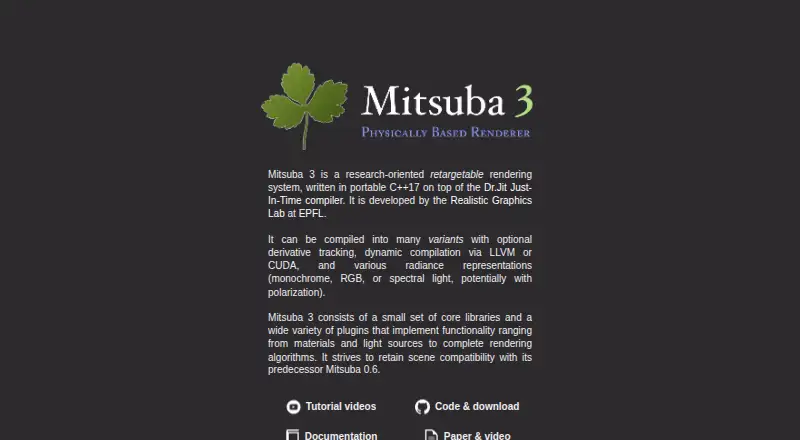
Mitsuba 3 is an open-source, research-oriented renderer for forward and inverse light-transport simulation. Developed by the EPFL Realistic Graphics Lab, it is aimed at computer-graphics researchers and technical teams building programmable rendering workflows. Python integration, configurable rendering variants, and a plugin architecture support custom work across materials, emitters, shapes, volumes, and integrators. It runs on Windows, macOS, and Linux, with local and self-hosted workflows plus API access.
Its standout capability is the combination of differentiable rendering and broad light-transport control. Automatic differentiation supports inverse rendering research, while spectral, RGB, monochromatic, and polarized modes cover different simulation requirements. The renderer also supports animated sensors, emitters, and instanced shapes with motion blur. For acceleration, users can choose scalar, LLVM, CUDA, or Metal variants; NVIDIA GPU rendering uses CUDA and OptiX, while Apple Silicon GPU rendering uses Metal variants. OptiX AI denoising, including temporal denoising, adds another option for rendered output.
Mitsuba 3 is a strong fit when the priority is experimentation, custom algorithms, or programmable simulation rather than a ready-made production pipeline. Its open-source distribution and plugin model give technically capable teams room to adapt the system, but the local-installation and source-build workflow places more responsibility on the user than a turnkey visualization product would. The lack of verified integrations also makes it a narrower choice for teams seeking a broad production ecosystem. Choose Mitsuba 3 for research-led rendering and specialized workflows; consider an alternative for conventional production visualization with packaged integrations and a simpler operating model.
Your product? Our editors can test Mitsuba 3 in depth and publish a review, labelled as paid · from $149/mo →
Mitsuba 3 pricing
Mitsuba 3 fact sheet
| Free plan | Not verified |
|---|---|
| Paid from | Free |
| Rendering mode | Path_tracing |
| GPU rendering | Yes |
| Cloud rendering | Not verified |
| Animation rendering | Yes |
| Denoising | Yes |
| Supported platforms | Linux, macOS, Windows |
| Deployment | Self-hosted |
| Platforms | Windows, macOS, Linux |
| Support | Docs |
| Built for | Solo, Small business, Mid-market (editorial estimate) |
| Pricing | Open source |
| Website | mitsuba-renderer.org |
| Facts checked | 20 Sep 2026 |
Alternatives to Mitsuba 3
- RenderManA production-focused renderer with deep shading, compositing, and render-management tools.9.3
- ArnoldA mature renderer for production artists who need deep CPU and GPU capabilities.9.2
- RedshiftA GPU-focused renderer for production-quality images, animation, VFX, and design workflows.9.1



See all Mitsuba 3 alternatives →
Used Mitsuba 3? Be the first to review it
The editor score above is our own research. What this page doesn't have yet is a reader's view — what you used Mitsuba 3 for, what worked and what didn't. No stars are seeded and no review is paid for; an editor reads every one before it appears.
Write a reviewTwo minutes · verified accounts only · read by an editor before it appears
Featured on iTechGuides

Mitsuba 3 is listed in our 3D Rendering Software directory. Add the badge to your site — it links back to this page.
<a href="https://www.itechguides.com/products/mitsuba-3/"><img src="https://www.itechguides.com/best/badge/mitsuba-3.svg" alt="Featured on iTechGuides" width="230" height="46"></a>
Reviewed by iTechGuides Editors · Editorial team · Updated Oct 2026
Advertiser disclosure: iTechGuides is reader-supported. Vendors can pay for top positions in our rankings and for a place on other products' pages, and we may earn a commission when you click some links. Bought places stand at the number bought; this page and our disclosure say so. Paying vendors may get a fuller, more detailed review from our editors, and that review can change their score. How we rank.
Last updated · How we research and update