
MinerU
MinerU: A developer-focused toolkit for extracting complex PDF content into structured formats. Ranked #6 of 46 in PDF Converter Software by our editors (8.6/10); pricing: Open source; best for open-source complex-layout PDF parsing.
At a glance
- Editor score8.6 / 10
- PricingOpen source
- Best forOpen-source complex-layout PDF parsing
- Paid fromFree
- OCR conversionYes
- Facts checked19 Sep 2026
Where it wins
- Extracts tables, formulas, figures, OCR, and complex layouts
- Exports to Markdown, HTML, LaTeX, DOCX, EPUB, PDF, and structured content
- Offers batch conversion, Python SDK, WebUI, and self-hosted HTTP API
Where it doesn't
- Primarily suited to developer, research, and agent-based workflows
- Local and self-hosted deployment requires technical setup
- Less oriented toward consumer-first, hosted conversion workflows
Our verdict on MinerU
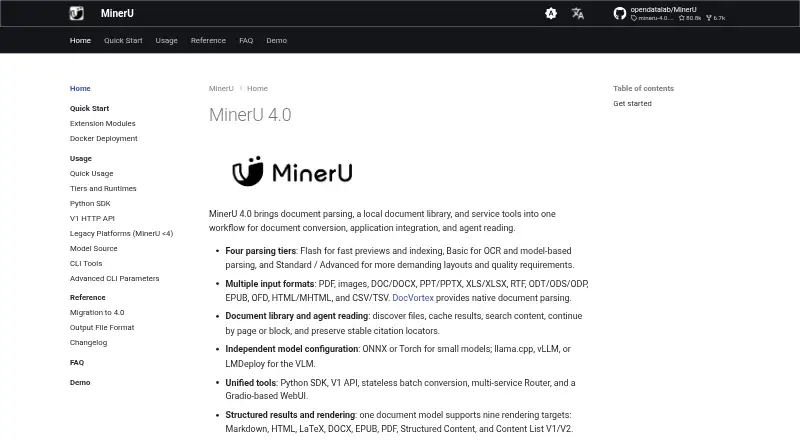
MinerU is an open-source document parsing and PDF conversion toolkit from OpenDataLab. It is designed for developers, researchers, and agent-based document workflows that need to turn PDFs, scanned documents, images, Office files, and other supported inputs into structured content. The toolkit covers local command-line workflows, Python integration, a Gradio-based WebUI, batch conversion, and a self-hosted V1 HTTP API across web, Windows, macOS, Linux, API, and self-hosted environments.
Its strongest area is complex-layout extraction. MinerU includes OCR for scanned PDFs and images, along with processing for tables, formulas, figures, and document layouts. Conversion targets include Markdown, HTML, LaTeX, DOCX, EPUB, PDF, structured content, and Content List V1/V2. Batch conversion supports directories and multiple inputs, making the toolkit a practical fit for document pipelines rather than one-off file conversion. The Python SDK and HTTP API also provide integration paths for programmatic workflows.
MinerU’s main trade-off is its technical orientation. Local workflows, SDK integration, WebUI use, and self-hosted API deployment give teams control over how document processing runs, but they also place the product closer to an engineering toolkit than a consumer-first hosted converter. Choose MinerU when open-source access, complex PDF parsing, OCR, structured exports, and automation matter most. Choose a simpler converter instead when the priority is a straightforward end-user interface with minimal deployment or development involvement.
Your product? Our editors can test MinerU in depth and publish a review, labelled as paid · from $149/mo →
MinerU pricing
MinerU fact sheet
| Free plan | Not verified |
|---|---|
| Paid from | Free |
| Conversion targets | PDF → Markdown, HTML, LaTeX, DOCX, EPUB, PDF, Structured Content, Content List V1/V2; images and other supported documents → documented export formats |
| OCR conversion | Yes |
| Batch conversion | Yes |
| Maximum file size | Not verified |
| Supported platforms | web, windows, macos, linux, api, self_hosted |
| API access | Yes |
| Deployment | Cloud, Desktop, Self-hosted |
| Platforms | Web, Windows, macOS, Linux |
| Pricing | Open source |
| Website | opendatalab.github.io |
| Facts checked | 19 Sep 2026 |
Alternatives to MinerU
- Wondershare PDFelementA full PDF workbench with conversion, OCR, forms, security, signatures, and AI tools.9.3
- Adobe PDF Services APIA broad PDF automation API with a useful free tier and quote-based paid scaling.9.1
- ConvertioA broad cloud converter for documents, media, images, and automated workflows.9.0



MinerU vs the competition
- MinerU vs Wondershare PDFelement
- MinerU vs Adobe PDF Services API
- MinerU vs Convertio
- MinerU vs Ghostscript
- MinerU vs Docling
- MinerU vs PDFCreator



Compare MinerU with any tool side by side →
Used MinerU? Be the first to review it
The editor score above is our own research. What this page doesn't have yet is a reader's view — what you used MinerU for, what worked and what didn't. No stars are seeded and no review is paid for; an editor reads every one before it appears.
Write a reviewTwo minutes · verified accounts only · read by an editor before it appears
Featured on iTechGuides

MinerU is listed in our PDF Converter Software directory. Add the badge to your site — it links back to this page.
<a href="https://www.itechguides.com/products/mineru/"><img src="https://www.itechguides.com/best/badge/mineru.svg" alt="Featured on iTechGuides" width="230" height="46"></a>
Reviewed by iTechGuides Editors · Editorial team · Updated Oct 2026
Advertiser disclosure: iTechGuides is reader-supported. Vendors can pay for top positions in our rankings and for a place on other products' pages, and we may earn a commission when you click some links. Bought places stand at the number bought; this page and our disclosure say so. Paying vendors may get a fuller, more detailed review from our editors, and that review can change their score. How we rank.
Last updated · How we research and update