Minecraft Structure Forge
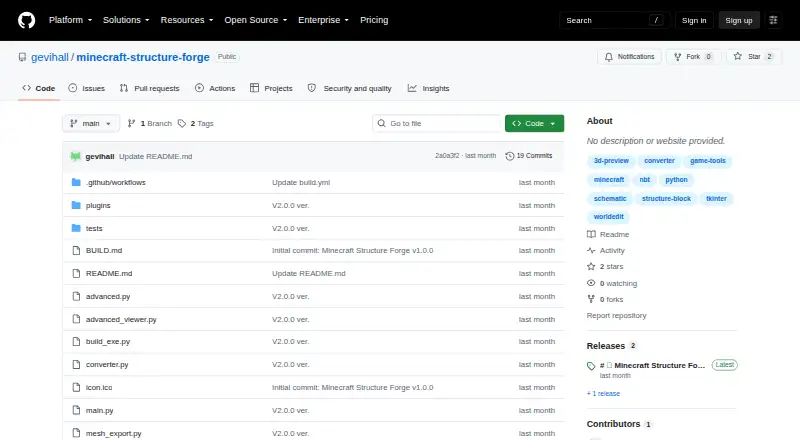
Minecraft Structure Forge: A capable free Windows converter with 3D editing and OBJ/STL export. Ranked #24 of 42 in Minecraft Schematic Tools by our editors (5.6/10); pricing: Free plan; best for windows desktop conversion and mesh export.
At a glance
- Editor score5.6 / 10
- PricingFree plan
- Best forWindows desktop conversion and mesh export
- Free planYes
- Paid fromFree
- 3D previewYes
- Facts checked20 Sep 2026
Where it wins
- Free, open-source Windows utility under the MIT license
- Converts supported Minecraft structure formats and handles Litematica regions
- Exports structures to OBJ and STL meshes with 3D preview tools
Where it doesn't
- Windows-only desktop availability
- Export-oriented workflow without world import
- Latest listed release is an alpha still in development
Our verdict on Minecraft Structure Forge
Minecraft Structure Forge is a free, open-source Windows desktop utility for builders, server administrators, and mapmakers working with Minecraft structure files. It loads WorldEdit and Sponge schematic formats, vanilla Structure NBT files, and Litematica files, including multi-region Litematica projects. The application combines 3D preview with rotation, zoom, and pan controls, plus drag-and-drop loading, block search, layer filtering, and block statistics. It is best suited to users who need to inspect, modify, convert, or export structures rather than place them directly into a world.
Its strongest area is format handling and mesh export. Minecraft Structure Forge supports .schematic, .schem, .litematic, .nbt, .stl, and .obj files, with conversion between supported Minecraft structure formats. Litematica region extraction adds a focused workflow for multi-region files, while block replacement with autocomplete and 90°, 180°, or 270° rotation provide practical editing controls. OBJ and STL export make the tool relevant beyond Minecraft structure conversion, particularly for users moving designs into mesh-based workflows. The 3D preview helps users inspect the structure before exporting.
The main trade-off is scope. This is a Windows-only desktop application with an export-only placement workflow and no world import, so users seeking in-world building, world editing, or broader platform access should choose a different tool. The latest listed release is v2.0.0 alpha, and its release notes identify the project as still in development. Users comfortable with an evolving open-source utility should find its combination of conversion, preview, block-level editing, region extraction, and mesh export well aligned with desktop asset preparation. Users needing a mature cross-platform workflow or direct world interaction should look elsewhere.
Your product? Our editors can test Minecraft Structure Forge in depth and publish a review, labelled as paid · from $149/mo →
Minecraft Structure Forge pricing
Minecraft Structure Forge fact sheet
| Free plan | Yes |
|---|---|
| Paid from | Free |
| Supported file formats | .schematic, .schem, .litematic, .nbt, .stl, .obj |
| Available platforms | Desktop |
| 3D preview | Yes |
| Placement workflow | Export-only |
| World import | No |
| Format conversion | Yes |
| Batch processing | Not verified |
| Deployment | Desktop |
| Platforms | Windows |
| Support | Community |
| Built for | Solo, Small business (editorial estimate) |
| Pricing | Free plan |
| Website | github.com |
| Facts checked | 20 Sep 2026 |
Alternatives to Minecraft Structure Forge
- Schematic UtilityA focused free plugin for command-based WorldEdit schematic placement.9.1
- ServerSideBuildsA self-hosted plugin for projecting and managing schematics without client-side mods.8.5
- Easy Block EditorA free in-game editor with collaboration, projections and broad schematic-format support.8.4


See all Minecraft Structure Forge alternatives →
Used Minecraft Structure Forge? Be the first to review it
The editor score above is our own research. What this page doesn't have yet is a reader's view — what you used Minecraft Structure Forge for, what worked and what didn't. No stars are seeded and no review is paid for; an editor reads every one before it appears.
Write a reviewTwo minutes · verified accounts only · read by an editor before it appears
Featured on iTechGuides

Minecraft Structure Forge is listed in our Minecraft Schematic Tools directory. Add the badge to your site — it links back to this page.
<a href="https://www.itechguides.com/products/minecraft-structure-forge/"><img src="https://www.itechguides.com/best/badge/minecraft-structure-forge.svg" alt="Featured on iTechGuides" width="230" height="46"></a>
Reviewed by iTechGuides Editors · Editorial team · Updated Oct 2026
Advertiser disclosure: iTechGuides is reader-supported. Vendors can pay for top positions in our rankings and for a place on other products' pages, and we may earn a commission when you click some links. Bought places stand at the number bought; this page and our disclosure say so. Paying vendors may get a fuller, more detailed review from our editors, and that review can change their score. How we rank.
Last updated · How we research and update