Minecraft Backup
Minecraft Backup: A focused, free backup script for Linux operators managing self-hosted Minecraft servers. Ranked #13 of 29 in Minecraft Backup Software by our editors (6.9/10); pricing: Free plan; best for linux administrators using Restic or containers.
At a glance
- Editor score6.9 / 10
- PricingFree plan
- Best forLinux administrators using Restic or containers
- Free planYes
- Paid fromFree
- Facts checked20 Sep 2026
Where it wins
- Supports tar archives and Restic repositories
- Works with Screen, tmux, RCON, and Docker
- Cron scheduling with configurable retention and compression
Where it doesn't
- Supports Linux and self-hosted deployments only
- Backs up Minecraft world folders rather than broader server data
- Restore granularity is limited to full backups
Our verdict on Minecraft Backup
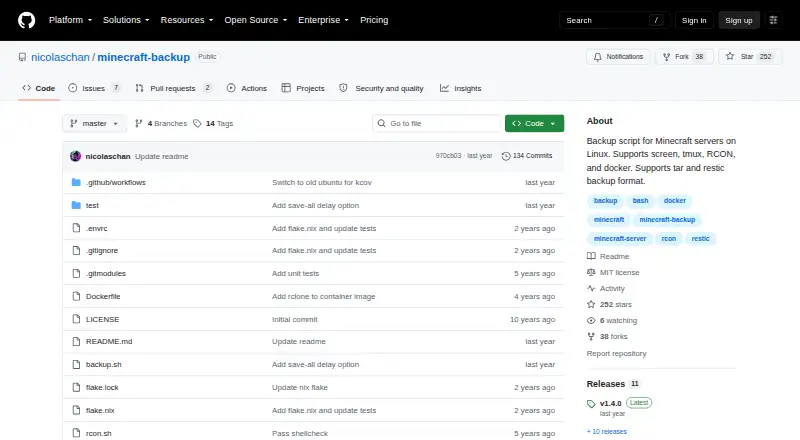
Minecraft Backup is an open-source Bash script for operators running self-hosted Minecraft servers on Linux. Its scope is deliberately focused: it backs up Minecraft world folders, creates tar archives or uses Restic repositories, and can restore archived worlds. The script is designed for server environments managed through GNU Screen, tmux, RCON, or Docker, making it a practical fit for administrators who manage their own infrastructure rather than customers of hosted-server services.
For recurring protection, Minecraft Backup uses cron to automate scheduled backups and offers configurable deletion policies, including thin, sequential, or disabled deletion. Compression algorithms and levels are also configurable, allowing operators to shape how archives are created and retained. During the backup process, the script can temporarily disable automatic saving, and it can display backup status in Minecraft chat. These controls make the product more suitable for operators who want an explicit backup routine than for users seeking a graphical backup service.
The main trade-off is its narrow operational scope. Storage destinations are local, backups cover worlds only, and restoration is handled at the full-backup level. The product therefore suits Linux administrators comfortable with Bash, cron, local storage, Restic, and container or terminal-based server management. It is less suitable for hosted-server customers, cross-platform environments, or teams that need granular restoration of individual files or a broader server backup system. For its intended audience, the combination of open-source availability, server compatibility, retention controls, and repository support keeps the feature set focused on essential Minecraft world backups.
Your product? Our editors can test Minecraft Backup in depth and publish a review, labelled as paid · from $149/mo →
Minecraft Backup pricing
Minecraft Backup fact sheet
| Free plan | Yes |
|---|---|
| Paid from | Free |
| Minecraft edition | Not verified |
| Scheduled backups | Yes |
| Backup scope | Worlds_only |
| Storage destination | Local |
| Restore granularity | Full_backup |
| Retention policy | Custom |
| Deployment | Self-hosted |
| Platforms | Linux |
| Support | Docs |
| Built for | Solo, Small business (editorial estimate) |
| Integrations | 5 integrations: GNU Screen, tmux, RCON, Docker, Restic |
| Pricing | Free plan |
| Website | github.com |
| Facts checked | 20 Sep 2026 |
Minecraft Backup integrations
Minecraft Backup lists 5 integrations on its own site.
- GNU Screen
- tmux
- RCON
- Docker
- Restic
Alternatives to Minecraft Backup
- ChronoVault BackupA Java-world backup mod with granular recovery, cloud sync, and configurable retention.8.9
- BackupGuardA focused Paper plugin for verified, scheduled full-server backups and restores.8.7
- X BackupA Java-focused backup mod with incremental saves, granular restores and OneDrive support.8.5


See all Minecraft Backup alternatives →
Used Minecraft Backup? Be the first to review it
The editor score above is our own research. What this page doesn't have yet is a reader's view — what you used Minecraft Backup for, what worked and what didn't. No stars are seeded and no review is paid for; an editor reads every one before it appears.
Write a reviewTwo minutes · verified accounts only · read by an editor before it appears
Featured on iTechGuides

Minecraft Backup is listed in our Minecraft Backup Software directory. Add the badge to your site — it links back to this page.
<a href="https://www.itechguides.com/products/minecraft-backup/"><img src="https://www.itechguides.com/best/badge/minecraft-backup.svg" alt="Featured on iTechGuides" width="230" height="46"></a>
Reviewed by iTechGuides Editors · Editorial team · Updated Oct 2026
Advertiser disclosure: iTechGuides is reader-supported. Vendors can pay for top positions in our rankings and for a place on other products' pages, and we may earn a commission when you click some links. Bought places stand at the number bought; this page and our disclosure say so. Paying vendors may get a fuller, more detailed review from our editors, and that review can change their score. How we rank.
Last updated · How we research and update