mcblend
mcblend: A specialized open-source Blender workflow for advanced Bedrock modeling, rigging, and animation. Ranked #23 of 26 in Minecraft Add-on Editors by our editors (6.8/10); pricing: Open source; best for advanced Bedrock model and animation workflows.
At a glance
- Editor score6.8 / 10
- PricingOpen source
- Best forAdvanced Bedrock model and animation workflows
- Paid fromFree
- Editor modeVisual
- Facts checked21 Sep 2026
Where it wins
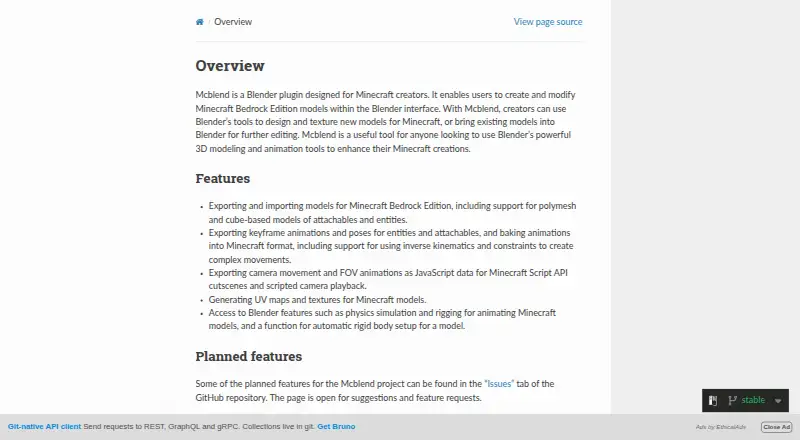
- Imports and exports Bedrock cube-based and polymesh models
- Supports rigging, inverse kinematics, constraints, physics, and animation
- Exports camera movement and FOV animations as JavaScript
Where it doesn't
- Requires Blender for its visual editing workflow
- Focused on Minecraft Bedrock model and animation work
- JavaScript camera exports target Minecraft Script API cutscenes
Our verdict on mcblend
mcblend is an open-source Blender plugin for Minecraft creators working with Bedrock Edition models. It supports creating, importing, modifying, texturing, animating, and exporting cube-based or polymesh models for entities and attachables. The fit is strongest for advanced Bedrock workflows that need a visual editor inside Blender rather than a narrowly focused model-only tool.
Its standout strength is the range of modeling and animation operations combined in one add-on. Users can import models, textures, and render controllers from resource packs, generate textures and automatic UV mappings, and export keyframe animation and poses. Rigging workflows include inverse kinematics, constraints, and physics. For cinematic work, mcblend can export camera movement and field-of-view animations as JavaScript for Minecraft Script API cutscenes. Its integrations with Blender, Minecraft Bedrock Edition, and Minecraft Script API connect the authoring workflow to the intended game environment.
The trade-off is specialization. mcblend is centered on Bedrock entities, attachables, animations, textures, and related exports, so it suits creators whose projects depend on those formats and workflows. Installing it involves adding the downloadable release archive as a Blender add-on, making Blender part of the working setup. Choose mcblend for detailed Bedrock model, rigging, animation, UV, texture, and camera-export work; choose a broader or different editor when the project is not centered on Minecraft Bedrock assets or requires workflows outside this Blender-based scope.
Your product? Our editors can test mcblend in depth and publish a review, labelled as paid · from $149/mo →
mcblend pricing
mcblend fact sheet
| Free plan | Not verified |
|---|---|
| Paid from | Free |
| Pack types | Not verified |
| Editor mode | Visual |
| Custom entity tools | Not verified |
| Scripting support | Yes |
| Version targeting | Unspecified |
| Available platforms | Not verified |
| Deployment | Desktop |
| Support | Community, Docs |
| Built for | Solo, Small business, Mid-market (editorial estimate) |
| Integrations | 3 integrations: Blender, Minecraft Bedrock Edition, Minecraft Script API |
| Pricing | Open source |
| Website | mcblend.readthedocs.io |
| Facts checked | 21 Sep 2026 |
mcblend integrations
mcblend lists 3 integrations on its own site.
- Blender
- Minecraft Bedrock Edition
- Minecraft Script API
Alternatives to mcblend
- bridge.A broad Bedrock editor combining pack authoring, scripting, previews, and validation.9.4
- Addons Maker for Minecraft PEA broad mobile toolkit for building and exporting Bedrock add-ons without code.9.0
- Crafty CraftA hybrid editor for visual Minecraft creation with JSON and JavaScript workflows.8.9



See all mcblend alternatives →
Used mcblend? Be the first to review it
The editor score above is our own research. What this page doesn't have yet is a reader's view — what you used mcblend for, what worked and what didn't. No stars are seeded and no review is paid for; an editor reads every one before it appears.
Write a reviewTwo minutes · verified accounts only · read by an editor before it appears
Featured on iTechGuides

mcblend is listed in our Minecraft Add-on Editors directory. Add the badge to your site — it links back to this page.
<a href="https://www.itechguides.com/products/mcblend/"><img src="https://www.itechguides.com/best/badge/mcblend.svg" alt="Featured on iTechGuides" width="230" height="46"></a>
Reviewed by iTechGuides Editors · Editorial team · Updated Oct 2026
Advertiser disclosure: iTechGuides is reader-supported. Vendors can pay for top positions in our rankings and for a place on other products' pages, and we may earn a commission when you click some links. Bought places stand at the number bought; this page and our disclosure say so. Paying vendors may get a fuller, more detailed review from our editors, and that review can change their score. How we rank.
Last updated · How we research and update