MapArtDesk
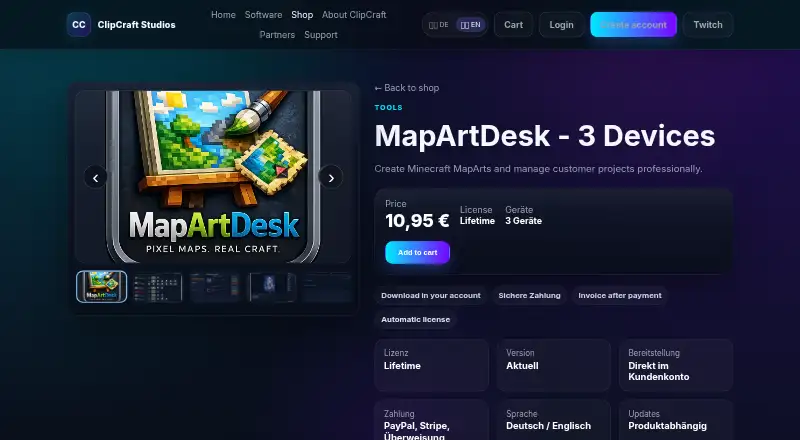
MapArtDesk: A focused Windows tool for creating, exporting, and managing Minecraft MapArt projects. Ranked #10 of 20 in Minecraft Map Art Generators by our editors (8.1/10); pricing: Paid; best for paid Windows workflow for client projects.
At a glance
- Editor score8.1 / 10
- PricingPaid
- Best forPaid Windows workflow for client projects
- Free planNo
- Paid from€10.95 one-time
- Java supportYes
- Facts checked20 Sep 2026
Where it wins
- Supports single-map and multi-map projects in 2D and 3D modes
- Exports projects as Litematic or Schematic files
- Includes automatic materials lists and project management
Where it doesn't
- Windows-only application
- No free plan or trial
- Supports Java Edition, not Bedrock Edition
Our verdict on MapArtDesk
MapArtDesk is a Windows application for creating Minecraft MapArt from imported images. It is designed for custom designs, logos, artwork, commissions, server teams, community builds, shops, and other MapArt projects. Users can crop, position, and scale images, then create single-map or multi-map projects in 2D or 3D build modes. The application is intended for Minecraft Java Edition workflows and includes customer and project management features for providers handling multiple projects.
The pricing is straightforward: MapArtDesk - 3 Devices costs €10.95 as a one-time purchase. The plan includes a lifetime license, use on 3 devices, direct download through the customer account, Litematic and Schematic export, an automatic materials list, and customer and project management. There is no recurring plan in the published offering, so the product suits buyers who prefer a one-time cost. The paid-only model makes it less suitable for users seeking a free starting point.
Its strongest area is the combination of image preparation, block planning, export formats, and project administration in one focused tool. Multiple color and calculation methods, block selection by categories, automatic materials lists, project status, and revenue statistics support a more organized commission workflow. The main boundary is platform and edition coverage: MapArtDesk is available for Windows and supports Java Edition rather than Bedrock Edition. Choose it for a paid Windows workflow that needs structured MapArt projects and Litematic or Schematic exports; choose another tool if Bedrock support or a non-Windows platform is essential.
Your product? Our editors can test MapArtDesk in depth and publish a review, labelled as paid · from $149/mo →
MapArtDesk pricing
All 1 MapArtDesk plans and prices →
MapArtDesk fact sheet
| Free plan | No |
|---|---|
| Paid from | €10.95 one-time |
| Java support | Yes |
| Bedrock support | No |
| Schematic export | Yes |
| Materials list | Yes |
| Placement guidance | Not verified |
| Palette control | Not verified |
| Maps per image | Not verified |
| Deployment | Desktop |
| Platforms | Windows |
| Support | |
| Built for | Solo, Small business, Mid-market (editorial estimate) |
| Pricing | Paid (source) |
| Website | clipcraftstudios.de |
| Facts checked | 20 Sep 2026 |
Alternatives to MapArtDesk
- MapartCraftA free, complete workflow for converting images into buildable Minecraft map art.9.4
- ImageToMapMCA capable open-source desktop editor for detailed Minecraft map-art workflows.9.1
- MapArtisanA flexible open-source tool for palette-controlled multi-map Minecraft designs.8.9

See all MapArtDesk alternatives →
Used MapArtDesk? Be the first to review it
The editor score above is our own research. What this page doesn't have yet is a reader's view — what you used MapArtDesk for, what worked and what didn't. No stars are seeded and no review is paid for; an editor reads every one before it appears.
Write a reviewTwo minutes · verified accounts only · read by an editor before it appears
Featured on iTechGuides

MapArtDesk is listed in our Minecraft Map Art Generators directory. Add the badge to your site — it links back to this page.
<a href="https://www.itechguides.com/products/mapartdesk/"><img src="https://www.itechguides.com/best/badge/mapartdesk.svg" alt="Featured on iTechGuides" width="230" height="46"></a>
Reviewed by iTechGuides Editors · Editorial team · Updated Oct 2026
Advertiser disclosure: iTechGuides is reader-supported. Vendors can pay for top positions in our rankings and for a place on other products' pages, and we may earn a commission when you click some links. Bought places stand at the number bought; this page and our disclosure say so. Paying vendors may get a fuller, more detailed review from our editors, and that review can change their score. How we rank.
Last updated · How we research and update