Linguatec Voice Reader Studio
Linguatec Voice Reader Studio: A feature-rich Windows narrator for multilingual audio, subtitles, and document workflows. Ranked #179 of 222 in Text-to-Speech Software by our editors (3.0/10); pricing: Paid; best for windows users needing multilingual desktop narration.
At a glance
- Editor score3.0 / 10
- PricingPaid
- Best forWindows users needing multilingual desktop narration
- Free planNo
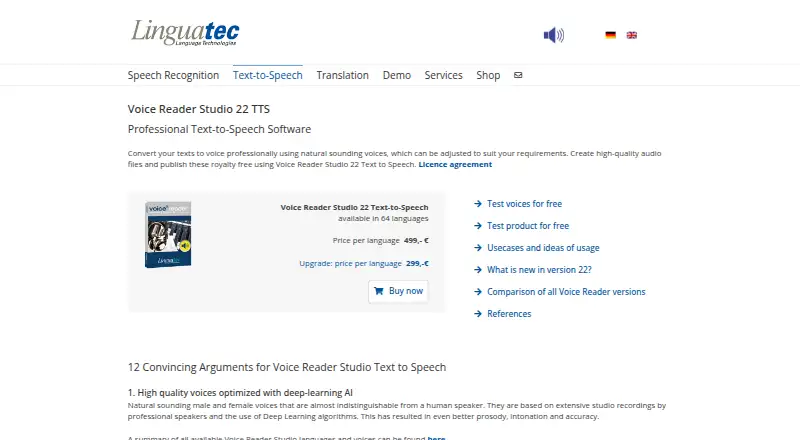
- Paid from€499/unit one-time
- Commercial useYes
- Founded1992 · Munich, Germany
- Facts checked20 Sep 2026
Where it wins
- Supports text-to-speech conversion in 64 languages
- Exports MP3 and WAV audio plus VTT and SRT subtitles
- Offers pronunciation, voice, music, and effects controls
Where it doesn't
- Runs only on Windows
- Costs €499 per language as a one-time purchase
- Command-line batch conversion is available separately
Our verdict on Linguatec Voice Reader Studio
Linguatec Voice Reader Studio is local Windows text-to-speech software for professional users creating spoken audio from documents and other text. It supports voices in 64 languages and is suited to multilingual narration, document accessibility, and audio publishing workflows. Users can adjust pronunciation through textual and phonetic edits, then control pauses, pitch, timbre, volume, speed, and speaking style. The software also supports royalty-free audio publishing and works offline on Windows.
Pricing is centered on Voice Reader Studio 22, listed at €499 per language as a one-time purchase. That plan includes the 64-language voice selection, MP3 and WAV export, royalty-free audio publishing, and local Windows software. An Upgrade plan provides upgrade pricing for existing users. The command-line batch conversion utility is available separately, so organizations planning automated conversion should account for that separate component. There is no free plan described in the published plans.
Its strongest area is control over the final output. In addition to pronunciation and voice markups, Voice Reader Studio can add pauses, background music, reverb, and sound effects, while generating VTT and SRT subtitles. Microsoft Word, Outlook, and PowerPoint integrations support document-based workflows, with SAPI 5 and a separately available command-line utility extending its platform fit. Choose it if you need multilingual desktop narration with detailed voice editing and export options on Windows. Users who need macOS, browser-based access, or a non-Windows workflow should choose an alternative instead.
Your product? Our editors can test Linguatec Voice Reader Studio in depth and publish a review, labelled as paid · from $149/mo →
Linguatec Voice Reader Studio pricing
All 2 Linguatec Voice Reader Studio plans and prices →
Linguatec Voice Reader Studio fact sheet
| Free plan | No |
|---|---|
| Paid from | €499/unit one-time |
| Commercial use | Yes |
| Voice cloning | Not verified |
| API access | Not verified |
| Languages | 64 languages |
| Maximum input | Not verified |
| Export formats | MP3, WAV |
| Platforms | windows |
| Deployment | Desktop |
| Platforms | Windows |
| Compliance & security | GDPR |
| Support | Email, Docs |
| Built for | Small business, Mid-market, Enterprise (editorial estimate) |
| Integrations | 5 integrations: Microsoft Word, Microsoft Outlook, Microsoft PowerPoint, SAPI 5, Command line utility |
| Pricing | Paid (source) |
| Website | linguatec.de |
| Facts checked | 20 Sep 2026 |
Linguatec Voice Reader Studio integrations
Linguatec Voice Reader Studio lists 5 integrations on its own site.
- Microsoft Word
- Microsoft Outlook
- Microsoft PowerPoint
- SAPI 5
- Command line utility
Alternatives to Linguatec Voice Reader Studio
- ElevenLabsAffordable voice cloning with multilingual generation, dubbing, streaming, and API access.9.4
- Google Cloud Text-to-SpeechA broad, API-only TTS service for developers building voice-enabled products.9.3
- Azure AI SpeechA broad, production-ready TTS platform for teams building voice applications.9.2


See all Linguatec Voice Reader Studio alternatives →
Used Linguatec Voice Reader Studio? Be the first to review it
The editor score above is our own research. What this page doesn't have yet is a reader's view — what you used Linguatec Voice Reader Studio for, what worked and what didn't. No stars are seeded and no review is paid for; an editor reads every one before it appears.
Write a reviewTwo minutes · verified accounts only · read by an editor before it appears
Featured on iTechGuides

Linguatec Voice Reader Studio is listed in our Text-to-Speech Software directory. Add the badge to your site — it links back to this page.
<a href="https://www.itechguides.com/products/linguatec-voice-reader-studio/"><img src="https://www.itechguides.com/best/badge/linguatec-voice-reader-studio.svg" alt="Featured on iTechGuides" width="230" height="46"></a>
Reviewed by iTechGuides Editors · Editorial team · Updated Oct 2026
Advertiser disclosure: iTechGuides is reader-supported. Vendors can pay for top positions in our rankings and for a place on other products' pages, and we may earn a commission when you click some links. Bought places stand at the number bought; this page and our disclosure say so. Paying vendors may get a fuller, more detailed review from our editors, and that review can change their score. How we rank.
Last updated · How we research and update