
LibreRemotePlay
LibreRemotePlay: A simple, account-free WebRTC option for group co-op across desktop and browser. Ranked #20 of 27 in Game Remote Play Software by our editors (7.3/10); pricing: Free plan; best for simple account-free WebRTC game sessions.
At a glance
- Editor score7.3 / 10
- PricingFree plan
- Best forSimple account-free WebRTC game sessions
- Free planYes
- Paid fromFree
- Facts checked20 Sep 2026
Where it wins
- Peer-to-peer WebRTC streams game video and audio
- Browser client, LAN mode, and group co-op sessions
- Supports XInput and DirectInput controllers without accounts
Where it doesn't
- Experimental keyboard and mouse input may limit control options
- Desktop hosts are limited to Windows and Linux
- The latest opened release is labeled a pre-release
Our verdict on LibreRemotePlay
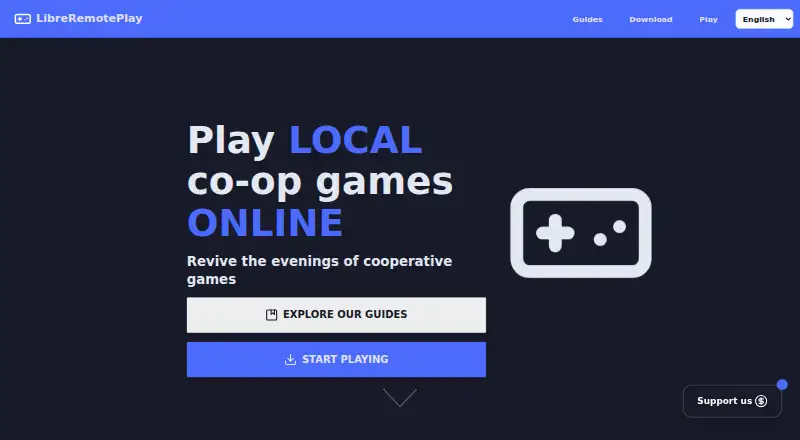
LibreRemotePlay is a free, open-source application for playing local co-op games online without relying on Steam or another proprietary gaming service. It is designed for groups that want to share a local multiplayer session through peer-to-peer WebRTC connections. Windows and Linux desktop applications can host sessions, while participants can receive streams through Windows, Linux, or a web browser. No account is required, which keeps the basic session model direct.
Its strongest fit is flexible session setup. LibreRemotePlay supports remote video and audio streaming, local co-op groups, LAN play, and gamepad input for both XInput and DirectInput controllers. Hosts can configure codecs, frame rate, and resolution, and can provide custom STUN and TURN server settings when the default connection approach does not suit their network. These controls make it more adaptable than a narrowly defined remote-play client, while browser access lowers the barrier for participants who do not need a desktop application.
The trade-off is its experimental status. Keyboard and mouse input is described as experimental, so controller-based local co-op is the clearer use case. Desktop hosting also requires Windows or Linux, and the latest opened release is labeled a pre-release. LibreRemotePlay should appeal to technically comfortable players who value open-source software, LAN support, configurable streaming, and account-free group sessions. Players looking for a mature service with established release stability or a broader set of officially specified gaming platforms should consider alternatives.
Your product? Our editors can test LibreRemotePlay in depth and publish a review, labelled as paid · from $149/mo →
LibreRemotePlay pricing
LibreRemotePlay fact sheet
| Free plan | Yes |
|---|---|
| Paid from | Free |
| Host platforms | Windows, Linux |
| Client platforms | Windows, Linux, web browser |
| Maximum resolution | Not verified |
| Maximum frame rate | Not verified |
| Console support | Not verified |
| Multi-monitor support | Not verified |
| Local co-op support | Yes |
| Deployment | Desktop |
| Platforms | Web, Windows, Linux |
| Compliance & security | GDPR |
| Support | Community, Docs |
| Built for | Solo, Small business (editorial estimate) |
| Pricing | Free plan |
| Website | libreremoteplay.vercel.app |
| Facts checked | 20 Sep 2026 |
Alternatives to LibreRemotePlay
- Moonlight Game StreamingA free, flexible client for streaming PC games and desktops across many devices.9.4
- ParsecA flexible remote-play tool with free personal access and paid team controls.9.2
- Moonlight WebA free, open-source browser client for high-resolution PC game streaming.9.1



See all LibreRemotePlay alternatives →
Used LibreRemotePlay? Be the first to review it
The editor score above is our own research. What this page doesn't have yet is a reader's view — what you used LibreRemotePlay for, what worked and what didn't. No stars are seeded and no review is paid for; an editor reads every one before it appears.
Write a reviewTwo minutes · verified accounts only · read by an editor before it appears
Featured on iTechGuides

LibreRemotePlay is listed in our Game Remote Play Software directory. Add the badge to your site — it links back to this page.
<a href="https://www.itechguides.com/products/libreremoteplay/"><img src="https://www.itechguides.com/best/badge/libreremoteplay.svg" alt="Featured on iTechGuides" width="230" height="46"></a>
Reviewed by iTechGuides Editors · Editorial team · Updated Oct 2026
Advertiser disclosure: iTechGuides is reader-supported. Vendors can pay for top positions in our rankings and for a place on other products' pages, and we may earn a commission when you click some links. Bought places stand at the number bought; this page and our disclosure say so. Paying vendors may get a fuller, more detailed review from our editors, and that review can change their score. How we rank.
Last updated · How we research and update