Leawo Video Converter
Leawo Video Converter: A capable format converter for Windows and macOS, but paid plans are required. Ranked #10 of 74 in Video Converter Software by our editors (8.2/10); pricing: Paid; best for format-rich conversion with basic editing.
At a glance
- Editor score8.2 / 10
- PricingPaid
- Best forFormat-rich conversion with basic editing
- Free planNo
- Paid from$29.95/yr
- Supported platformsCross-platform
- Founded2006
- Facts checked20 Sep 2026
Where it wins
- Supports video and audio conversion across more than 180 formats
- Handles batch, 4K, audio extraction, merging, and GPU acceleration
- Adds trimming, cropping, effects, watermarks, and 2D-to-3D conversion
Where it doesn't
- No free plan is available
- The Basic Plan covers one PC for one year
- There are no AI features
Our verdict on Leawo Video Converter
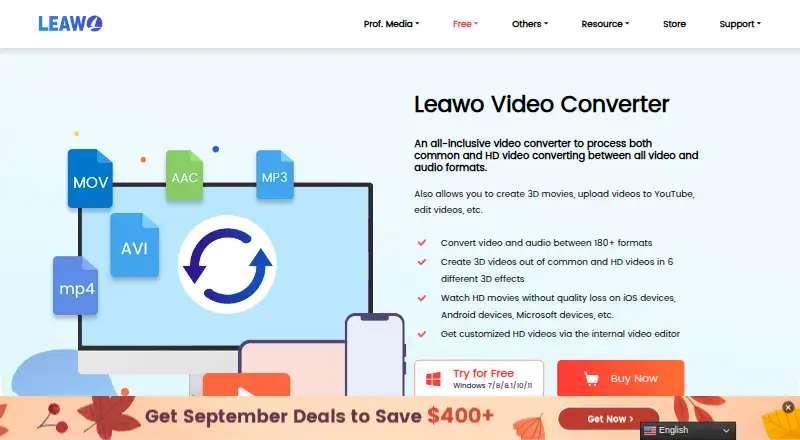
Leawo Video Converter is desktop software for Windows and macOS focused on converting video and audio files between more than 180 formats. It suits users who need broad format coverage, batch processing, 4K and HD conversion, or audio extraction in one application. Device-oriented output profiles for products such as iOS and Android devices add a practical option for preparing files for specific device types. The feature set is broader than conversion alone, with subtitle and audio-track selection, file merging, output parameter adjustment, and basic editing tools.
Its standout strength is format and workflow breadth. Users can convert video and audio, process batches, select subtitles and audio tracks, extract audio, and adjust output parameters. Hardware acceleration supports the conversion workflow, while the software also includes trimming, cropping, effects, watermarking, and six 2D-to-3D effects. That makes it a fit for routine conversion and light preparation work without requiring a separate basic editor. It remains a focused desktop utility rather than an AI-oriented product, with no AI features listed.
Pricing starts with the Basic Plan at $29.95 per license per year for one PC, including all features for one year, auto-renewal with cancellation anytime, and unlimited free upgrades. The Professional Plan costs $39.95 as a one-time purchase for one PC and includes all features for a lifetime plus unlimited free upgrades. A time-limited trial is presented, while the annual plan includes a 5-day money-back guarantee and the lifetime plan includes a 14-day money-back guarantee. Choose Leawo Video Converter if format support, batch conversion, 4K handling, and basic editing matter more than a free tier or AI tools; users seeking a free or AI-focused converter should look elsewhere.
Your product? Our editors can test Leawo Video Converter in depth and publish a review, labelled as paid · from $149/mo →
Leawo Video Converter pricing
All 2 Leawo Video Converter plans and prices →
Leawo Video Converter fact sheet
| Free plan | No |
|---|---|
| Paid from | $29.95/yr |
| Supported platforms | Cross-platform |
| Output formats | MP4, H.265 MP4, AVI, MKV, H.265 MKV, MOV, RMVB, FLV, F4V, TS, VOB, MPEG-1, MPEG-2, WMV, ASF, DV, VP8, M2TS, MTS, WEBM, 4K MP4, 4K MKV, AAC, AC3, WAV, MP3, WMA, FLAC, M4A, OGG |
| Batch conversion | Yes |
| Hardware acceleration | Yes |
| Maximum output resolution | 4k |
| Audio extraction | Yes |
| Deployment | Desktop |
| Platforms | Windows, macOS |
| Support | Docs |
| Built for | Solo, Small business (editorial estimate) |
| Pricing | Paid (source) |
| Website | leawo.com |
| Facts checked | 20 Sep 2026 |
Alternatives to Leawo Video Converter
- FFmpegA powerful open-source toolkit for technical media workflows across major desktop platforms.9.4
- HandBrakeA capable free converter for everyday desktop encoding, presets, queues, and disc sources.9.3
- Adobe Media EncoderA deep Adobe-centered encoder for teams managing complex media pipelines.9.2



See all Leawo Video Converter alternatives →
Used Leawo Video Converter? Be the first to review it
The editor score above is our own research. What this page doesn't have yet is a reader's view — what you used Leawo Video Converter for, what worked and what didn't. No stars are seeded and no review is paid for; an editor reads every one before it appears.
Write a reviewTwo minutes · verified accounts only · read by an editor before it appears
Featured on iTechGuides

Leawo Video Converter is listed in our Video Converter Software directory. Add the badge to your site — it links back to this page.
<a href="https://www.itechguides.com/products/leawo-video-converter/"><img src="https://www.itechguides.com/best/badge/leawo-video-converter.svg" alt="Featured on iTechGuides" width="230" height="46"></a>
Reviewed by iTechGuides Editors · Editorial team · Updated Oct 2026
Advertiser disclosure: iTechGuides is reader-supported. Vendors can pay for top positions in our rankings and for a place on other products' pages, and we may earn a commission when you click some links. Bought places stand at the number bought; this page and our disclosure say so. Paying vendors may get a fuller, more detailed review from our editors, and that review can change their score. How we rank.
Last updated · How we research and update