
Landscape Designer
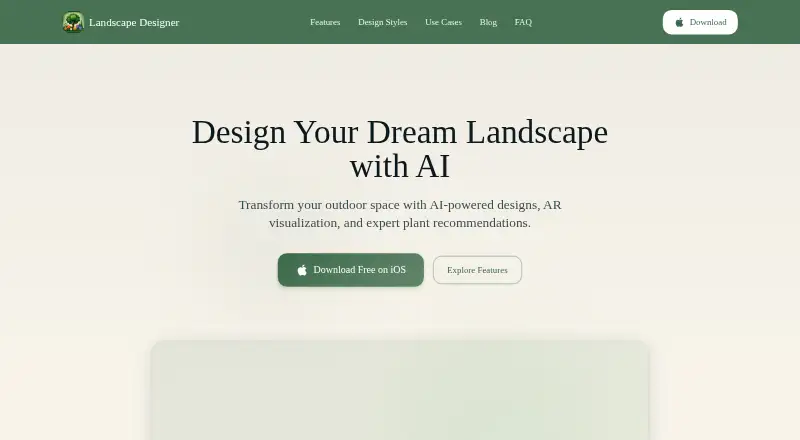
Landscape Designer: An iOS garden-design app for turning yard photos into concepts and placing plants in AR. Ranked #32 of 38 in 3D Home Design Software by our editors (5.8/10); pricing: Free plan · 7-day trial; best for iPhone users visualizing garden changes from photos.
At a glance
- Editor score5.8 / 10
- PricingFree plan · 7-day trial
- Best foriPhone users visualizing garden changes from photos
- Free planYes
- Paid from$59.99/yr
- Facts checked25 Sep 2026
Where it wins
- Generates AI landscape concepts from a yard photo.
- Places 3D plants in outdoor spaces using augmented reality.
- Includes plant identification, care guides, and hardiness-zone filtering.
Where it doesn't
- Focused on gardens and outdoor spaces, not home interiors.
- Available on iOS rather than across desktop and mobile platforms.
- Unlimited AI designs and full catalog access require Premium.
Our verdict on Landscape Designer
Landscape Designer is an iOS app for homeowners planning gardens and outdoor spaces. It turns a yard photo into an AI-generated landscape concept, supports 3D plant placement through augmented reality, and offers 2D photo mockups with plants and textures. Plant identification, care guides, and hardiness-zone filtering give it a practical reference role alongside visualization. Its focus is outdoor planning, so it suits someone imagining garden changes more than someone seeking a conventional tool for designing rooms or an entire home.
The free plan includes the plant catalog, AR plant placement, a photo editor, local project saving, and access to a free plant collection. According to the vendor's pricing page, Premium costs $9.99 per month and adds unlimited AI designs, unlimited plant identification, the full catalog, all design styles, and priority support. Premium Annual is $59.99 per year and includes a 7-day free trial. For occasional AI concepts, one-time credit packs are also listed: $0.99 for 10 credits, $1.99 for 25, or $5.99 for 90. The choice is between free core tools, a recurring subscription for unlimited features, or credits for limited AI use.
Its feature mix is strongest when a project starts with an existing yard photo and needs plant-focused ideas. The catalog and camera-based identification can help users explore options, while AR placement offers a way to visualize plants in an outdoor space. Projects can be saved and shared. The trade-off is a narrow landscape workflow and iOS-only availability; it is not a fit for interior layouts or cross-platform work. Choose it for garden visualization on an iPhone, and look elsewhere if your work centers on home interiors or requires desktop access.
Your product? Our editors can test Landscape Designer in depth and publish a review, labelled as paid · from $149/mo →
Landscape Designer pricing
All 6 Landscape Designer plans and prices →
Landscape Designer fact sheet
| Free plan | Yes |
|---|---|
| Paid from | $59.99/yr |
| Supported platforms | iOS |
| Floor plan import | Not verified |
| AR visualization | Yes |
| Catalog items | Not verified |
| Project limit | Not verified |
| Export formats | Not verified |
| Multi-floor design | Not verified |
| Free trial | 7 days |
| Deployment | Mobile |
| Platforms | iOS |
| Support | |
| Built for | Solo, Small business (editorial estimate) |
| Pricing | Free plan · 7-day trial (source) |
| Website | landscapingdesignapp.com |
| Facts checked | 25 Sep 2026 |
Alternatives to Landscape Designer
- Sweet Home 3DA flexible home design tool for detailed plans, 3D visualization and offline work.9.3
- Planner 5DA broad cross-platform planner with AI, rendering, walkthroughs, and CAD export.8.8
- HomestylerAffordable AI-powered 2D/3D design with strong rendering, tours, VR, and mobile access.8.6


See all Landscape Designer alternatives →
Used Landscape Designer? Be the first to review it
The editor score above is our own research. What this page doesn't have yet is a reader's view — what you used Landscape Designer for, what worked and what didn't. No stars are seeded and no review is paid for; an editor reads every one before it appears.
Write a reviewTwo minutes · verified accounts only · read by an editor before it appears
Featured on iTechGuides

Landscape Designer is listed in our 3D Home Design Software directory. Add the badge to your site — it links back to this page.
<a href="https://www.itechguides.com/products/landscape-designer/"><img src="https://www.itechguides.com/best/badge/landscape-designer.svg" alt="Featured on iTechGuides" width="230" height="46"></a>
Reviewed by iTechGuides Editors · Editorial team · Updated Oct 2026
Advertiser disclosure: iTechGuides is reader-supported. Vendors can pay for top positions in our rankings and for a place on other products' pages, and we may earn a commission when you click some links. Bought places stand at the number bought; this page and our disclosure say so. Paying vendors may get a fuller, more detailed review from our editors, and that review can change their score. How we rank.
Last updated · How we research and update