
Laby Skin Studio
Laby Skin Studio: Graphics-app layers and filters for Minecraft skins, saved in the page link, with no account needed. Ranked #5 of 9 in Minecraft Skin Editors by our editors (8.7/10); pricing: Free · no account needed; best for layered editing and quick recolours.
At a glance
- Editor score8.7 / 10
- PricingFree · no account needed
- Best forLayered editing and quick recolours
- Free to useYes
- Paint on 3D modelYes
- HD skinsNo
- Facts checked18 Sep 2026
Where it wins
- Layers with opacity, blend modes, reordering and renaming
- Whole-skin filters: colorize, hue shift, posterize, outline and more
- Mix and match body parts from any skin in the laby.net library
Where it doesn't
- Exports the standard 64×64 format only, with no HD sizes
- Work lives in the page URL, so a lost link means lost work
- Output targets Java Edition skins
Our verdict on Laby Skin Studio
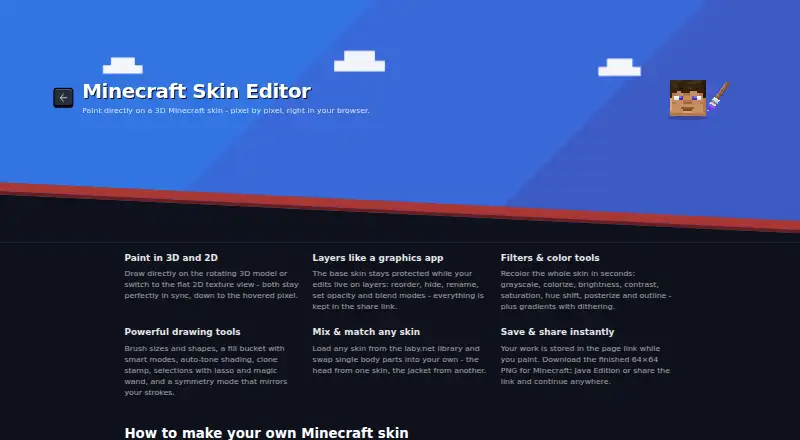
The laby.net Skin Studio comes from LabyMedia, the Walldorf-based company behind the LabyMod client and the laby.net profile platform, and it borrows its ideas from image editors rather than from skin sites. Painting works on a rotating 3D model or a flat 2D texture view that stay in sync down to the hovered pixel, and edits live on layers that can be reordered, hidden, renamed and given opacity and blend modes while the base skin underneath stays protected.
The tool set is broad: adjustable brush sizes and shapes, a fill bucket with smart modes, auto-tone shading, a clone stamp, lasso and magic-wand selections and a symmetry mode that mirrors strokes. Filters recolour a whole skin at once with grayscale, colorize, brightness, contrast, saturation, hue shift, posterize and outline, and gradients can be dithered. A mix-and-match feature swaps single body parts in from any skin in the laby.net library, so a head from one design and a jacket from another can be combined. It switches between classic and slim models at any time, has a touch layout where one finger paints and two rotate, and needs no download or account.
Saving is unusual: the whole skin, layers included, is written into the page URL as you paint, which makes sharing and resuming easy but means a lost link is a lost skin, so bookmarking matters. Output is a standard 64×64 PNG for Java Edition, with no HD sizes. For players who think in layers and filters, or who want to remix existing skins quickly, it is the most modern editor on this list.
Your product? Our editors can test Laby Skin Studio in depth and publish a review, labelled as paid · from $149/mo →
Laby Skin Studio pricing
Laby Skin Studio fact sheet
| Free to use | Yes |
|---|---|
| Paid from | Free |
| Runs on | Browser |
| Paint on 3D model | Yes |
| Editable layers | Yes |
| HD skins | No |
| Slim (Alex) model | Yes |
| Load by username | Not verified |
| Posing & animation | Not verified |
| Pricing | Free · no account needed |
| Website | laby.net |
| Facts checked | 18 Sep 2026 |
Alternatives to Laby Skin Studio
- Nova SkinPaint on a 3D model, pose it in a scene and search a library of 70M+ skins and textures, all for free.9.2
- PMCSkin3DBasic and Advanced editors in one app, with custom brushes, a pose mode, HD skins and one-click publishing.9.0
- BlockbenchA full 3D modelling suite whose Minecraft Skin format edits player and entity skins, free on web and desktop.8.8
See all Laby Skin Studio alternatives →
Laby Skin Studio vs the competition
- Laby Skin Studio vs Godlike.Host
- Laby Skin Studio vs Nova Skin
- Laby Skin Studio vs PMCSkin3D
- Laby Skin Studio vs Blockbench
- Laby Skin Studio vs The Skindex
- Laby Skin Studio vs SkinMC



Compare Laby Skin Studio with any tool side by side →
Used Laby Skin Studio? Be the first to review it
The editor score above is our own research. What this page doesn't have yet is a reader's view — what you used Laby Skin Studio for, what worked and what didn't. No stars are seeded and no review is paid for; an editor reads every one before it appears.
Write a reviewTwo minutes · verified accounts only · read by an editor before it appears
Featured on iTechGuides

Laby Skin Studio is listed in our Minecraft Skin Editors directory. Add the badge to your site — it links back to this page.
<a href="https://www.itechguides.com/products/laby-skin-studio/"><img src="https://www.itechguides.com/best/badge/laby-skin-studio.svg" alt="Featured on iTechGuides" width="230" height="46"></a>
Reviewed by iTechGuides Editors · Editorial team · Updated Oct 2026
Advertiser disclosure: iTechGuides is reader-supported. Vendors can pay for top positions in our rankings and for a place on other products' pages, and we may earn a commission when you click some links. Bought places stand at the number bought; this page and our disclosure say so. Paying vendors may get a fuller, more detailed review from our editors, and that review can change their score. How we rank.
Last updated · How we research and update