
Krynth
Krynth: AI-assisted scan processing with browser viewing, exports, tours, and creative-tool integrations. Ranked #14 of 24 in AI 3D Scanning Software by our editors (7.4/10); pricing: Free plan; best for browser-based scene creation and sharing.
At a glance
- Editor score7.4 / 10
- PricingFree plan
- Best forBrowser-based scene creation and sharing
- Free planYes
- Paid from$24/mo
- Capture inputBoth
- Facts checked21 Sep 2026
Where it wins
- Processes photos and video into textured 3D scenes
- Supports GLB, OBJ, and PLY exports
- Offers browser viewing, tours, decimation, and cinematic video
Where it doesn't
- Web-only deployment limits platform flexibility
- Free output is watermarked and has no commercial rights
- Verified export formats are limited to GLB, OBJ, and PLY
Our verdict on Krynth
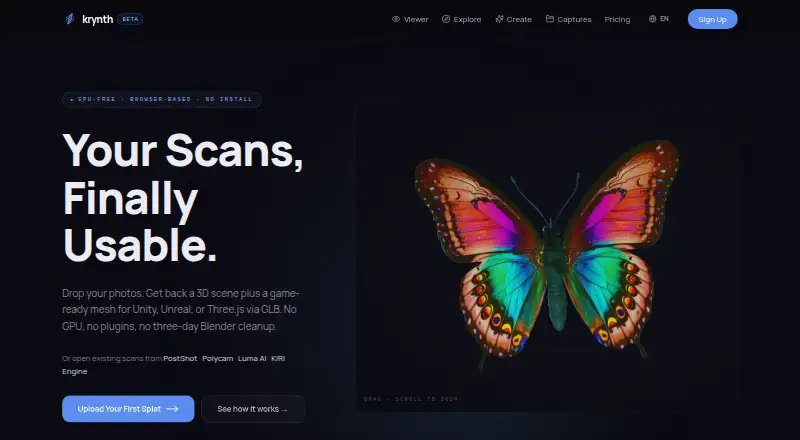
Krynth is browser-based 3D scanning and processing software for game developers, real-estate and architecture teams, e-commerce teams, and other 3D creators. It accepts photos or video, processes scans in the cloud, provides browser-based scene viewing, generates textured meshes, and supports interactive tour links. The product also handles automatic mesh decimation, 4K cinematic video export, and asset exports for engines and design tools. Existing scan files from PostShot, Polycam, Luma AI, and KIRI Engine are supported.
Krynth uses a freemium model with a Free plan offering 1 Quartz scan per month, watermarked output, 14-day hosting, a shareable viewer link, and no commercial rights. Starter costs $24 per month or $289 per year and includes 5 Quartz or 3 Sapphire scans per month, 12-month hosting, commercial use rights, single-scan listings, and standard email support. Pro costs $49 per month or $588 per year, adding higher scan allowances, 36-month hosting, multi-scan listings, the Krynth Director AI agent, custom viewer branding, and a priority processing queue. Studio costs $124 per month or $1,484 per year, with unlimited Sapphire scans subject to a fair-use limit, 20 Onyx full-pipeline scans per month, team features, unlimited Director AI conversations, and priority phone and email support. Quartz is also available for $19 as a one-time purchase.
The ecosystem fit is a clear part of Krynth’s appeal: integrations include Unity, Unreal Engine, Three.js, Roblox, Blender, PostShot, Polycam, Luma AI, and KIRI Engine. That gives teams several routes from capture or existing scan files to browser presentation and downstream creative work. Krynth suits users who value shareable scenes, listings, tours, and a browser workflow. Teams needing native desktop deployment or a wider set of verified export formats should consider alternatives with broader platform coverage.
Your product? Our editors can test Krynth in depth and publish a review, labelled as paid · from $149/mo →
Krynth pricing
All 8 Krynth plans and prices →
Krynth fact sheet
| Free plan | Yes |
|---|---|
| Paid from | $24/mo |
| Capture input | Both |
| Mobile platforms | Not verified |
| Export formats | PLY, GLB, OBJ |
| Textured mesh output | Yes |
| Measurement tools | Not verified |
| Web app | Yes |
| API access | Not verified |
| Deployment | Cloud, Browser extension |
| Platforms | Web |
| Support | Email, Phone |
| Built for | Small business, Mid-market, Enterprise (editorial estimate) |
| Integrations | 9 integrations: Unity, Unreal Engine, Three.js, Roblox, Blender, PostShot … |
| Pricing | Free plan (source) |
| Website | krynth.com |
| Facts checked | 21 Sep 2026 |
Krynth integrations
Krynth lists 9 integrations on its own site.
- Unity
- Unreal Engine
- Three.js
- Roblox
- Blender
- PostShot
- Polycam
- Luma AI
- KIRI Engine
Alternatives to Krynth
- PolycamA broad cloud 3D scanning suite for mobile capture, mapping, exports, and team workflows.9.3
- KIRI EngineA broad, affordable scanning toolkit for creators, teams, and API workflows.9.1
- PIX4DcatchA field-focused mobile scanner combining LiDAR, photogrammetry, positioning, and 3D exports.8.9



Used Krynth? Be the first to review it
The editor score above is our own research. What this page doesn't have yet is a reader's view — what you used Krynth for, what worked and what didn't. No stars are seeded and no review is paid for; an editor reads every one before it appears.
Write a reviewTwo minutes · verified accounts only · read by an editor before it appears
Featured on iTechGuides

Krynth is listed in our AI 3D Scanning Software directory. Add the badge to your site — it links back to this page.
<a href="https://www.itechguides.com/products/krynth/"><img src="https://www.itechguides.com/best/badge/krynth.svg" alt="Featured on iTechGuides" width="230" height="46"></a>
Reviewed by iTechGuides Editors · Editorial team · Updated Oct 2026
Advertiser disclosure: iTechGuides is reader-supported. Vendors can pay for top positions in our rankings and for a place on other products' pages, and we may earn a commission when you click some links. Bought places stand at the number bought; this page and our disclosure say so. Paying vendors may get a fuller, more detailed review from our editors, and that review can change their score. How we rank.
Last updated · How we research and update