Klarity
Klarity: Free, open-source desktop restoration with GUI, CLI, and configurable AI pipelines. Ranked #7 of 25 in AI Video Restoration Software by our editors (8.4/10); pricing: Free plan; best for free users needing configurable desktop enhancement.
At a glance
- Editor score8.4 / 10
- PricingFree plan
- Best forFree users needing configurable desktop enhancement
- Free planYes
- Paid fromFree
- DenoisingYes
- Facts checked20 Sep 2026
Where it wins
- Denoising, deblurring, 2x/4x upscaling, and frame interpolation
- GUI comparison views plus CLI batch processing and automation
- Local CPU processing with optional NVIDIA GPU acceleration
Where it doesn't
- Desktop coverage is limited to Windows and Linux
- Video processing requires FFmpeg
- Requires pre-built binaries or source installation
Our verdict on Klarity
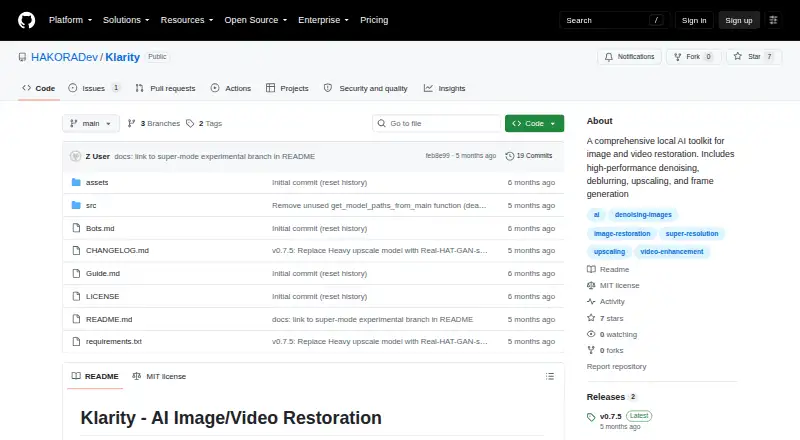
Klarity is a free, open-source desktop application for restoring images and videos locally. It is aimed at creators, editors, and other users working with degraded visual content who want AI-powered denoising, deblurring, upscaling, and frame interpolation without uploads or subscriptions. The published feature set covers 2x and 4x upscaling, 2x and 4x frame multipliers, and processing on Windows or Linux.
Its strongest distinction is the range of restoration workflows in one local toolkit. Users can apply denoising, deblurring, super-resolution upscaling, and frame generation separately or combine them into a single pipeline. The graphical interface includes before-and-after comparison views, while the command-line interface supports batch processing and automation. CPU processing is available, with optional NVIDIA GPU acceleration for compatible setups. This makes Klarity suitable for both visual review and repeatable processing tasks.
Klarity also keeps its pricing straightforward: the software is free and open source, with no subscription described. Installation can use documented pre-built binaries or source installation, and video processing requires FFmpeg. The published notes identify pre-built binaries for Windows and Linux, while the latest opened release provides a pre-built Linux binary. Klarity is a strong fit for users who want configurable local restoration and are comfortable with desktop installation requirements. It is less suitable for anyone needing a broader platform range or a hosted workflow rather than a Windows or Linux application.
Your product? Our editors can test Klarity in depth and publish a review, labelled as paid · from $149/mo →
Klarity pricing
Klarity fact sheet
| Free plan | Yes |
|---|---|
| Paid from | Free |
| Platform | Desktop |
| Maximum upscale | 4x |
| Denoising | Yes |
| Deblurring | Yes |
| Artifact removal | Not verified |
| Frame interpolation | Yes |
| Face recovery | Not verified |
| Deployment | Desktop |
| Platforms | Windows, Linux |
| Support | Community, Docs |
| Built for | Solo, Small business (editorial estimate) |
| Pricing | Free plan |
| Website | github.com |
| Facts checked | 20 Sep 2026 |
Alternatives to Klarity
- Topaz VideoA broad desktop restoration toolkit for editors working with demanding video projects.9.4
- TensorPixA flexible cloud enhancer with free access, paid credits, and a REST API.9.1
- HitPaw VikPeaBroad platform coverage and 8K tools, but paid access starts at $42.99 monthly.8.9



See all Klarity alternatives →
Klarity vs the competition
- Klarity vs Topaz Video
- Klarity vs TensorPix
- Klarity vs HitPaw VikPea
- Klarity vs AVCLabs Video Enhancer AI
- Klarity vs Pixop
- Klarity vs RestoraX

Compare Klarity with any tool side by side →
Used Klarity? Be the first to review it
The editor score above is our own research. What this page doesn't have yet is a reader's view — what you used Klarity for, what worked and what didn't. No stars are seeded and no review is paid for; an editor reads every one before it appears.
Write a reviewTwo minutes · verified accounts only · read by an editor before it appears
Featured on iTechGuides

Klarity is listed in our AI Video Restoration Software directory. Add the badge to your site — it links back to this page.
<a href="https://www.itechguides.com/products/klarity/"><img src="https://www.itechguides.com/best/badge/klarity.svg" alt="Featured on iTechGuides" width="230" height="46"></a>
Reviewed by iTechGuides Editors · Editorial team · Updated Oct 2026
Advertiser disclosure: iTechGuides is reader-supported. Vendors can pay for top positions in our rankings and for a place on other products' pages, and we may earn a commission when you click some links. Bought places stand at the number bought; this page and our disclosure say so. Paying vendors may get a fuller, more detailed review from our editors, and that review can change their score. How we rank.
Last updated · How we research and update