
Keyframe.it
Keyframe.it: A capable free web editor for skeletal game animation and Spine-compatible export. Ranked #5 of 25 in 2D Game Animation Software by our editors (8.2/10); pricing: Free plan; best for free web-based skeletal animation beginners.
At a glance
- Editor score8.2 / 10
- PricingFree plan
- Best forFree web-based skeletal animation beginners
- Free planYes
- Paid fromFree
- Animation methodSkeletal
- Facts checked20 Sep 2026
Where it wins
- Free browser editor with no account required
- FK/IK rigging, mesh deformation, and spring physics
- Spine, sprite-sheet, GIF, video, and HTML-player exports
Where it doesn't
- Browser-based workflow may not suit non-web editing needs
- Runtime integration centers on PixiJS and Spine
- Local autosave depends on the browser-based editor
Our verdict on Keyframe.it
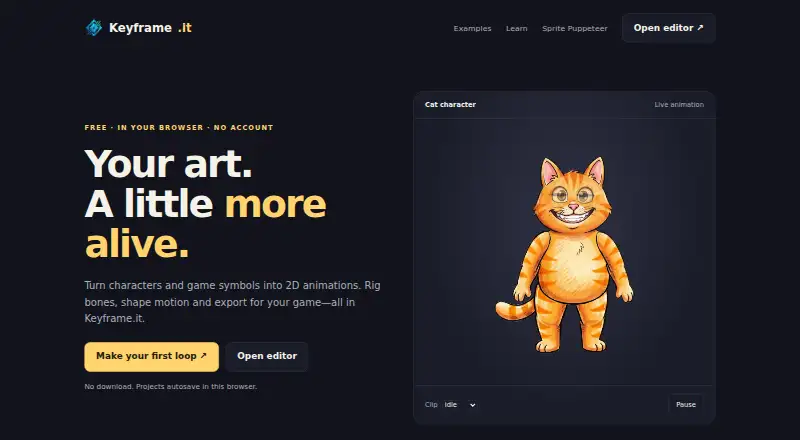
Keyframe.it is a free, browser-based 2D animation editor for game characters and symbols. It is aimed at beginners and developers who need skeletal animation without creating an account. The editor supports bone rigging with forward and inverse kinematics, weighted mesh deformation, deform keyframes, dope-sheet and curve editing, easing, spring physics, image swaps, and crossfades. PSD-layer import and sprite-sheet slicing also support common game-art preparation tasks.
Its strongest fit is the combination of animation depth and runtime-oriented export. Keyframe.it can export Spine 3.8 and 4.2 bundles, while its runtime targets include PixiJS v8 through spine-pixi-v8, PixiJS v7 through pixi-spine, and Spine runtimes. It also exports sprite sheets, GIFs, video, and standalone HTML previews, giving users several ways to share or integrate animated assets. Optional AI-assisted workflows are available through the built-in AI features and MCP connector, although the published runtime integration is centered on PixiJS and Spine.
The Free plan costs $0 and includes a browser-based editor, no account requirement, and local project autosave. The free access makes Keyframe.it a practical starting point for learning skeletal animation, prototyping characters, or preparing assets for PixiJS and Spine-based projects. Its web-only platform may be less suitable for teams that require a non-browser editor or a broader runtime ecosystem. Choose Keyframe.it when free access, straightforward onboarding, mesh deformation, physics, and Spine-compatible output matter most; consider another tool when platform flexibility is a primary requirement.
Your product? Our editors can test Keyframe.it in depth and publish a review, labelled as paid · from $149/mo →
Keyframe.it pricing
All 1 Keyframe.it plans and prices →
Keyframe.it fact sheet
| Free plan | Yes |
|---|---|
| Paid from | Free |
| Animation method | Skeletal |
| Runtime export | Yes |
| Mesh deformation | Yes |
| Frame-by-frame tools | Not verified |
| Particle effects | Not verified |
| Runtime targets | PixiJS v8 via spine-pixi-v8; PixiJS v7 via pixi-spine; Spine runtimes 3.8 and 4.2 |
| Deployment | Cloud |
| Platforms | Web |
| Built for | Solo, Small business (editorial estimate) |
| Integrations | 4 integrations: PixiJS, spine-pixi-v8, pixi-spine, Spine runtimes |
| Pricing | Free plan (source) |
| Website | keyframe.it.com |
| Facts checked | 20 Sep 2026 |
Keyframe.it integrations
Keyframe.it lists 4 integrations on its own site.
- PixiJS
- spine-pixi-v8
- pixi-spine
- Spine runtimes
Alternatives to Keyframe.it
- SpineA deep 2D rigging tool for game teams that can manage a paid workflow.9.4
- CreatureA capable Windows tool for advanced 2D game animation and deformation workflows.9.1
- RiveA broad cross-platform animation workspace with game-ready runtimes and collaboration.8.8


See all Keyframe.it alternatives →
Keyframe.it vs the competition
- Keyframe.it vs Spine
- Keyframe.it vs Creature
- Keyframe.it vs Rive
- Keyframe.it vs Live2D Cubism
- Keyframe.it vs Spriter
- Keyframe.it vs SkelForm



Compare Keyframe.it with any tool side by side →
Used Keyframe.it? Be the first to review it
The editor score above is our own research. What this page doesn't have yet is a reader's view — what you used Keyframe.it for, what worked and what didn't. No stars are seeded and no review is paid for; an editor reads every one before it appears.
Write a reviewTwo minutes · verified accounts only · read by an editor before it appears
Featured on iTechGuides

Keyframe.it is listed in our 2D Game Animation Software directory. Add the badge to your site — it links back to this page.
<a href="https://www.itechguides.com/products/keyframe-it/"><img src="https://www.itechguides.com/best/badge/keyframe-it.svg" alt="Featured on iTechGuides" width="230" height="46"></a>
Reviewed by iTechGuides Editors · Editorial team · Updated Oct 2026
Advertiser disclosure: iTechGuides is reader-supported. Vendors can pay for top positions in our rankings and for a place on other products' pages, and we may earn a commission when you click some links. Bought places stand at the number bought; this page and our disclosure say so. Paying vendors may get a fuller, more detailed review from our editors, and that review can change their score. How we rank.
Last updated · How we research and update