Kekoso
Kekoso: A private Mac caption tool with broad exports, but no styling or speaker identification. Ranked #91 of 99 in AI Video Caption Generators by our editors (3.0/10); pricing: 7-day trial; best for mac users wanting private transcription.
At a glance
- Editor score3.0 / 10
- Pricing7-day trial
- Best forMac users wanting private transcription
- Free planNo
- Paid from$29 one-time
- Caption stylingNo
- Facts checked22 Sep 2026
Where it wins
- Local, on-device processing works offline indefinitely
- Exports SRT, VTT, and TXT with readability-based cue grouping
- Supports 99 languages, watched-folder batches, and AI-client integrations
Where it doesn't
- Requires an Apple silicon Mac running macOS 14.4 or later
- Does not provide caption styling or burned-in captions
- Does not identify speakers in recordings
Our verdict on Kekoso
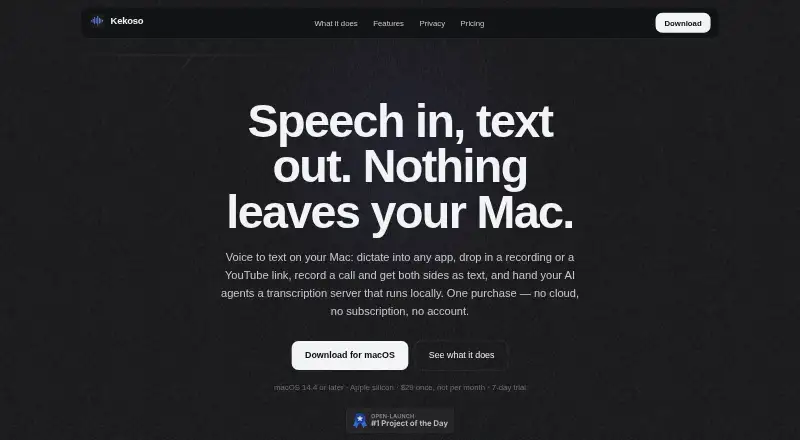
Kekoso is a macOS speech-to-text application for generating transcripts and subtitle files from MP4 and MOV videos, audio, and YouTube links. It suits Mac users who want local processing for caption creation, dictation, call recording, and AI-assisted workflows. Recognition runs on-device, and the published feature set supports 99 caption languages. The app is designed for Apple silicon Macs and requires macOS 14.4 or later, so it is not a general-purpose option for Windows, Linux, or older Mac hardware.
Pricing is straightforward: the Kekoso licence costs $29 as a one-time purchase and includes use on up to three of your own Macs, free updates through the 1.x line, and indefinite offline operation. A seven-day trial is available. The licence covers dictation, files and links, call recording, and an MCP server, rather than separating these capabilities across multiple paid tiers. For caption work, Kekoso exports SRT, VTT, and TXT files and groups caption cues using readability limits. Watched-folder processing adds a way to handle batches of subtitle jobs.
Its strongest fit is privacy-conscious Mac workflows that prioritize local recognition over visual caption production. Vocabulary corrections and word replacements can help maintain preferred terminology, while the local MCP server connects with Claude Code, Claude Desktop, Codex, and ChatGPT desktop. Call recording can create separate speaker tracks, but the product does not identify speakers. It also lacks styling and burn-in captions, so users who need finished, visually designed video captions will need another tool for that stage. Choose Kekoso for offline transcription, exports, and automation; choose an alternative when speaker labeling, caption design, or burned-in delivery is central.
Your product? Our editors can test Kekoso in depth and publish a review, labelled as paid · from $149/mo →
Kekoso pricing
All 1 Kekoso plans and prices →
Kekoso fact sheet
| Free plan | No |
|---|---|
| Paid from | $29 one-time |
| Max video length | Not verified |
| Caption languages | 99 languages |
| Caption styling | No |
| Subtitle export | Srt and vtt |
| Burn-in captions | No |
| Speaker identification | No |
| Brand caption presets | Not verified |
| Free trial | 7 days · no card needed |
| Money-back guarantee | 30 days |
| Deployment | Desktop |
| Platforms | macOS |
| Support | |
| Built for | Solo, Small business (editorial estimate) |
| Integrations | 4 integrations: Claude Code, Claude Desktop, Codex, ChatGPT desktop |
| Pricing | 7-day trial (source) |
| Website | kekoso.app |
| Facts checked | 22 Sep 2026 |
Kekoso integrations
Kekoso lists 4 integrations on its own site.
- Claude Code
- Claude Desktop
- Codex
- ChatGPT desktop
Alternatives to Kekoso
- WhisperA flexible local transcription engine, but not a complete caption-editing product.9.2
- CaptionHubA workflow-rich caption and localization platform for enterprise video teams.8.8
- SubmagicAn all-in-one caption editor with styling, text editing, B-roll, and publishing tools.8.7


Used Kekoso? Be the first to review it
The editor score above is our own research. What this page doesn't have yet is a reader's view — what you used Kekoso for, what worked and what didn't. No stars are seeded and no review is paid for; an editor reads every one before it appears.
Write a reviewTwo minutes · verified accounts only · read by an editor before it appears
Featured on iTechGuides

Kekoso is listed in our AI Video Caption Generators directory. Add the badge to your site — it links back to this page.
<a href="https://www.itechguides.com/products/kekoso/"><img src="https://www.itechguides.com/best/badge/kekoso.svg" alt="Featured on iTechGuides" width="230" height="46"></a>
Reviewed by iTechGuides Editors · Editorial team · Updated Oct 2026
Advertiser disclosure: iTechGuides is reader-supported. Vendors can pay for top positions in our rankings and for a place on other products' pages, and we may earn a commission when you click some links. Bought places stand at the number bought; this page and our disclosure say so. Paying vendors may get a fuller, more detailed review from our editors, and that review can change their score. How we rank.
Last updated · How we research and update