
Jurism
Jurism: A free, open-source citation workflow with strong legal and multilingual support. Ranked #16 of 26 in Reference Management Software by our editors (7.3/10); pricing: Free plan; best for legal and multilingual research citation workflows.
At a glance
- Editor score7.3 / 10
- PricingFree plan
- Best forLegal and multilingual research citation workflows
- Free planYes
- Paid fromFree
- Facts checked20 Sep 2026
Where it wins
- Free, open-source desktop reference management
- CSL-M and jurisdiction-specific legal citation styles
- Word, LibreOffice, and Google Docs plugins
Where it doesn't
- Collaboration is limited to basic synchronized-library workflows
- File synchronization depends on optional Zotero Storage
- Specialized citation focus may not suit broader research workflows
Our verdict on Jurism
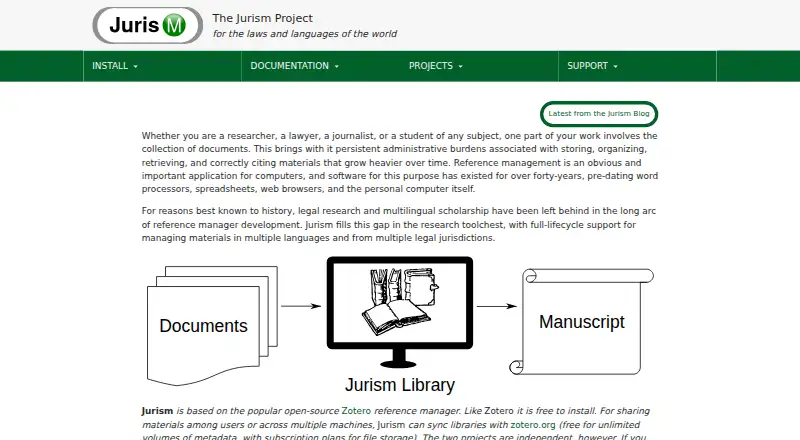
Jurism is a free, open-source reference manager for researchers, lawyers, journalists, and students who collect, organize, synchronize, and cite research materials. Its strongest fit is legal and multilingual scholarship: the software supports multiple jurisdictions, multilingual resources, and citation styles based on CSL-M. Desktop applications are available for Windows, macOS, and Linux, while browser connectors support research capture from Firefox, Google Chrome, and Chromium.
The published product details show a free installation model rather than a paid tier structure. Jurism can capture bibliographic metadata from web pages, organize materials in a reference library, and insert citations into Microsoft Word, LibreOffice, and Google Docs. Citation workflows can use jurisdiction-specific legal styles, making the application more suitable for legal research than a general-purpose reference manager without that specialization. Optional Zotero Storage supports library synchronization and file synchronization, while synchronized libraries provide a basic way to share materials and collaborate.
Jurism is a strong choice when citation accuracy across legal systems, languages, and document editors matters more than a broad collaboration suite. Its desktop-and-browser coverage gives researchers several ways to collect sources and work across common operating systems. The main trade-off is scope: collaboration is centered on synchronized libraries, and file synchronization relies on an optional storage service. Teams seeking advanced collaboration capabilities or a less specialized research workflow may prefer a broader reference platform. Choose Jurism for focused legal and multilingual citation work; consider alternatives when shared research management needs extend well beyond library synchronization and document citation.
Your product? Our editors can test Jurism in depth and publish a review, labelled as paid · from $149/mo →
Jurism pricing
Jurism fact sheet
| Free plan | Yes |
|---|---|
| Paid from | Free |
| Storage limit | Not verified |
| PDF annotation | Not verified |
| Citation plugins | Yes |
| Browser capture | Yes |
| Supported platforms | Not verified |
| Team collaboration | Basic |
| Deployment | Desktop, Browser extension |
| Platforms | Windows, macOS, Linux, Chrome extension |
| Built for | Solo, Small business (editorial estimate) |
| Integrations | 7 integrations: Microsoft Word, LibreOffice, Google Docs, Zotero Storage, Firefox, Google Chrome … |
| Pricing | Free plan |
| Website | juris-m.github.io |
| Facts checked | 20 Sep 2026 |
Jurism integrations
Jurism lists 7 integrations on its own site.
- Microsoft Word
- LibreOffice
- Google Docs
- Zotero Storage
- Firefox
- Google Chrome
- Chromium
Alternatives to Jurism
- ZoteroA broad, open-source reference manager with free core tools and optional paid storage.9.4
- PaperpileA capable, Google-centric reference manager for academic teams that need shared research libraries.8.9
- EndNoteA deep reference manager with broad citation support, PDF tools, and collaboration features.8.8



Used Jurism? Be the first to review it
The editor score above is our own research. What this page doesn't have yet is a reader's view — what you used Jurism for, what worked and what didn't. No stars are seeded and no review is paid for; an editor reads every one before it appears.
Write a reviewTwo minutes · verified accounts only · read by an editor before it appears
Featured on iTechGuides

Jurism is listed in our Reference Management Software directory. Add the badge to your site — it links back to this page.
<a href="https://www.itechguides.com/products/jurism/"><img src="https://www.itechguides.com/best/badge/jurism.svg" alt="Featured on iTechGuides" width="230" height="46"></a>
Reviewed by iTechGuides Editors · Editorial team · Updated Oct 2026
Advertiser disclosure: iTechGuides is reader-supported. Vendors can pay for top positions in our rankings and for a place on other products' pages, and we may earn a commission when you click some links. Bought places stand at the number bought; this page and our disclosure say so. Paying vendors may get a fuller, more detailed review from our editors, and that review can change their score. How we rank.
Last updated · How we research and update