
JUMI PatternMaker
JUMI PatternMaker: A free desktop-friendly browser tool for editable repeat patterns and commercial exports. Ranked #15 of 24 in Pattern Design Software by our editors (6.4/10); pricing: Free plan; best for free browser vector pattern creation.
At a glance
- Editor score6.4 / 10
- PricingFree plan
- Best forFree browser vector pattern creation
- Free planYes
- Paid fromNone
- Seamless repeatYes
- Facts checked20 Sep 2026
Where it wins
- Free access with no sign-up or watermark
- Editable vector elements, fills, recoloring and live 3×3 preview
- SVG and transparent PNG export, including PNG up to 8000 pixels
Where it doesn't
- Browser-based access limits its platform coverage
- Work is saved locally in the browser
- Desktop and laptop use are prioritized over smaller screens
Our verdict on JUMI PatternMaker
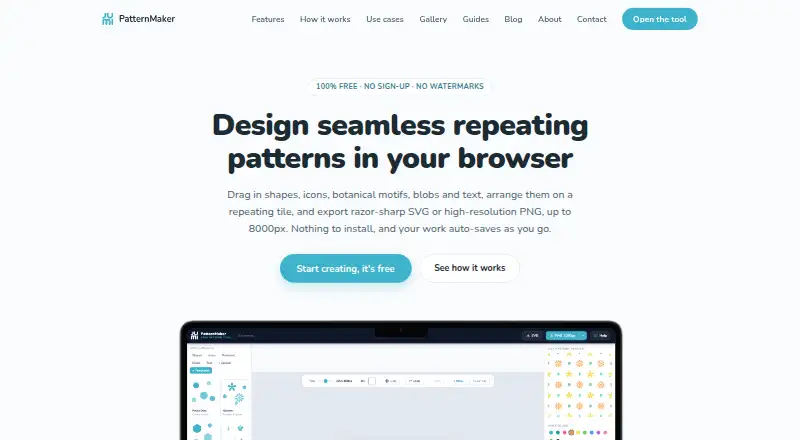
JUMI PatternMaker is a free browser-based tool for creating repeating patterns from vector shapes, lines, icons, botanical motifs, blobs, text and uploaded artwork. It is aimed at surface designers, print-on-demand sellers, crafters, educators and businesses that need pattern artwork without installing software or creating an account. The workspace wraps elements across tile edges and shows a live 3×3 repeat preview, helping users assess how a design continues beyond the original tile.
Its strongest feature set is the combination of vector editing and pattern-specific controls. Users can adjust fills, gradients, strokes, opacity and recoloring, then import SVG or transparent PNG artwork for further composition. Ready-made templates, browser auto-save and product mockup previews support a practical design workflow. Export options include SVG and PNG at 1000, 2000, 4000 or 8000 pixels, while commercial use is permitted on the free plan and exported work has no watermark.
The main trade-off is its narrow delivery model: access is through a web browser, optimized for desktop and laptop computers, with tablet support. Creative work is processed and saved in the browser rather than uploaded to JUMI servers, so the workflow is tied to the local browser environment. JUMI PatternMaker suits users who want free pattern creation, editable vector elements and flexible exports in one browser workspace. Users needing broader platform coverage or a different production environment should consider an alternative.
JUMI PatternMaker pricing
All 1 JUMI PatternMaker plans and prices →
JUMI PatternMaker fact sheet
| Free plan | Yes |
|---|---|
| Paid from | None |
| Seamless repeat | Yes |
| Colorway tools | Yes |
| Vector editing | Yes |
| Repeat types | single tile; edge-wrapped seamless repeat |
| Supported platforms | Web browser; optimized for desktop and laptop, with tablet support |
| Export formats | SVG; PNG at 1000, 2000, 4000 or 8000 pixels |
| Deployment | Cloud |
| Platforms | Web |
| Support | Email, Docs |
| Built for | Solo, Small business (editorial estimate) |
| Pricing | Free plan (source) |
| Website | jumipatternmaker.com |
| Facts checked | 20 Sep 2026 |
Alternatives to JUMI PatternMaker
- KXStitchA free Linux desktop app for creating, editing, and printing cross-stitch patterns.9.0
- MediaChance Pattern StudioA focused editor for tileable textures, layered artwork, and material maps.8.7
- AVA CAD/CAMA deep Mac-only toolkit for textile design, colour management and print production.8.1

See all JUMI PatternMaker alternatives →
Used JUMI PatternMaker? Be the first to review it
The editor score above is our own research. What this page doesn't have yet is a reader's view — what you used JUMI PatternMaker for, what worked and what didn't. No stars are seeded and no review is paid for; an editor reads every one before it appears.
Write a reviewTwo minutes · verified accounts only · read by an editor before it appears
Featured on iTechGuides

JUMI PatternMaker is listed in our Pattern Design Software directory. Add the badge to your site — it links back to this page.
<a href="https://www.itechguides.com/products/jumi-patternmaker/"><img src="https://www.itechguides.com/best/badge/jumi-patternmaker.svg" alt="Featured on iTechGuides" width="230" height="46"></a>
Reviewed by iTechGuides Editors · Editorial team · Updated Sep 2026
Advertiser disclosure: iTechGuides is reader-supported. We may earn a commission when you click some links. How we rank.
Last updated · How we research and update