
Jubler
Jubler: A broad free subtitle editor for multi-format production, timing, translation, and validation. Ranked #4 of 30 in Subtitle Software by our editors (8.9/10); pricing: Free plan; best for free multi-format subtitle production.
At a glance
- Editor score8.9 / 10
- PricingFree plan
- Best forFree multi-format subtitle production
- Free planYes
- Paid fromFree
- Facts checked20 Sep 2026
Where it wins
- Supports 20+ formats, including SRT and WebVTT
- Combines timeline editing, waveforms, synchronization, and validation
- Offers command-line tools and external tool integration for automation
Where it doesn't
- Automatic captioning and integrations are less extensive than leading tools
- Azure Translator requires a separate Azure account and service subscription
- Desktop application focus may not suit teams seeking a hosted workspace
Our verdict on Jubler
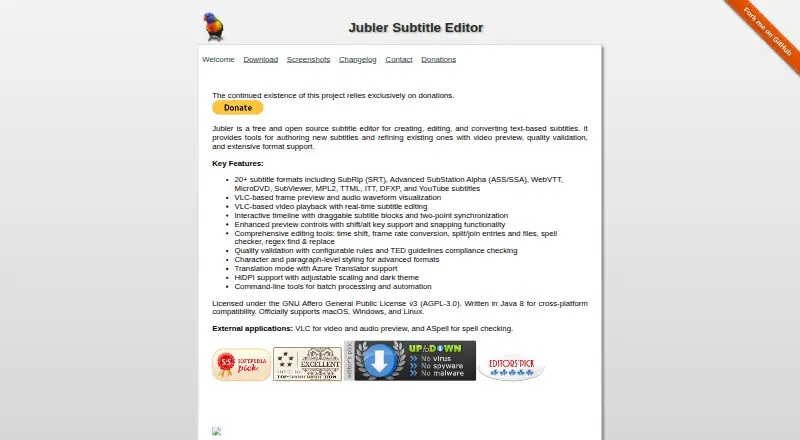
Jubler is a free, open-source desktop subtitle editor for creating, editing, translating, synchronizing, validating, and converting text-based subtitles. It officially supports Windows, macOS, and Linux, making it suitable for subtitle professionals, translators, video teams, and individual creators who need a multi-format production tool without a paid plan. Support for more than 20 formats includes SRT and WebVTT, while VLC-based playback, frame preview, and audio waveform visualization help connect subtitle work with the underlying video and audio.
Its strongest case is the breadth of editing and timing tools available in one desktop application. An interactive timeline supports draggable subtitle blocks, while time shifting and frame-rate conversion address common synchronization tasks. Users can split and join subtitles, run spell checking, search and replace with regular expressions, and apply configurable quality validation, including TED guidelines checking. Side-by-side translation mode supports Azure Translator, and integrations with VLC and ASpell extend the workflow. Command-line tools and external tool integration also give automation a clear role for repeatable processing.
Jubler’s open-source pricing model keeps the core application free, with the project relying on donations rather than paid tiers. That makes it a practical choice for users prioritizing format coverage, detailed timing control, validation, and local desktop workflows. It is less suitable for teams seeking a hosted collaboration environment, broader integrations, or more extensive automatic captioning. Azure Translator can add translation support, but it requires a separate Azure account and service subscription. Choose Jubler when subtitle production depth and format flexibility matter more than a larger cloud ecosystem; consider an alternative when automated captioning or connected team workflows are central requirements.
Your product? Our editors can test Jubler in depth and publish a review, labelled as paid · from $149/mo →
Jubler pricing
Jubler fact sheet
| Free plan | Yes |
|---|---|
| Paid from | Free |
| Max video length | Not verified |
| Auto-captioning | Yes |
| Subtitle translation | Yes |
| Speaker labels | Not verified |
| SRT export | Yes |
| VTT export | Yes |
| Deployment | Desktop |
| Platforms | Windows, macOS, Linux |
| Built for | Solo, Small business (editorial estimate) |
| Integrations | 3 integrations: VLC, ASpell, Azure Translator |
| Pricing | Free plan |
| Website | jubler.org |
| Facts checked | 20 Sep 2026 |
Jubler integrations
Jubler lists 3 integrations on its own site.
- VLC
- ASpell
- Azure Translator
Alternatives to Jubler
- Subtitle EditA broad, free subtitle toolkit for local editing, transcription, translation, and video processing.9.4
- SRTGenA broad subtitle toolkit for creators who need transcription, localization, and exports.9.2
- EditsubEditsub combines broad subtitle tools, collaboration, and a low-cost annual Pro plan.9.0


Jubler vs the competition
- Jubler vs Subtitle Edit
- Jubler vs SRTGen
- Jubler vs Editsub
- Jubler vs EZTitles
- Jubler vs SubtitleNEXT
- Jubler vs FAB Subtitler



Compare Jubler with any tool side by side →
Used Jubler? Be the first to review it
The editor score above is our own research. What this page doesn't have yet is a reader's view — what you used Jubler for, what worked and what didn't. No stars are seeded and no review is paid for; an editor reads every one before it appears.
Write a reviewTwo minutes · verified accounts only · read by an editor before it appears
Featured on iTechGuides

Jubler is listed in our Subtitle Software directory. Add the badge to your site — it links back to this page.
<a href="https://www.itechguides.com/products/jubler/"><img src="https://www.itechguides.com/best/badge/jubler.svg" alt="Featured on iTechGuides" width="230" height="46"></a>
Reviewed by iTechGuides Editors · Editorial team · Updated Oct 2026
Advertiser disclosure: iTechGuides is reader-supported. Vendors can pay for top positions in our rankings and for a place on other products' pages, and we may earn a commission when you click some links. Bought places stand at the number bought; this page and our disclosure say so. Paying vendors may get a fuller, more detailed review from our editors, and that review can change their score. How we rank.
Last updated · How we research and update