JPG To PDF
JPG To PDF: A focused Windows converter for turning image batches into single or separate PDFs. Ranked #46 of 46 in PDF Converter Software by our editors (4.3/10); pricing: Paid; best for bulk JPG-to-PDF conversion.
At a glance
- Editor score4.3 / 10
- PricingPaid
- Best forBulk JPG-to-PDF conversion
- Paid from$22.95/unit one-time
- Facts checked21 Sep 2026
Where it wins
- Combines multiple images into one PDF or creates separate PDFs
- Supports JPG, TIF, BMP, PNG, GIF, ICO, PSD and TIFF inputs
- Batch mode, folder importing, drag-and-drop and portable distribution
Where it doesn't
- Windows only
- No OCR capabilities
- No API or integrations
Our verdict on JPG To PDF
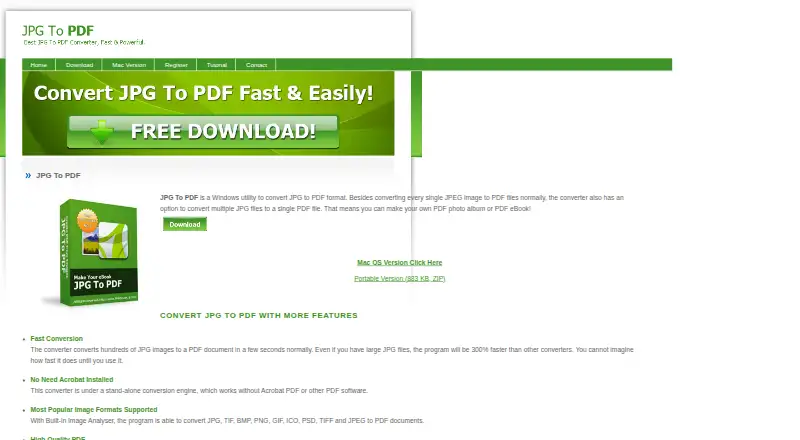
JPG To PDF is a Windows desktop utility for converting image files into PDF documents. It supports JPG, JPEG, TIF, BMP, PNG, GIF, ICO, PSD and TIFF inputs, with options to turn multiple images into one PDF or create a separate PDF for each image. The product is aimed at people handling photo albums, eBooks, scanned image files or other image collections who need a focused converter without Adobe Acrobat. Batch mode, folder importing and drag-and-drop importing support larger groups of files, while a portable version offers an alternative to a standard installation.
Pricing is based on one-time licenses rather than a recurring subscription. The Single License costs $29.95 and includes Windows image-to-PDF conversion with single- or multi-file conversion. Volume pricing lowers the per-license cost to $27.95 for 2–4 licenses, $24.95 for 5–9 licenses and $22.95 for over 10 licenses. The published plans show the same core conversion purpose across these options, with the lower prices tied to license quantity. This structure suits individuals or teams that want a defined desktop utility and prefer a one-time payment.
Its main strength is a narrow, practical workflow: supported image formats can be converted individually, combined into one document or processed through batch and folder importing. Standalone operation without Acrobat keeps the tool focused on file conversion. The trade-off is limited platform and ecosystem coverage. It is available for Windows and does not provide OCR, an API or integrations. Choose JPG To PDF when bulk image-to-PDF conversion is the primary requirement, especially for a Windows workflow. Choose an alternative when searchable text extraction, programmatic conversion, connected services or broader platform support are essential.
Your product? Our editors can test JPG To PDF in depth and publish a review, labelled as paid · from $149/mo →
JPG To PDF pricing
All 4 JPG To PDF plans and prices →
JPG To PDF fact sheet
| Free plan | Not verified |
|---|---|
| Paid from | $22.95/unit one-time |
| Conversion targets | JPG, TIF, BMP, PNG, GIF, ICO, PSD, TIFF, JPEG → PDF |
| OCR conversion | Not verified |
| Batch conversion | Yes |
| Maximum file size | Not verified |
| Supported platforms | Windows |
| API access | Not verified |
| Deployment | Desktop |
| Platforms | Windows |
| Built for | Solo, Small business (editorial estimate) |
| Pricing | Paid (source) |
| Website | jpgpdf.net |
| Facts checked | 21 Sep 2026 |
Alternatives to JPG To PDF
- Wondershare PDFelementA full PDF workbench with conversion, OCR, forms, security, signatures, and AI tools.9.3
- Adobe PDF Services APIA broad PDF automation API with a useful free tier and quote-based paid scaling.9.1
- ConvertioA broad cloud converter for documents, media, images, and automated workflows.9.0



See all JPG To PDF alternatives →
Used JPG To PDF? Be the first to review it
The editor score above is our own research. What this page doesn't have yet is a reader's view — what you used JPG To PDF for, what worked and what didn't. No stars are seeded and no review is paid for; an editor reads every one before it appears.
Write a reviewTwo minutes · verified accounts only · read by an editor before it appears
Featured on iTechGuides

JPG To PDF is listed in our PDF Converter Software directory. Add the badge to your site — it links back to this page.
<a href="https://www.itechguides.com/products/jpg-to-pdf/"><img src="https://www.itechguides.com/best/badge/jpg-to-pdf.svg" alt="Featured on iTechGuides" width="230" height="46"></a>
Reviewed by iTechGuides Editors · Editorial team · Updated Oct 2026
Advertiser disclosure: iTechGuides is reader-supported. Vendors can pay for top positions in our rankings and for a place on other products' pages, and we may earn a commission when you click some links. Bought places stand at the number bought; this page and our disclosure say so. Paying vendors may get a fuller, more detailed review from our editors, and that review can change their score. How we rank.
Last updated · How we research and update