
JLab Lab App
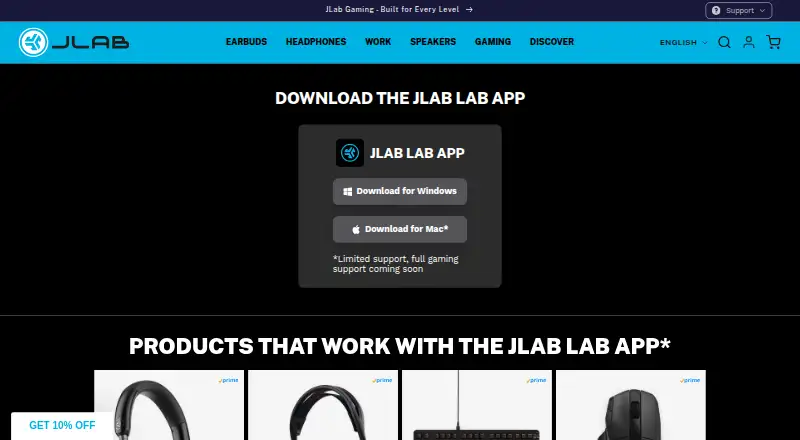
JLab Lab App: A free companion app for basic configuration and personalization of compatible JLab devices. Ranked #36 of 38 in Gaming Peripheral Software by our editors (4.8/10); pricing: Free plan; best for JLab device owners needing basic personalization.
At a glance
- Editor score4.8 / 10
- PricingFree plan
- Best forJLab device owners needing basic personalization
- Free planYes
- Paid fromFree
- Facts checked24 Sep 2026
Where it wins
- Free app for configuring compatible JLab devices
- Device-specific settings and personalization
- Focused companion software for JLab peripherals
Where it doesn't
- Works only with compatible JLab devices
- Available controls vary by individual product
- No AI features are included
Our verdict on JLab Lab App
JLab Lab App is companion software for configuring compatible JLab peripherals. It gives JLab device owners a place to adjust device-specific settings and personalize supported hardware. The audience is therefore people who already own, or plan to buy, a compatible JLab device and want basic control from a dedicated app. Controls and supported devices vary by product, so the experience is tied closely to the peripheral being configured.
The published plan is free, which makes the app a straightforward option for JLab owners who want personalization without a paid software tier. Its standout value is the direct focus on compatible-device configuration rather than a broad collection of unrelated tools. The practical result is a simple proposition: install the companion app, identify a supported JLab peripheral, and use the controls available for that product. The scope of those controls remains product-specific, so the app's usefulness depends on the hardware in hand.
JLab Lab App fits buyers who want basic personalization within the JLab ecosystem and prefer a free companion utility. It is less suitable for people seeking one control center across multiple brands or expecting every JLab peripheral to expose the same settings. Requirements such as macros, button assignments, or lighting customization should be evaluated against the specific device before choosing the app, because capabilities vary by product. Choose it for focused JLab configuration; consider another tool when broader peripheral management is the priority.
Your product? Our editors can test JLab Lab App in depth and publish a review, labelled as paid · from $149/mo →
JLab Lab App pricing
JLab Lab App fact sheet
| Free plan | Yes |
|---|---|
| Paid from | Free |
| Desktop platforms | Not verified |
| Macro support | Not verified |
| Button remapping | Not verified |
| Lighting control | Not verified |
| Profile storage | Not verified |
| Supported device types | Not verified |
| Pricing | Free plan |
| Website | jlab.com |
| Facts checked | 24 Sep 2026 |
Alternatives to JLab Lab App
- Razer SynapseA free control hub for remapping, macros, profiles, and Chroma lighting across Razer devices.9.3
- Logitech G HUBA free desktop hub for cross-platform Logitech G lighting and peripheral profiles.9.2
- be quiet! IO CenterFree peripheral tuning with web access across Windows, macOS, and Linux via Chromium.8.8


See all JLab Lab App alternatives →
Used JLab Lab App? Be the first to review it
The editor score above is our own research. What this page doesn't have yet is a reader's view — what you used JLab Lab App for, what worked and what didn't. No stars are seeded and no review is paid for; an editor reads every one before it appears.
Write a reviewTwo minutes · verified accounts only · read by an editor before it appears
Featured on iTechGuides

JLab Lab App is listed in our Gaming Peripheral Software directory. Add the badge to your site — it links back to this page.
<a href="https://www.itechguides.com/products/jlab-lab-app/"><img src="https://www.itechguides.com/best/badge/jlab-lab-app.svg" alt="Featured on iTechGuides" width="230" height="46"></a>
Reviewed by iTechGuides Editors · Editorial team · Updated Sep 2026
Advertiser disclosure: iTechGuides is reader-supported. Vendors can pay for top positions in our rankings and for a place on other products' pages, and we may earn a commission when you click some links. Bought places stand at the number bought; this page and our disclosure say so. Paying vendors may get a fuller, more detailed review from our editors, and that review can change their score. How we rank.
Last updated · How we research and update