
Jeero
Jeero: Jeero covers core field workflows for solo operators, with limited integrations and solo capacity. Ranked #76 of 94 in Field Service Management Software by our editors (3.0/10); pricing: 30-day trial; best for solo operators and small field crews.
At a glance
- Editor score3.0 / 10
- Pricing30-day trial
- Best forSolo operators and small field crews
- Free planNo
- Mobile platformsBoth
- Facts checked22 Sep 2026
Where it wins
- Scheduling, routing, job tracking, and recurring jobs in one system
- Quotes, invoices, online card payments, and mobile workflows
- GPS tracking, forms, checklists, photos, sign-off, and timesheets
Where it doesn't
- Solo plans are limited to one technician
- No integrations are listed
- Advanced capabilities require higher-tier plans
Our verdict on Jeero
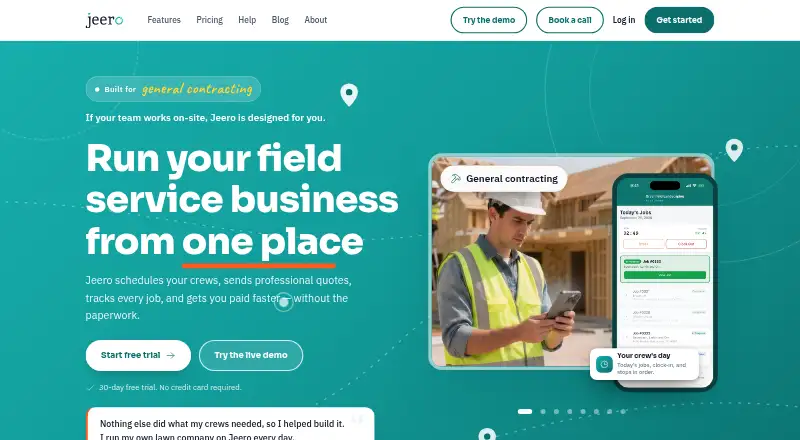
Jeero is field service management software for service businesses and small crews in areas such as landscaping, electrical, plumbing, HVAC, cleaning, pool maintenance, and pest control. It combines scheduling and dispatch with route planning, job tracking, quotes, invoicing, online card payments, recurring jobs, GPS crew tracking, and mobile technician workflows. The product is available through web, iOS, and Android, with cloud and mobile deployment. Solo plans are aimed at individual operators, while Team Starter is designed for operations managing multiple crews.
The plan structure moves from core administration to more detailed job control. Solo Starter includes unlimited jobs, scheduling and route planning, client and property management, quoting and invoicing, online card payments, and a mobile app. Solo Pro adds job forms and checklists, SMS and client notifications, and time tracking. Solo Business adds expense and mileage tracking, job overage and incomplete-job alerts, job performance analytics, and priority support. Team Starter adds unlimited crews and jobs, scheduling and dispatch, route optimization, client and property management, quoting and invoicing, and online card payments. A 30-day free trial is available without a card requirement, and annual billing is advertised with 20% savings.
Jeero’s strongest fit is a solo operator or small field business that wants scheduling, billing, payments, recurring work, and mobile job documentation together. Offline mode, live GPS tracking, photos, sign-off, timesheets, mileage, and expenses extend its coverage beyond basic calendar software. Support is provided through email and documentation, while priority support is included in Solo Business; 24/7 support is not listed. The main boundary is ecosystem fit: no integrations are listed, and the solo setup has a one-technician limit. Businesses needing connected accounting, CRM, or other external systems—or broader solo-team capacity—should consider an alternative.
Your product? Our editors can test Jeero in depth and publish a review, labelled as paid · from $149/mo →
Jeero pricing
All 6 Jeero plans and prices →
Jeero fact sheet
| Free plan | No |
|---|---|
| Paid from | Not verified |
| Mobile platforms | Both |
| Invoicing and payments | Yes |
| Offline mode | Yes |
| Route optimization | Yes |
| Customer portal | Not verified |
| Recurring jobs | Yes |
| Technician limit | 1 users |
| Free trial | 30 days · no card needed |
| Deployment | Cloud, Mobile |
| Platforms | Web, iOS, Android |
| Support | Email, Docs |
| Built for | Solo, Small business, Mid-market (editorial estimate) |
| Pricing | 30-day trial (source) |
| Website | getjeero.com |
| Facts checked | 22 Sep 2026 |
Alternatives to Jeero
- ServiceMaxA broad field service suite for complex assets, with quote-based pricing.9.4
- IFS Cloud Field Service ManagementA broad field service platform for enterprises coordinating complex mobile workforces.9.3
- Salesforce Field ServiceA broad Salesforce-native field service suite for complex mobile operations.9.2



Used Jeero? Be the first to review it
The editor score above is our own research. What this page doesn't have yet is a reader's view — what you used Jeero for, what worked and what didn't. No stars are seeded and no review is paid for; an editor reads every one before it appears.
Write a reviewTwo minutes · verified accounts only · read by an editor before it appears
Featured on iTechGuides

Jeero is listed in our Field Service Management Software directory. Add the badge to your site — it links back to this page.
<a href="https://www.itechguides.com/products/jeero/"><img src="https://www.itechguides.com/best/badge/jeero.svg" alt="Featured on iTechGuides" width="230" height="46"></a>
Reviewed by iTechGuides Editors · Editorial team · Updated Oct 2026
Advertiser disclosure: iTechGuides is reader-supported. Vendors can pay for top positions in our rankings and for a place on other products' pages, and we may earn a commission when you click some links. Bought places stand at the number bought; this page and our disclosure say so. Paying vendors may get a fuller, more detailed review from our editors, and that review can change their score. How we rank.
Last updated · How we research and update