Interactive Physics
Interactive Physics: A deep desktop modeling tool for physics teaching, with export and technical integrations. Ranked #62 of 89 in Physics Simulation Software by our editors (3.0/10); pricing: Paid; best for desktop modeling with export and technical integrations.
At a glance
- Editor score3.0 / 10
- PricingPaid
- Best forDesktop modeling with export and technical integrations
- Free planNo
- Delivery modeDesktop
- Facts checked20 Sep 2026
Where it wins
- Models mechanics with forces, collisions, friction, motors, and more
- Shows results as numbers, graphs, and animated vectors
- Supports Microsoft Excel, MATLAB, and Full-edition data export
Where it doesn't
- Paid-only access limits use where free tools are required
- Runs on Windows and macOS rather than across broader platforms
- Mac support is tied to Mac Classic and older macOS releases
Our verdict on Interactive Physics
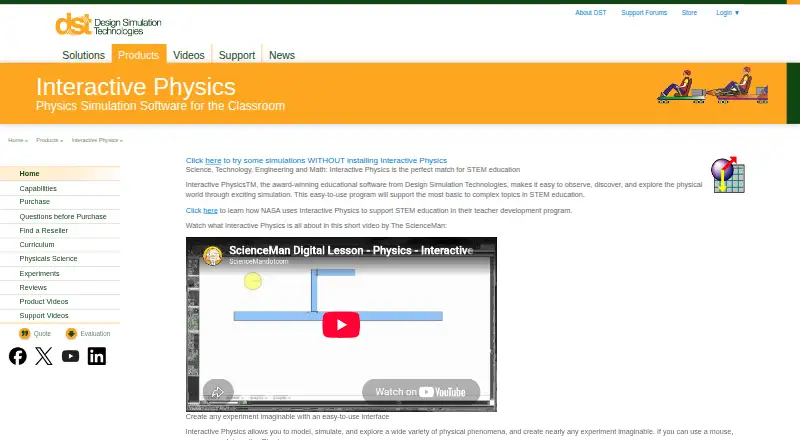
Interactive Physics is desktop educational software for students and instructors exploring physics through editable simulations. Users can build models with circles, blocks, and polygons, then vary gravity, air resistance, and material properties to study physical behavior. Its scope covers mechanics, energy, heat, waves, sound, and electricity, with curriculum materials and more than 150 ready-to-run simulations. It is suited to classroom instruction, guided experimentation, and student work that benefits from visual models rather than static equations.
The product’s strongest area is model depth. It supports ropes, springs, dampers, pulleys, slots, actuators, and motors, alongside contact, collisions, and friction. Measurements include velocity, acceleration, force, momentum, and energy, while results can be viewed numerically, in graphs, or as animated vectors. Existing models can be customized and shared. The Full edition adds saving, copying, and simulation-data export, making it the more suitable choice for analysis workflows. Microsoft Excel and MATLAB integrations extend that workflow for users who need to move results into established technical tools.
Interactive Physics is a paid-only product with Full and Homework editions, so it is a better fit for schools, instructors, and learners with a defined software budget than for casual exploration. Its desktop delivery keeps the focus on installed modeling tools, but platform coverage is limited to Windows and macOS. The Mac version is described as running only in Mac Classic mode, restricting it to older macOS releases. Choose Interactive Physics for structured physics modeling, measurement, visualization, and export; choose an alternative if browser access, modern Mac compatibility, or free entry is a priority.
Your product? Our editors can test Interactive Physics in depth and publish a review, labelled as paid · from $149/mo →
Interactive Physics pricing
All 7 Interactive Physics plans and prices →
Interactive Physics fact sheet
| Free plan | No |
|---|---|
| Paid from | Not verified |
| Delivery mode | Desktop |
| Lesson library | Yes |
| Authoring tools | Yes |
| Assessment tools | Not verified |
| 3D visuals | Not verified |
| Offline access | Not verified |
| Data export | Yes |
| Deployment | Desktop |
| Platforms | Windows, macOS |
| Support | Email, Phone, Docs |
| Built for | Small business, Mid-market, Enterprise (editorial estimate) |
| Integrations | 2 integrations: Microsoft Excel, MATLAB |
| Pricing | Paid (source) |
| Website | design-simulation.com |
| Facts checked | 20 Sep 2026 |
Interactive Physics integrations
Interactive Physics lists 2 integrations on its own site.
- Microsoft Excel
- MATLAB
Alternatives to Interactive Physics
- COMSOL MultiphysicsA broad desktop environment for coupled physics, engineering models, and custom simulation apps.9.4
- Ansys FluentA deep CFD and HPC environment for demanding industrial simulation work.9.3
- SimScaleA broad browser-based multiphysics platform with flexible cloud workflows and tiered access.9.1


See all Interactive Physics alternatives →
Used Interactive Physics? Be the first to review it
The editor score above is our own research. What this page doesn't have yet is a reader's view — what you used Interactive Physics for, what worked and what didn't. No stars are seeded and no review is paid for; an editor reads every one before it appears.
Write a reviewTwo minutes · verified accounts only · read by an editor before it appears
Featured on iTechGuides

Interactive Physics is listed in our Physics Simulation Software directory. Add the badge to your site — it links back to this page.
<a href="https://www.itechguides.com/products/interactive-physics/"><img src="https://www.itechguides.com/best/badge/interactive-physics.svg" alt="Featured on iTechGuides" width="230" height="46"></a>
Reviewed by iTechGuides Editors · Editorial team · Updated Oct 2026
Advertiser disclosure: iTechGuides is reader-supported. Vendors can pay for top positions in our rankings and for a place on other products' pages, and we may earn a commission when you click some links. Bought places stand at the number bought; this page and our disclosure say so. Paying vendors may get a fuller, more detailed review from our editors, and that review can change their score. How we rank.
Last updated · How we research and update