InstantRig
InstantRig: Free 3ds Max rig construction with automatic building, skinning, and animation tools. Ranked #14 of 27 in 3D Rigging Software by our editors (7.6/10); pricing: Free plan; best for free 3ds Max character rig construction.
At a glance
- Editor score7.6 / 10
- PricingFree plan
- Best forFree 3ds Max character rig construction
- Free planYes
- Paid fromFree
- Auto-riggingYes
- Facts checked20 Sep 2026
Where it wins
- Automatic rig building and skinning with multiple solver options
- IK/FK matching, stretchable limbs, and modular rig construction
- Pose utilities and baked export preparation for game engines
Where it doesn't
- Works with Autodesk 3ds Max as its supported host
- Game-engine export preparation requires baking to deform bones
- Focused on keyframe-based cartoon animation and 3ds Max workflows
Our verdict on InstantRig
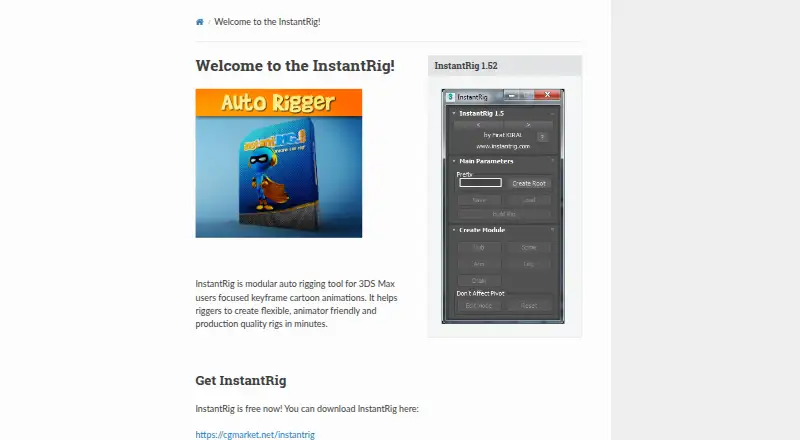
InstantRig is a free modular rigging and animation tool for Autodesk 3ds Max. It is designed for 3D artists, animators, riggers, and generalists who need to build character rigs from configurable modules such as spines, limbs, fingers, and chains. The workflow turns those modules into animation-ready rigs, with support for keyframe-based cartoon animation and game-engine export preparation.
Its strongest area is the depth of its core rigging workflow. InstantRig provides automatic rig building and automatic skinning through Geodesic Voxel, Heat Map, and Envelope solvers. Artists can work with IK/FK switching and matching, stretchable and curvy limbs and spines, and overlapping-action animation baking. The pose manager adds copy, paste, flip, and reset actions, while prototype save and load supports reusable rig setups. These features give 3ds Max users a focused toolset for constructing and animating modular characters.
InstantRig has a simple pricing structure: the Free plan includes auto rigging, auto skinning, auto overlapping, and a pose manager. Its main constraint is platform coverage, since the product is a host plugin for Autodesk 3ds Max rather than a cross-application rigging system. Export preparation is handled by baking animation to deform bones, and the product can use formats supported by 3ds Max. Choose InstantRig when free, configurable character rig construction inside 3ds Max is the priority; choose another option when a different host or broader platform coverage is required.
Your product? Our editors can test InstantRig in depth and publish a review, labelled as paid · from $149/mo →
InstantRig pricing
All 1 InstantRig plans and prices →
InstantRig fact sheet
| Free plan | Yes |
|---|---|
| Paid from | Free |
| Auto-rigging | Yes |
| Deployment | Host_plugin |
| Rig targets | Mixed |
| Scripting support | Yes |
| Supported host apps | Autodesk 3ds Max |
| Export formats | Not verified |
| Money-back guarantee | 7 days |
| Deployment | Desktop |
| Support | Email, Docs |
| Built for | Solo, Small business, Mid-market, Enterprise (editorial estimate) |
| Integrations | 1 integrations: Autodesk 3ds Max |
| Pricing | Free plan (source) |
| Website | max.instantrig.com |
| Facts checked | 20 Sep 2026 |
InstantRig integrations
InstantRig lists 1 integrations on its own site.
- Autodesk 3ds Max
Alternatives to InstantRig
- AccuRIGA capable free auto-rigging tool for biped models across major 3D applications.9.4
- MixamoA free web tool for automatic humanoid rigging and motion-captured animation.9.2
- RigifyA free Blender add-on for automated character armatures and extensible rig systems.9.1



See all InstantRig alternatives →
Used InstantRig? Be the first to review it
The editor score above is our own research. What this page doesn't have yet is a reader's view — what you used InstantRig for, what worked and what didn't. No stars are seeded and no review is paid for; an editor reads every one before it appears.
Write a reviewTwo minutes · verified accounts only · read by an editor before it appears
Featured on iTechGuides

InstantRig is listed in our 3D Rigging Software directory. Add the badge to your site — it links back to this page.
<a href="https://www.itechguides.com/products/instantrig/"><img src="https://www.itechguides.com/best/badge/instantrig.svg" alt="Featured on iTechGuides" width="230" height="46"></a>
Reviewed by iTechGuides Editors · Editorial team · Updated Oct 2026
Advertiser disclosure: iTechGuides is reader-supported. Vendors can pay for top positions in our rankings and for a place on other products' pages, and we may earn a commission when you click some links. Bought places stand at the number bought; this page and our disclosure say so. Paying vendors may get a fuller, more detailed review from our editors, and that review can change their score. How we rank.
Last updated · How we research and update