Instadeq
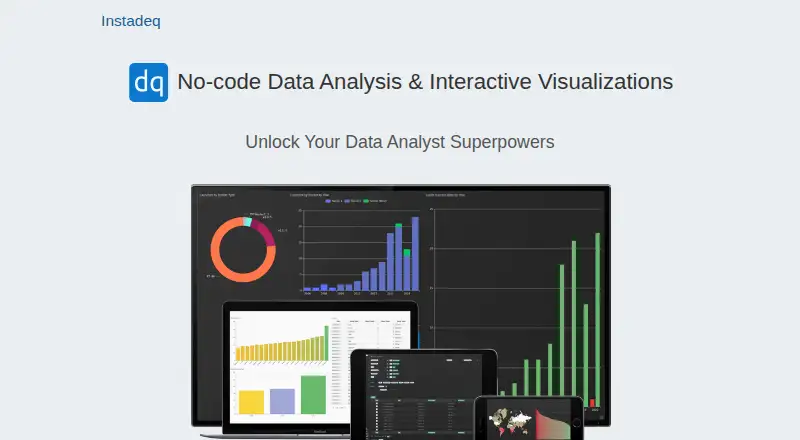
Instadeq: A web-based option for exploring and sharing interactive dashboards without application code. Ranked #54 of 98 in Data Visualization Software by our editors (3.7/10); pricing: Free plan; best for no-code interactive data exploration.
At a glance
- Editor score3.7 / 10
- PricingFree plan
- Best forNo-code interactive data exploration
- Free planYes
- Paid fromFree
- Facts checked21 Sep 2026
Where it wins
- Drag-and-drop preparation with formulas, joins, pivots, and summaries
- Supports spreadsheets, JSON, APIs, databases, scripts, and webhooks
- Persistent channels can update dependent dashboards as data arrives
Where it doesn't
- Browser-based access is limited to the web platform
- CSV is the documented table export format
- Support is centered on email and documentation
Our verdict on Instadeq
Instadeq is a browser-based, no-code data analysis and visualization tool for individuals and teams that need interactive dashboards without writing application code. It is suited to solo users and small to mid-market teams working with spreadsheets, structured files, APIs, databases, scripts, or incoming HTTP POST data. Users can prepare and transform data with drag-and-drop controls, then create charts and dashboard layouts for sharing and preview.
Its main strength is the range of data preparation and exploration functions in one web service. Instadeq supports formulas, filters, joins, pivot tables, grouping, and column summaries, alongside imports from CSV, Excel, JSON, and spreadsheet data. Connections include Google Sheets, PubNub, Google Colab, Jupyter Notebook, HTTP webhooks, APIs, and databases. Persistent channels add an event-driven option: when new data arrives, dependent dashboards can update. That combination fits exploratory work where the data shape changes or arrives through more than one route.
The product also supports dashboard sharing, interactive layouts, and CSV table export. Its published product details describe free use for CSV transformation, while the available plan information does not establish a broader tier structure. The service is cloud-deployed and web-only, with email and documentation as support channels. Teams that need a focused no-code workspace for preparing data and building shareable dashboards should consider Instadeq. It may be a weaker fit for buyers prioritizing a documented scheduled-refresh workflow, embedded dashboards, or a wider set of documented export formats. Buyers considering private infrastructure can also review the vendor’s references to possible in-house or private-cloud deployment before choosing an operating model.
Your product? Our editors can test Instadeq in depth and publish a review, labelled as paid · from $149/mo →
Instadeq pricing
Instadeq fact sheet
| Free plan | Yes |
|---|---|
| Paid from | Free |
| Dashboard type | Interactive |
| Scheduled refresh | Not verified |
| Embedded dashboards | Not verified |
| Data sources | Excel, Google Sheets, CSV, JSON, APIs, databases, scripts, webhooks, PubNub |
| Viewer limit | Not verified |
| Platform | Web |
| Money-back guarantee | 30 days |
| Deployment | Cloud |
| Platforms | Web |
| Support | Email, Docs |
| Built for | Solo, Small business, Mid-market (editorial estimate) |
| Integrations | 7 integrations: Google Sheets, PubNub, Google Colab, Jupyter Notebook, HTTP webhooks, APIs … |
| Pricing | Free plan |
| Website | instadeq.com |
| Facts checked | 21 Sep 2026 |
Instadeq integrations
Instadeq lists 7 integrations on its own site.
- Google Sheets
- PubNub
- Google Colab
- Jupyter Notebook
- HTTP webhooks
- APIs
- databases
Alternatives to Instadeq
- TableauA broad BI platform for governed analytics, visualization, and embedded insights.9.4
- Data StudioA low-cost cloud dashboard tool with broad connectors and useful sharing controls.9.2
- LookerA governed analytics platform for teams that need consistent metrics and embedded insights.9.1



See all Instadeq alternatives →
Used Instadeq? Be the first to review it
The editor score above is our own research. What this page doesn't have yet is a reader's view — what you used Instadeq for, what worked and what didn't. No stars are seeded and no review is paid for; an editor reads every one before it appears.
Write a reviewTwo minutes · verified accounts only · read by an editor before it appears
Featured on iTechGuides

Instadeq is listed in our Data Visualization Software directory. Add the badge to your site — it links back to this page.
<a href="https://www.itechguides.com/products/instadeq/"><img src="https://www.itechguides.com/best/badge/instadeq.svg" alt="Featured on iTechGuides" width="230" height="46"></a>
Reviewed by iTechGuides Editors · Editorial team · Updated Oct 2026
Advertiser disclosure: iTechGuides is reader-supported. Vendors can pay for top positions in our rankings and for a place on other products' pages, and we may earn a commission when you click some links. Bought places stand at the number bought; this page and our disclosure say so. Paying vendors may get a fuller, more detailed review from our editors, and that review can change their score. How we rank.
Last updated · How we research and update