
Infolustra
Infolustra: A web-based AI tool for drafting and refining infographics across several formats. Ranked #21 of 42 in Infographic Software by our editors (7.1/10); pricing: Paid; best for fast text-to-infographic drafts.
At a glance
- Editor score7.1 / 10
- PricingPaid
- Best forFast text-to-infographic drafts
- Paid from$19/mo
- Interactive publishingNo
- Facts checked19 Sep 2026
Where it wins
- Generates infographics from plain-language prompts
- Supports multiple layouts, styles, and aspect ratios
- Offers iterative editing and version history
Where it doesn't
- Publishing is static rather than interactive
- The product is available on web only
- Monthly plans allocate a set number of credits
Our verdict on Infolustra
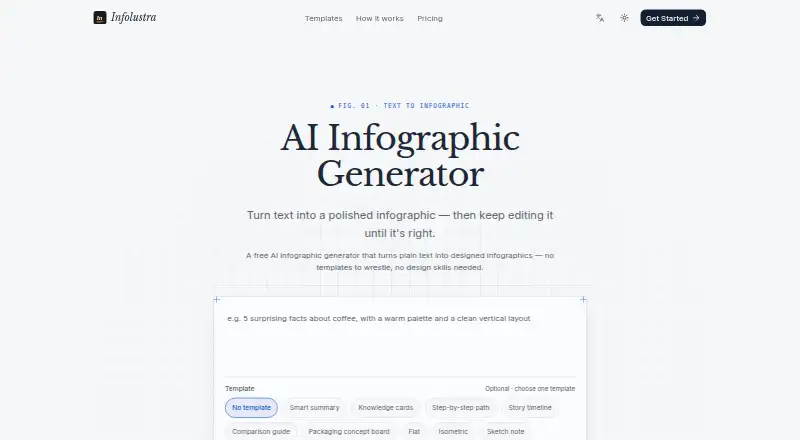
Infolustra turns plain-language prompts into designed infographics in a web-based editor. It is aimed at people who want a quick visual draft from text, including users creating timelines, comparison charts, visual resumes, flowcharts, mind maps, org charts, conceptual frameworks, or graphical abstracts. Users can choose a template, visual style, and vertical, square, or landscape aspect ratio, then refine wording, colors, and layout. That combination makes it more suited to generating and polishing visuals than to broader infographic publishing workflows.
Its format range is a notable strength for a focused tool: alongside timelines and comparison charts, it supports flowcharts, mind maps, and org charts, and it can generate graphical abstracts. Editing is iterative, and version history is included in Starter and Pro. The published plans show Free at $0 with 10 signup credits and full iterative editing; Starter costs $19 per month for 700 credits and adds generation and editing in all aspect ratios plus version history. Pro costs $59 per month for 2,100 credits, includes everything in Starter, and adds priority support. A one-time $9 credit pack provides 200 credits that never expire.
The credit structure makes Infolustra useful for prompt-led drafting, but buyers should consider whether their work fits the monthly allocations. Its publishing mode is static, so teams that need interactive infographics should look elsewhere. The product is web-based, and the listed features focus on generating and refining individual visuals rather than a wider ecosystem of integrations. The Free plan offers a way to start with signup credits; Starter or Pro may suit regular users who want larger monthly allocations, with Pro adding priority support. Choose it for editable, multi-format infographic drafts, not interactive publishing.
Your product? Our editors can test Infolustra in depth and publish a review, labelled as paid · from $149/mo →
Infolustra pricing
All 4 Infolustra plans and prices →
Infolustra fact sheet
| Free plan | Not verified |
|---|---|
| Paid from | $19/mo |
| Data import | Not verified |
| Interactive publishing | No |
| Brand kit | Not verified |
| Team collaboration | Not verified |
| Publishing mode | Static |
| Project limit | Not verified |
| Deployment | Cloud |
| Platforms | Web |
| Pricing | Paid (source) |
| Website | infolustra.com |
| Facts checked | 19 Sep 2026 |
Alternatives to Infolustra
- InfogramA versatile visual-data tool, with deeper publishing and team features on paid plans.9.4
- PiktochartA versatile visual-design tool with a free plan and paid options for teams and branding.9.2
- VismeA broad visual-content toolkit, with plan tiers that determine export options and team controls.9.0



See all Infolustra alternatives →
Also Ranked In
Infolustra is ranked in 3 of our directories.
Used Infolustra? Be the first to review it
The editor score above is our own research. What this page doesn't have yet is a reader's view — what you used Infolustra for, what worked and what didn't. No stars are seeded and no review is paid for; an editor reads every one before it appears.
Write a reviewTwo minutes · verified accounts only · read by an editor before it appears
Featured on iTechGuides

Infolustra is listed in our Infographic Software directory. Add the badge to your site — it links back to this page.
<a href="https://www.itechguides.com/products/infolustra/"><img src="https://www.itechguides.com/best/badge/infolustra.svg" alt="Featured on iTechGuides" width="230" height="46"></a>
Reviewed by iTechGuides Editors · Editorial team · Updated Oct 2026
Advertiser disclosure: iTechGuides is reader-supported. Vendors can pay for top positions in our rankings and for a place on other products' pages, and we may earn a commission when you click some links. Bought places stand at the number bought; this page and our disclosure say so. Paying vendors may get a fuller, more detailed review from our editors, and that review can change their score. How we rank.
Last updated · How we research and update