iMini AI Image Expand
iMini AI Image Expand: A flexible outpainting tool with directional controls, broad platform access, and a free plan. Ranked #4 of 26 in AI Image Expanders by our editors (8.9/10); pricing: Free plan; best for multi-platform outpainting users.
At a glance
- Editor score8.9 / 10
- PricingFree plan
- Best forMulti-platform outpainting users
- Free planYes
- Paid from$10/mo
- Facts checked22 Sep 2026
Where it wins
- Extends borders with lighting, texture, and perspective matching
- Supports aspect-ratio selection and directional canvas expansion
- Available on web, desktop, mobile, Chrome, and through an API
Where it doesn't
- The Free plan offers limited features
- Credit quotas vary substantially across paid tiers
- Batch processing is not specifically documented for Image Expand
Our verdict on iMini AI Image Expand
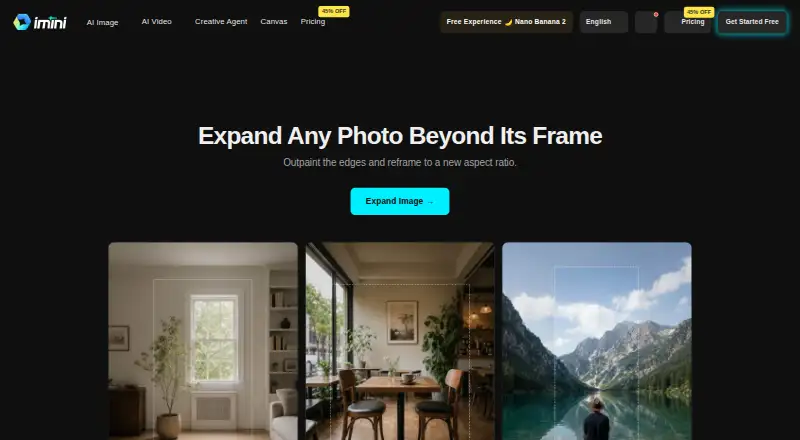
iMini AI Image Expand is an AI outpainting tool for designers, marketers, print professionals, and e-commerce users who need to adapt existing images to different layouts. It generates content beyond an original photo’s borders, supporting portraits, product images, and landscapes. Users can select an aspect ratio or drag the canvas outward in a chosen direction, making the product suitable for banners, stories, listings, and other formats.
Its main strength is focused image expansion rather than general-purpose image editing. Generated background content is designed to match the source image’s lighting, texture, and perspective, while aspect-ratio controls help reframe images for specific placements. The product is available across web, Windows, macOS, iOS, Android, and a Chrome extension, with API access and commercial use also listed. That combination suits teams working across design, marketing, commerce, and publishing workflows.
The pricing structure is freemium. The Free plan includes limited features, while Pro costs US$10 per month and includes 10,000 credits. Max includes 30,000 credits, and Ultra includes 100,000 credits. The tier structure gives higher-volume users a clear path to larger credit allowances, though the product is most compelling for buyers whose work centers on outpainting and reframing. Choose iMini AI Image Expand if directional expansion, layout flexibility, and multi-platform access are priorities; choose an alternative if you need a broader editing suite or specifically documented batch processing for Image Expand.
Your product? Our editors can test iMini AI Image Expand in depth and publish a review, labelled as paid · from $149/mo →
iMini AI Image Expand pricing
All 4 iMini AI Image Expand plans and prices →
iMini AI Image Expand fact sheet
| Free plan | Yes |
|---|---|
| Paid from | $10/mo |
| Max output size | Not verified |
| Batch expansion | Not verified |
| API access | Yes |
| Commercial use | Yes |
| Primary platform | Web |
| Input formats | Not verified |
| Money-back guarantee | 7 days |
| Deployment | Desktop, Mobile, Browser extension |
| Platforms | Web, Windows, macOS, iOS, Android, Chrome extension |
| Support | Email, Live chat, Community, Docs |
| Built for | Solo, Small business, Mid-market, Enterprise (editorial estimate) |
| Pricing | Free plan (source) |
| Website | imini.com |
| Facts checked | 22 Sep 2026 |
Alternatives to iMini AI Image Expand
- ClipdropA broad AI image toolkit with uncropping, editing, mobile apps, and API access.9.4
- Magnific ExpandA focused outpainting tool with custom dimensions, prompts, upscaling, and API access.9.2
- EZ Expand ImageA focused web tool for affordable, watermark-free image expansion.9.0



See all iMini AI Image Expand alternatives →
iMini AI Image Expand vs the competition
- iMini AI Image Expand vs Clipdrop
- iMini AI Image Expand vs Magnific Expand
- iMini AI Image Expand vs EZ Expand Image
- iMini AI Image Expand vs Rewind.ai Image Expander
- iMini AI Image Expand vs PixExtender
- iMini AI Image Expand vs OpenArt



Compare iMini AI Image Expand with any tool side by side →
Used iMini AI Image Expand? Be the first to review it
The editor score above is our own research. What this page doesn't have yet is a reader's view — what you used iMini AI Image Expand for, what worked and what didn't. No stars are seeded and no review is paid for; an editor reads every one before it appears.
Write a reviewTwo minutes · verified accounts only · read by an editor before it appears
Featured on iTechGuides

iMini AI Image Expand is listed in our AI Image Expanders directory. Add the badge to your site — it links back to this page.
<a href="https://www.itechguides.com/products/imini-ai-image-expand/"><img src="https://www.itechguides.com/best/badge/imini-ai-image-expand.svg" alt="Featured on iTechGuides" width="230" height="46"></a>
Reviewed by iTechGuides Editors · Editorial team · Updated Oct 2026
Advertiser disclosure: iTechGuides is reader-supported. Vendors can pay for top positions in our rankings and for a place on other products' pages, and we may earn a commission when you click some links. Bought places stand at the number bought; this page and our disclosure say so. Paying vendors may get a fuller, more detailed review from our editors, and that review can change their score. How we rank.
Last updated · How we research and update