
Imgflip GIF Maker
Imgflip GIF Maker: A flexible GIF maker for template-led creation, editing, sharing, and optional AI tools. Ranked #11 of 23 in AI GIF Makers by our editors (8.3/10); pricing: Free plan; best for template-driven GIF making and sharing.
At a glance
- Editor score8.3 / 10
- PricingFree plan
- Best forTemplate-driven GIF making and sharing
- Free planYes
- Prompt to GIFNo
- Facts checked22 Sep 2026
Where it wins
- Creates GIFs from videos, URLs, still images, and reusable templates
- Offers text, stickers, drawings, motion effects, and playback controls
- Supports private creation, sharing, downloads, and YouTube, Vimeo, and Giphy links
Where it doesn't
- Free creation has limits on duration, dimensions, frames, and resolution
- Watermark removal and higher-quality output require Pro
- Sound and unlimited AI creation are available only on Pro
Our verdict on Imgflip GIF Maker
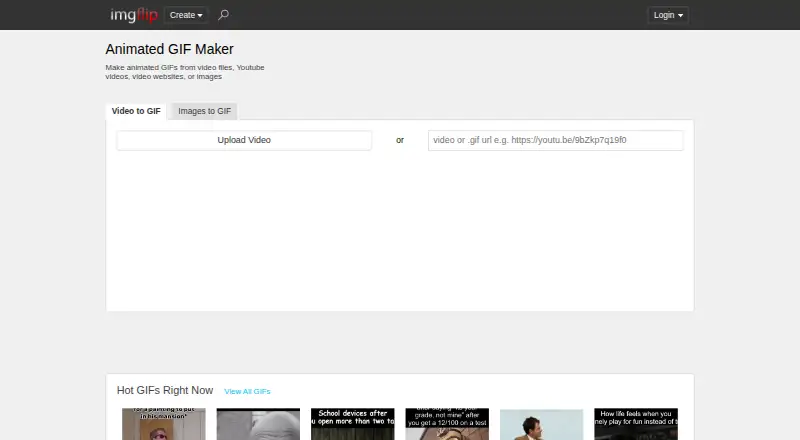
Imgflip GIF Maker is a browser-based tool for creating animated GIFs from uploaded videos, video URLs, existing GIFs, still images, and templates. It suits creators who want a practical way to turn visual material into shareable animations without limiting the workflow to one source format. Editing tools cover cropping, resizing, rotating, reversing, drawing, text, images, stickers, motion overlays, and playback controls. GIFs can be shared, downloaded, or created privately, while videos can retain optional sound.
The free tier covers core GIF creation and editing, including video-to-GIF and image-to-GIF workflows. It also includes template-based creation, but free output has limits on video duration, dimensions, frames, and resolution. Pro adds higher-quality GIF output, watermark removal or customization, disabled ads, longer video segments, unlimited image dimensions, sound on GIFs, and unlimited AI creation and background removal. According to the vendor's pricing page, Pro is offered as a monthly plan or at a lower monthly rate when billed yearly.
Its strongest fit is template-driven creation with a broad set of manual controls and direct connections to YouTube, Vimeo, and Giphy. The published feature set supports both quick remixes and more deliberate edits, while the verified maximum GIF length is 240 seconds. It is less suited to buyers seeking prompt-to-GIF creation, since the listed workflow centers on source videos, images, URLs, and templates. Choose Imgflip GIF Maker for accessible creation and sharing across web and listed desktop and mobile platforms; choose an alternative if AI-first generation is the primary requirement.
Your product? Our editors can test Imgflip GIF Maker in depth and publish a review, labelled as paid · from $149/mo →
Imgflip GIF Maker pricing
All 2 Imgflip GIF Maker plans and prices →
Imgflip GIF Maker fact sheet
| Free plan | Yes |
|---|---|
| Paid from | Not verified |
| Prompt to GIF | No |
| Image to GIF | Yes |
| Video to GIF | Yes |
| GIF templates | Yes |
| Maximum GIF length | 240 seconds |
| Watermark-free export | Yes |
| Deployment | Cloud |
| Platforms | Web, Windows, macOS, iOS, Android |
| Support | |
| Built for | Solo, Small business (editorial estimate) |
| Integrations | 3 integrations: YouTube, Vimeo, Giphy |
| Pricing | Free plan (source) |
| Website | imgflip.com |
| Facts checked | 22 Sep 2026 |
Imgflip GIF Maker integrations
Imgflip GIF Maker lists 3 integrations on its own site.
- YouTube
- Vimeo
- Giphy
Alternatives to Imgflip GIF Maker
- MoxionA broad browser-based GIF toolkit with free previews, one-time packs, and monthly plans.9.4
- HagifA low-cost GIF toolkit covering AI generation, conversion, editing, and optimization.9.3
- GifGenA paid GIF and sticker maker with prompt generation, editing, templates, and exports.9.2



See all Imgflip GIF Maker alternatives →
Used Imgflip GIF Maker? Be the first to review it
The editor score above is our own research. What this page doesn't have yet is a reader's view — what you used Imgflip GIF Maker for, what worked and what didn't. No stars are seeded and no review is paid for; an editor reads every one before it appears.
Write a reviewTwo minutes · verified accounts only · read by an editor before it appears
Featured on iTechGuides

Imgflip GIF Maker is listed in our AI GIF Makers directory. Add the badge to your site — it links back to this page.
<a href="https://www.itechguides.com/products/imgflip-gif-maker/"><img src="https://www.itechguides.com/best/badge/imgflip-gif-maker.svg" alt="Featured on iTechGuides" width="230" height="46"></a>
Reviewed by iTechGuides Editors · Editorial team · Updated Oct 2026
Advertiser disclosure: iTechGuides is reader-supported. Vendors can pay for top positions in our rankings and for a place on other products' pages, and we may earn a commission when you click some links. Bought places stand at the number bought; this page and our disclosure say so. Paying vendors may get a fuller, more detailed review from our editors, and that review can change their score. How we rank.
Last updated · How we research and update