Image Analyzer
Image Analyzer: A free Windows desktop editor with practical correction, retouching, and analysis tools. Ranked #105 of 158 in Photo Editing Software by our editors (3.0/10); pricing: Free plan; best for windows users wanting free basic and technical corrections.
At a glance
- Editor score3.0 / 10
- PricingFree plan
- Best forWindows users wanting free basic and technical corrections
- Free planYes
- Paid fromFree
- PlatformDesktop
- Facts checked24 Sep 2026
Where it wins
- Automatic tone and color adjustments plus noise and edge filters
- Clone, spot-healing, warping, and red-eye correction tools
- Basic layers, CR2 support, and plugin-based batch processing
Where it doesn't
- Available only for Windows desktop
- Batch processing depends on an available plugin
- Some operations require Microsoft .NET 8 Desktop Runtime for x86
Our verdict on Image Analyzer
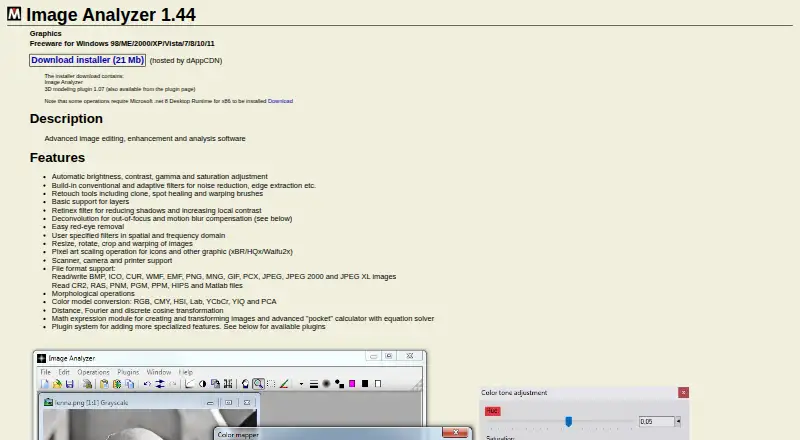
Image Analyzer is a free Windows desktop application for editing, enhancing, and analyzing images. Its tool set suits solo users and small teams looking for straightforward corrections alongside more technical image work, without a paid plan. Automatic brightness, contrast, gamma, and saturation adjustments cover common tonal changes; retouching brushes, red-eye removal, cropping, resizing, and warping address routine cleanup and framing. It is aimed at desktop workflows rather than users who need a cross-platform or cloud-centered editor.
The breadth of correction and analysis tools is a notable fit. Conventional and adaptive filters include noise reduction and edge extraction, while deconvolution is designed to compensate for out-of-focus images and motion blur. Basic layers with opacity blending give users some compositing flexibility. The application reads CR2 and supports several common image formats, but CR2 support alone should not be taken as a promise of broad RAW-editing capabilities. Batch processing is available through a plugin, so it is not simply a core workflow to assume is built into the main application. Camera and scanner input and plugins for specialized tasks further shape its desktop-oriented approach.
Pricing is straightforward: MeeSoft describes Image Analyzer as freeware, and the vendor offers a downloadable installer. The main trade-offs are its Windows-only availability and the technical requirement that some operations need Microsoft .NET 8 Desktop Runtime for x86. Community support is the listed support channel, which may suit independent users comfortable seeking peer help, but is less suited to organizations expecting a dedicated support path. Choose it for no-cost Windows corrections, retouching, and technical filters; consider another editor if cross-platform access or a broader RAW workflow is central to the job.
Your product? Our editors can test Image Analyzer in depth and publish a review, labelled as paid · from $149/mo →
Image Analyzer pricing
Image Analyzer fact sheet
| Free plan | Yes |
|---|---|
| Paid from | Free |
| Platform | Desktop |
| RAW photo support | Yes |
| Layer editing | Yes |
| Masking tools | Yes |
| Batch editing | Yes |
| Cloud sync | Not verified |
| AI retouching | Not verified |
| Deployment | Desktop |
| Platforms | Windows |
| Support | Community |
| Built for | Solo, Small business (editorial estimate) |
| Pricing | Free plan |
| Website | meesoft.com |
| Facts checked | 24 Sep 2026 |
Alternatives to Image Analyzer
- Adobe PhotoshopA deep, multi-platform editor for compositing, retouching, RAW work, and AI-assisted edits.9.4
- Adobe LightroomA broad Lightroom workflow for RAW editing, masking, organization, and synchronized access.9.2
- Capture OneA deep choice for professional RAW and tethered workflows, without a free plan.9.0



See all Image Analyzer alternatives →
Used Image Analyzer? Be the first to review it
The editor score above is our own research. What this page doesn't have yet is a reader's view — what you used Image Analyzer for, what worked and what didn't. No stars are seeded and no review is paid for; an editor reads every one before it appears.
Write a reviewTwo minutes · verified accounts only · read by an editor before it appears
Featured on iTechGuides

Image Analyzer is listed in our Photo Editing Software directory. Add the badge to your site — it links back to this page.
<a href="https://www.itechguides.com/products/image-analyzer/"><img src="https://www.itechguides.com/best/badge/image-analyzer.svg" alt="Featured on iTechGuides" width="230" height="46"></a>
Reviewed by iTechGuides Editors · Editorial team · Updated Oct 2026
Advertiser disclosure: iTechGuides is reader-supported. Vendors can pay for top positions in our rankings and for a place on other products' pages, and we may earn a commission when you click some links. Bought places stand at the number bought; this page and our disclosure say so. Paying vendors may get a fuller, more detailed review from our editors, and that review can change their score. How we rank.
Last updated · How we research and update