iLoveIMG Photo Editor
iLoveIMG Photo Editor: A practical web editor for fast image cleanup, conversion, and batch preparation. Ranked #72 of 158 in Photo Editing Software by our editors (3.0/10); pricing: Free plan; best for quick web edits and bulk image preparation.
At a glance
- Editor score3.0 / 10
- PricingFree plan
- Best forQuick web edits and bulk image preparation
- Free planYes
- PlatformWeb
- Founded2016 · Barcelona, Spain
- Facts checked22 Sep 2026
Where it wins
- Bulk processing for resizing, compression, conversion, and watermarking
- RAW conversion to JPG plus background removal and upscaling
- Google Drive and Dropbox access from a browser-based workflow
Where it doesn't
- No layers or deeper retouching tools
- Web-only platform
- Premium pricing varies by location
Our verdict on iLoveIMG Photo Editor
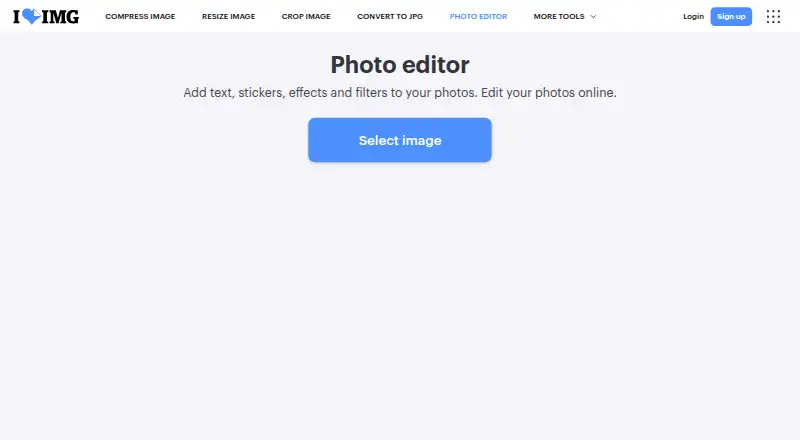
iLoveIMG Photo Editor is a browser-based photo editor for individuals, teams, and businesses that need quick image preparation rather than detailed creative retouching. Its tools cover text, stickers, effects, filters, compression, resizing, cropping, watermarking, blurring, upscaling, background removal, and format conversion. RAW files and other image formats can be converted to JPG, while bulk processing supports workflows involving multiple images. The free plan provides access to essential iLoveIMG tools, making the product a fit for straightforward web-based edits and recurring production tasks.
Pricing follows a freemium structure. The Basic plan includes essential iLoveIMG tools with limited document processing. Premium adds full access to all iLoveIMG tools, unlimited document processing, AI tools, an ad-free experience, and priority customer support. Business includes Premium features plus custom contracts, a dedicated Account Manager, and Single Sign On. The published starting price is 7 AUD, and pricing is location-dependent. Buyers should compare the available plan terms with their expected processing volume, especially if bulk work or AI tools are central to the workflow.
The product’s main strength is breadth across common image-preparation jobs in one web service, including conversion, compression, resizing, privacy-focused blurring, and background removal. Google Drive and Dropbox access also help bring cloud-stored files into the workflow. However, the editor is not aimed at layered compositions or deeper retouching. Choose iLoveIMG when speed, format handling, and batch preparation matter more than advanced editing control. Choose an alternative when the work requires layers, detailed retouching, or a broader desktop-style creative environment.
Questions about iLoveIMG Photo Editor
What does iLoveIMG Photo Editor run on? Web. It runs in the cloud.
What does iLoveIMG Photo Editor integrate with? 2 integrations: Google Drive and Dropbox.
Who is iLoveIMG Photo Editor built for? Solo users, small businesses, mid-market companies and enterprises (our editorial estimate).
Your product? Our editors can test iLoveIMG Photo Editor in depth and publish a review, labelled as paid · from $149/mo →
iLoveIMG Photo Editor pricing
All 3 iLoveIMG Photo Editor plans and prices →
iLoveIMG Photo Editor fact sheet
| Free plan | Yes |
|---|---|
| Paid from | Not verified |
| Platform | Web |
| RAW photo support | Yes |
| Layer editing | Not verified |
| Masking tools | Not verified |
| Batch editing | Yes |
| Cloud sync | Yes |
| AI retouching | Not verified |
| Deployment | Cloud |
| Platforms | Web |
| Compliance & security | SOC 2, ISO 27001, GDPR, SSO/SAML |
| Support | |
| Built for | Solo, Small business, Mid-market, Enterprise (editorial estimate) |
| Integrations | 2 integrations: Google Drive, Dropbox |
| Pricing | Free plan (source) |
| Website | iloveimg.com |
| Facts checked | 22 Sep 2026 |
iLoveIMG Photo Editor integrations
iLoveIMG Photo Editor lists 2 integrations on its own site.
- Google Drive
- Dropbox
Alternatives to iLoveIMG Photo Editor
- Adobe PhotoshopA deep, multi-platform editor for compositing, retouching, RAW work, and AI-assisted edits.9.4
- Adobe LightroomA broad Lightroom workflow for RAW editing, masking, organization, and synchronized access.9.2
- Capture OneA deep choice for professional RAW and tethered workflows, without a free plan.9.0



See all iLoveIMG Photo Editor alternatives →
Used iLoveIMG Photo Editor? Be the first to review it
The editor score above is our own research. What this page doesn't have yet is a reader's view — what you used iLoveIMG Photo Editor for, what worked and what didn't. No stars are seeded and no review is paid for; an editor reads every one before it appears.
Write a reviewTwo minutes · verified accounts only · read by an editor before it appears
Featured on iTechGuides

iLoveIMG Photo Editor is listed in our Photo Editing Software directory. Add the badge to your site — it links back to this page.
<a href="https://www.itechguides.com/products/iloveimg-photo-editor/"><img src="https://www.itechguides.com/best/badge/iloveimg-photo-editor.svg" alt="Featured on iTechGuides" width="230" height="46"></a>
Reviewed by iTechGuides Editors · Editorial team · Updated Nov 2026
Advertiser disclosure: iTechGuides is reader-supported. Vendors can pay for top positions in our rankings and for a place on other products' pages, and we may earn a commission when you click some links. Bought places stand at the number bought; this page and our disclosure say so. Paying vendors may get a fuller, more detailed review from our editors, and that review can change their score. How we rank.
Last updated · How we research and update