HRClaw
HRClaw: A private, repeatable screening workflow for open-source recruiting teams. Ranked #31 of 36 in Candidate Screening Software by our editors (5.3/10); pricing: Open source; best for open-source recruiters using desktop workflows.
At a glance
- Editor score5.3 / 10
- PricingOpen source
- Best forOpen-source recruiters using desktop workflows
- Paid fromFree
- Resume parsingYes
- Facts checked20 Sep 2026
Where it wins
- Turns job descriptions into reusable, weighted screening scorecards
- Parses PDF, DOC, and DOCX resumes in batches
- Exports evidence-based results and supports Feishu and DingTalk sharing
Where it doesn't
- Does not include ATS integrations
- Chrome capture depends on the Chrome MV3 side panel
- Self-hosted deployment requires the team to manage its private setup
Our verdict on HRClaw
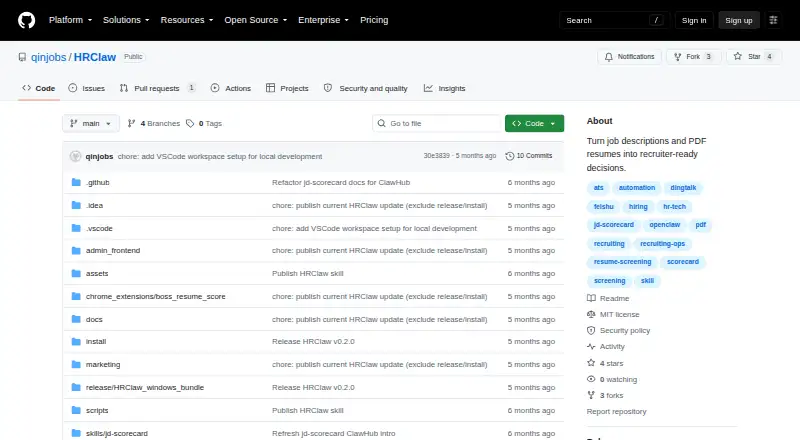
HRClaw is an open-source recruiting workflow for teams that want repeatable candidate screening before adopting a full ATS. It converts job descriptions into reusable scorecards, batch-imports PDF, DOC, and DOCX resumes, extracts structured candidate profiles, and scores applicants using filters, weights, thresholds, and evidence. The workflow also generates interview questions and red flags from job descriptions. It runs across web, Windows, macOS, a Chrome extension, and self-hosted deployments, with a recruiter administration console for managing the process.
Its strongest capability is structured screening rather than general applicant tracking. Recruiters can define reusable evaluation criteria, apply weighted rules, and review recommendations alongside supporting evidence. That makes HRClaw a fit for teams that want consistent pre-screening decisions across multiple roles without giving up control over their workflow. Browser capture adds a second intake path: a Chrome MV3 side panel can capture candidate detail pages, while results can be exported as JSON or Markdown. Resume parsing, skills screening, custom scoring, API access, and AI features support a workflow that is broader than simple resume sorting but still centered on screening.
The collaboration layer connects results with Feishu, DingTalk, Slack, and Microsoft Teams, giving teams several ways to share recruiter-ready outputs. Its open-source and self-hosted model suits organizations that prefer local or private deployment, while desktop and browser support align with recruiter-led workflows. HRClaw is the better choice for open-source recruiters who need scorecards, evidence-based scoring, and flexible exports. Teams looking for a full ATS, built-in ATS integrations, or a hosted recruiting system should choose a more comprehensive alternative.
Your product? Our editors can test HRClaw in depth and publish a review, labelled as paid · from $149/mo →
HRClaw pricing
HRClaw fact sheet
| Free plan | Not verified |
|---|---|
| Paid from | Free |
| Resume parsing | Yes |
| Knockout questions | Not verified |
| Skills screening | Yes |
| ATS integrations | Not verified |
| Custom scoring | Yes |
| API access | Yes |
| Deployment | Self-hosted, Desktop, Browser extension |
| Platforms | Web, Windows, macOS, Chrome extension |
| Support | Email, Community, Docs |
| Built for | Small business, Mid-market (editorial estimate) |
| Integrations | 4 integrations: Feishu, DingTalk, Slack, Microsoft Teams |
| Pricing | Open source |
| Website | github.com |
| Facts checked | 20 Sep 2026 |
HRClaw integrations
HRClaw lists 4 integrations on its own site.
- Feishu
- DingTalk
- Slack
- Microsoft Teams
Alternatives to HRClaw
- X0PA AIA broad screening and recruitment platform for teams hiring at scale.8.8
- SenseloafCustomizable screening logic with AI interviews, explainable scoring, and ATS synchronization.8.4
- VeraHireAffordable screening and interview automation for small hiring teams8.3



Used HRClaw? Be the first to review it
The editor score above is our own research. What this page doesn't have yet is a reader's view — what you used HRClaw for, what worked and what didn't. No stars are seeded and no review is paid for; an editor reads every one before it appears.
Write a reviewTwo minutes · verified accounts only · read by an editor before it appears
Featured on iTechGuides

HRClaw is listed in our Candidate Screening Software directory. Add the badge to your site — it links back to this page.
<a href="https://www.itechguides.com/products/hrclaw/"><img src="https://www.itechguides.com/best/badge/hrclaw.svg" alt="Featured on iTechGuides" width="230" height="46"></a>
Reviewed by iTechGuides Editors · Editorial team · Updated Oct 2026
Advertiser disclosure: iTechGuides is reader-supported. Vendors can pay for top positions in our rankings and for a place on other products' pages, and we may earn a commission when you click some links. Bought places stand at the number bought; this page and our disclosure say so. Paying vendors may get a fuller, more detailed review from our editors, and that review can change their score. How we rank.
Last updated · How we research and update