HOT Tasking Manager
HOT Tasking Manager: A focused tasking and validation tool for distributed OpenStreetMap projects. Ranked #175 of 188 in Project Management Software by our editors (3.0/10); pricing: Free plan; best for open mapping communities coordinating contributors.
At a glance
- Editor score3.0 / 10
- PricingFree plan
- Best forOpen mapping communities coordinating contributors
- Free planYes
- Paid fromFree
- Facts checked20 Sep 2026
Where it wins
- Divides geographic areas into tasks to reduce duplicate mapping
- Includes structured validation for reviewing completed contributions
- Offers API access, analytics, integrations, and Docker self-hosting
Where it doesn't
- Focused on mapping rather than general project management
- Does not include general PM views, time tracking, or automation
- No AI features for teams seeking AI-assisted project workflows
Our verdict on HOT Tasking Manager
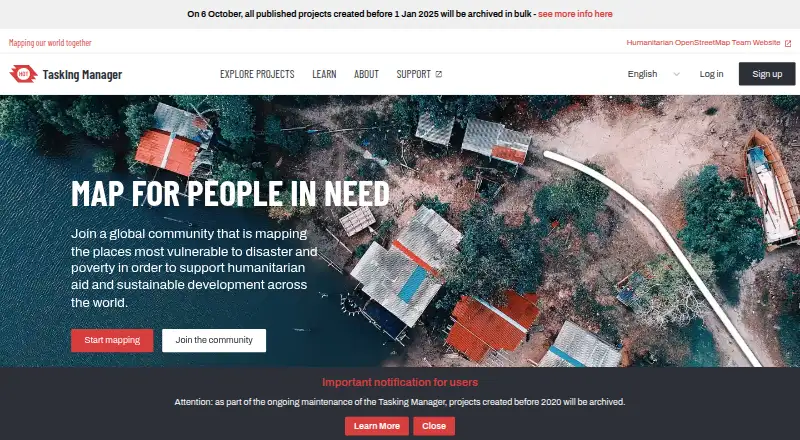
HOT Tasking Manager is a web-based, open-source coordination tool for OpenStreetMap projects. Humanitarian organizations, governments, communities, and other groups can define geographic areas, divide them into smaller tasks, coordinate remote contributors, assign work to reduce duplication and conflicts, and review completed mapping. Its free, open-source model suits communities that need a specialized way to organize collaborative geographic data work rather than a broad project management workspace.
Its strongest fit comes from its mapping ecosystem. Project pages provide access to OpenStreetMap data, while integrations include ohsome Now, MapSwipe, uMap, and Overture. The API supports task management and analytics, and the platform can be deployed as a self-hosted instance using Docker. This combination gives organizations several ways to connect mapping projects with related tools or maintain their own deployment. The structured validation workflow also adds a defined review step for contributions before work continues.
The trade-off is focus. HOT Tasking Manager handles geographic project definition, task division, contributor coordination, and validation, but it is not positioned as a general-purpose project management suite. It lacks broader PM features such as views, time tracking, and automation, and it has no AI features. Choose it when the work centers on coordinated OpenStreetMap mapping and contributor review; choose a broader project management product when teams need flexible planning across non-mapping projects or more general workflow automation.
Your product? Our editors can test HOT Tasking Manager in depth and publish a review, labelled as paid · from $149/mo →
HOT Tasking Manager pricing
HOT Tasking Manager fact sheet
| Free plan | Yes |
|---|---|
| Paid from | Free |
| Task views | Not verified |
| Automation rules | Not verified |
| Time tracking | Not verified |
| Guest access | Not verified |
| Free-plan user limit | Not verified |
| Native integrations | Not verified |
| Deployment | Cloud, Self-hosted |
| Platforms | Web |
| Support | Community, Docs |
| Built for | Small business, Mid-market, Enterprise (editorial estimate) |
| Integrations | 5 integrations: OpenStreetMap, ohsome Now, MapSwipe, uMap, Overture |
| Pricing | Free plan |
| Website | tasks.hotosm.org |
| Facts checked | 20 Sep 2026 |
HOT Tasking Manager integrations
HOT Tasking Manager lists 5 integrations on its own site.
- OpenStreetMap
- ohsome Now
- MapSwipe
- uMap
- Overture
Alternatives to HOT Tasking Manager
- ClickUpBroad project control with tasks, Docs, automations, reporting, time tracking, and AI.9.4
- JiraA mature choice for agile delivery teams needing boards, backlogs, workflows, and automation.9.3
- AsanaA mature project hub with flexible views, automation, reporting, and AI features.9.2


See all HOT Tasking Manager alternatives →
Used HOT Tasking Manager? Be the first to review it
The editor score above is our own research. What this page doesn't have yet is a reader's view — what you used HOT Tasking Manager for, what worked and what didn't. No stars are seeded and no review is paid for; an editor reads every one before it appears.
Write a reviewTwo minutes · verified accounts only · read by an editor before it appears
Featured on iTechGuides

HOT Tasking Manager is listed in our Project Management Software directory. Add the badge to your site — it links back to this page.
<a href="https://www.itechguides.com/products/hot-tasking-manager/"><img src="https://www.itechguides.com/best/badge/hot-tasking-manager.svg" alt="Featured on iTechGuides" width="230" height="46"></a>
Reviewed by iTechGuides Editors · Editorial team · Updated Oct 2026
Advertiser disclosure: iTechGuides is reader-supported. Vendors can pay for top positions in our rankings and for a place on other products' pages, and we may earn a commission when you click some links. Bought places stand at the number bought; this page and our disclosure say so. Paying vendors may get a fuller, more detailed review from our editors, and that review can change their score. How we rank.
Last updated · How we research and update