
Hikage
Hikage: A low-cost Mac tracker with detailed reports and reminders, but no direct blocking. Ranked #20 of 36 in Screen Time Management Apps by our editors (7.0/10); pricing: Free plan · 31-day trial; best for personal Mac activity tracking on a budget.
At a glance
- Editor score7.0 / 10
- PricingFree plan · 31-day trial
- Best forPersonal Mac activity tracking on a budget
- Free planYes
- Paid from$9 one-time
- Application limitsYes
- Facts checked20 Sep 2026
Where it wins
- Free local recording with daily and per-app statistics
- $9 one-time license adds reports, graphs, calendar, and reminders
- Exports, iCloud backup, and custom activity categories
Where it doesn't
- Available only on macOS
- Emphasizes reminders instead of directly blocking apps or websites
- The paid license covers up to two Macs
Our verdict on Hikage
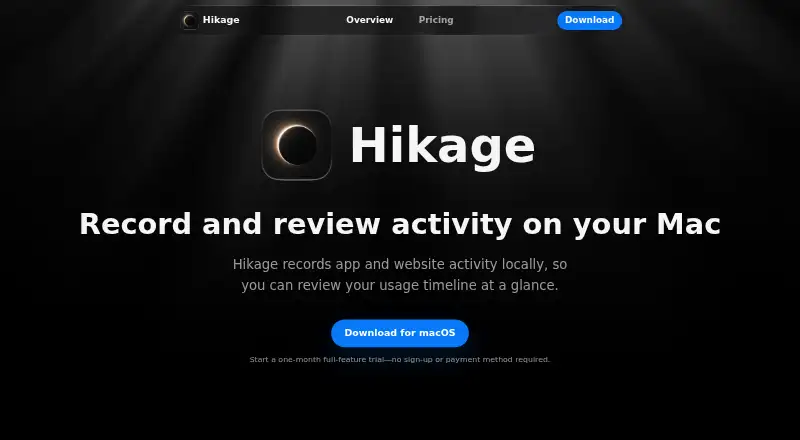
Hikage is a native macOS activity-recording and screen-time review app for personal users. It records app and website activity locally, then organizes that activity into daily statistics, usage timelines, monthly reports, per-app statistics, and an app relationship graph. Custom app and website categories help tailor the view to personal routines. It is suited to Mac users who want to understand how they spend time and receive prompts to change their habits, rather than administrators managing multiple platforms or users.
The pricing is unusually simple. The Free plan costs $0 and includes local recording of app and website usage, daily and per-app statistics, data export, and iCloud backup. The Personal Perpetual License costs $9 USD as a one-time payment and adds all Hikage features, including monthly statistics, the relationship graph, Apple Calendar integration, usage reminders, and future feature and version updates. The paid license supports use on up to two Macs. That structure makes the free tier useful for basic review, while the one-time upgrade adds the broader reporting and reminder tools without a recurring subscription.
Hikage’s main strength is the depth of its review features within a narrow focus: activity timelines, statistics, categories, calendar integration, and focus, standing, time-limit, and time-goal reminders. Records are stored on the Mac by default, with export and iCloud backup available. Its controls focus on monitoring and reminders rather than direct blocking, so it is a better fit for self-directed habit tracking than strict distraction prevention. Choose Hikage if you want affordable, local Mac activity reporting with optional reminders. Choose an alternative if you need broader platform coverage or enforcement that actively prevents access to apps or websites.
Your product? Our editors can test Hikage in depth and publish a review, labelled as paid · from $149/mo →
Hikage pricing
All 2 Hikage plans and prices →
Hikage fact sheet
| Free plan | Yes |
|---|---|
| Paid from | $9 one-time |
| Devices included | 2 devices |
| Supported platforms | macOS |
| Usage reports | Yes |
| Application limits | Yes |
| Scheduled limits | Yes |
| Focus sessions | Yes |
| Usage history retention | 90_days |
| Free trial | 31 days · no card needed |
| Deployment | Desktop |
| Platforms | macOS |
| Support | |
| Built for | Solo, Small business (editorial estimate) |
| Integrations | 2 integrations: Apple Calendar, iCloud Drive |
| Pricing | Free plan · 31-day trial (source) |
| Website | hikage.app |
| Facts checked | 20 Sep 2026 |
Hikage integrations
Hikage lists 2 integrations on its own site.
- Apple Calendar
- iCloud Drive
Alternatives to Hikage
- FreedomA flexible cross-device blocker with strong scheduling and session controls.9.4
- ScreenZenA free, broad screen-time toolkit for blocking apps and websites across four platforms.9.3
- AppBlockA flexible blocker for scheduled focus, stricter limits, and mobile-first screen-time control.9.2



Used Hikage? Be the first to review it
The editor score above is our own research. What this page doesn't have yet is a reader's view — what you used Hikage for, what worked and what didn't. No stars are seeded and no review is paid for; an editor reads every one before it appears.
Write a reviewTwo minutes · verified accounts only · read by an editor before it appears
Featured on iTechGuides

Hikage is listed in our Screen Time Management Apps directory. Add the badge to your site — it links back to this page.
<a href="https://www.itechguides.com/products/hikage/"><img src="https://www.itechguides.com/best/badge/hikage.svg" alt="Featured on iTechGuides" width="230" height="46"></a>
Reviewed by iTechGuides Editors · Editorial team · Updated Oct 2026
Advertiser disclosure: iTechGuides is reader-supported. Vendors can pay for top positions in our rankings and for a place on other products' pages, and we may earn a commission when you click some links. Bought places stand at the number bought; this page and our disclosure say so. Paying vendors may get a fuller, more detailed review from our editors, and that review can change their score. How we rank.
Last updated · How we research and update