higan
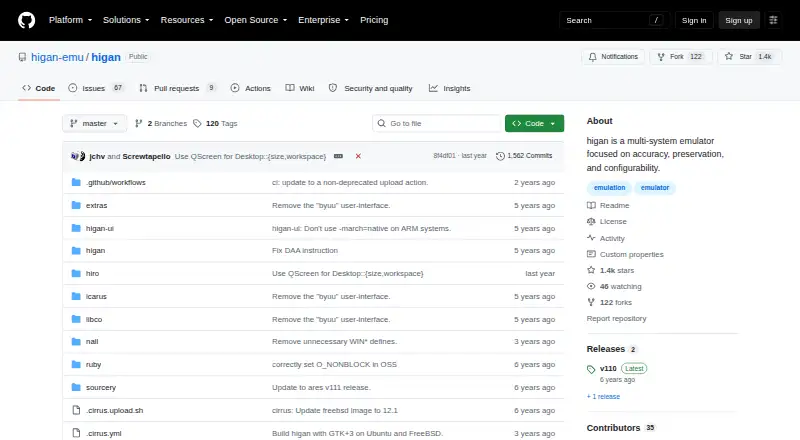
higan: A free, open-source choice for accurate Super Famicom emulation and preservation. Ranked #10 of 29 in SNES Emulators by our editors (7.6/10); pricing: Free plan; best for accuracy-focused classic-system emulation.
At a glance
- Editor score7.6 / 10
- PricingFree plan
- Best forAccuracy-focused classic-system emulation
- Free planYes
- Paid fromFree
- Supported platformsWindows, macOS, Ubuntu Linux, FreeBSD
- Founded2004
- Facts checked20 Sep 2026
Where it wins
- Accuracy-focused emulation for Super Famicom and other classic systems
- Configurable profiles, cartridges, peripherals, and controller mappings
- Trace logs support CPU instruction and interrupt debugging
Where it doesn't
- Game pak imports require the separate icarus tool
- No verified rewind, shaders, cheats, or netplay
- The interface may feel involved for users seeking quick setup
Our verdict on higan
higan is a free, open-source desktop emulator for Super Famicom and several other classic systems. It is aimed at users who value accuracy, preservation, and detailed configuration over a minimal pick-up-and-play workflow. Supported systems include Famicom, Game Boy, Game Boy Advance, Mega Drive, PC Engine, MSX, and WonderSwan. higan runs on Windows, macOS, Ubuntu Linux, and FreeBSD, with a standalone core backend.
Accuracy is the product’s defining strength. Configurable system profiles let users adjust cartridges, peripherals, controllers, video, audio, and debugging options, while custom controller mapping supports more specific hardware preferences. The tree-based graphical interface organizes these settings across the system configuration workflow. CPU instruction and interrupt trace logs add a useful diagnostic layer for preservation work and technical investigation. This depth makes higan more suitable for careful emulation and archival use than for users who only want a short path from launching the application to playing a game.
The main setup consideration is its game library workflow. ROM images are imported through the separate icarus tool, which creates higan-compatible game paks before they are used in the emulator. That extra step fits higan’s preservation-oriented design but adds friction compared with a simpler emulator. The software also does not provide verified rewind, shaders, cheats, or netplay. Choose higan if accurate Super Famicom emulation, multi-system coverage, configurable hardware profiles, and trace logging matter most. Choose another emulator if built-in convenience features, visual effects, online play, or a faster game-loading workflow are priorities.
Your product? Our editors can test higan in depth and publish a review, labelled as paid · from $149/mo →
higan pricing
higan fact sheet
| Free plan | Yes |
|---|---|
| Paid from | Free |
| Supported platforms | Windows, macOS, Ubuntu Linux, FreeBSD |
| Online multiplayer | Not verified |
| Rewind | Not verified |
| Shader support | Not verified |
| Cheat support | Not verified |
| RetroAchievements | Not verified |
| Emulation format | Standalone |
| Deployment | Desktop |
| Platforms | Windows, macOS, Linux |
| Support | Community, Docs |
| Built for | Solo, Small business (editorial estimate) |
| Pricing | Free plan |
| Website | github.com |
| Facts checked | 20 Sep 2026 |
Alternatives to higan
- Snes9xA free, open-source SNES emulator with broad hardware, graphics, save, and cheat support.9.4
- bsnesA feature-rich, open-source SNES emulator for users who value platform coverage.9.2
- bsnes-mercury AccuracyA focused SNES/SFC core with netplay, rewind and cross-platform Libretro support.8.8


Also Ranked In
higan is ranked in 6 of our directories.
Used higan? Be the first to review it
The editor score above is our own research. What this page doesn't have yet is a reader's view — what you used higan for, what worked and what didn't. No stars are seeded and no review is paid for; an editor reads every one before it appears.
Write a reviewTwo minutes · verified accounts only · read by an editor before it appears
Featured on iTechGuides

higan is listed in our SNES Emulators directory. Add the badge to your site — it links back to this page.
<a href="https://www.itechguides.com/products/higan/"><img src="https://www.itechguides.com/best/badge/higan.svg" alt="Featured on iTechGuides" width="230" height="46"></a>
Reviewed by iTechGuides Editors · Editorial team · Updated Oct 2026
Advertiser disclosure: iTechGuides is reader-supported. Vendors can pay for top positions in our rankings and for a place on other products' pages, and we may earn a commission when you click some links. Bought places stand at the number bought; this page and our disclosure say so. Paying vendors may get a fuller, more detailed review from our editors, and that review can change their score. How we rank.
Last updated · How we research and update