
HeyStar AI Image Enhancer
HeyStar AI Image Enhancer: A free browser and mobile enhancer with batch processing and restoration tools. Ranked #18 of 26 in AI Photo Enhancer Software by our editors (7.5/10); pricing: Free plan; best for free mobile enhancement with batch tools.
At a glance
- Editor score7.5 / 10
- PricingFree plan
- Best forFree mobile enhancement with batch tools
- Free planYes
- Enhancement modesAll-in-one
- Facts checked22 Sep 2026
Where it wins
- Free browser-based enhancement with automatic correction tools
- Batch processing is available through the web interface
- Combines deblurring, restoration, upscaling and object erasing
Where it doesn't
- Mobile premium features require a weekly or annual subscription
- No desktop application is available
- Mobile apps also offer in-app coin purchases
Our verdict on HeyStar AI Image Enhancer
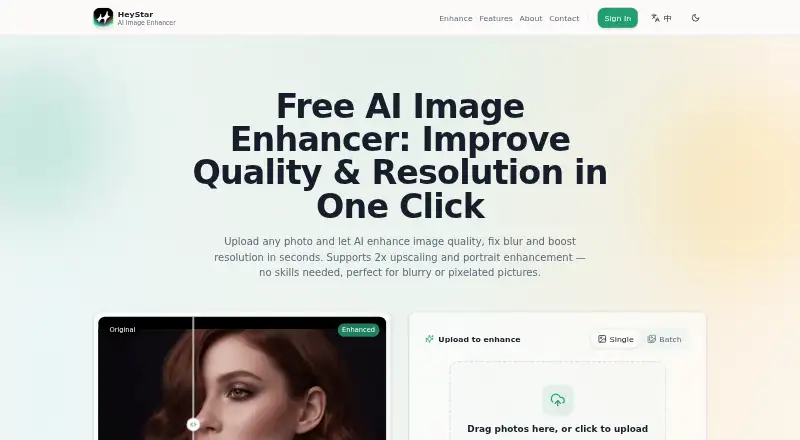
HeyStar AI Image Enhancer is a web and mobile tool for improving blurry, noisy, low-resolution and aged photos. It suits people who want automatic correction without manually adjusting every image, along with users restoring old photographs, enhancing portraits or processing multiple images. The product runs on web, iOS and Android, with a free browser-based enhancer and AI features focused on common photo-quality problems.
Its pricing model is freemium. The browser experience provides free enhancement access, while the mobile apps offer weekly and annual subscriptions with premium mobile features. Mobile applications also include in-app coin purchases. The published product details position the web interface as the stronger fit for batch work, while mobile users receive a subscription-based route to premium capabilities. This structure makes HeyStar suitable for occasional browser enhancement and for mobile users who want access to paid tools over a recurring term.
The feature set covers automatic enhancement, motion and focus deblurring, noise reduction, 2x upscaling, portrait and face enhancement, old-photo restoration and AI object erasing. Restoration tools address scratches, fading and yellowing, giving the product a wider scope than a tool focused only on sharpening or enlargement. Choose HeyStar if you want free browser access, mobile availability and several enhancement modes in one service. Consider another option if a desktop application is important or if you need a workflow centered on desktop software rather than web and mobile access.
Your product? Our editors can test HeyStar AI Image Enhancer in depth and publish a review, labelled as paid · from $149/mo →
HeyStar AI Image Enhancer pricing
All 2 HeyStar AI Image Enhancer plans and prices →
HeyStar AI Image Enhancer fact sheet
| Free plan | Yes |
|---|---|
| Paid from | Not verified |
| Enhancement modes | All-in-one |
| Batch processing | Yes |
| Face enhancement | Yes |
| Old photo restoration | Yes |
| Maximum output resolution | Not verified |
| Desktop app | No |
| Deployment | Cloud, Mobile |
| Platforms | Web, iOS, Android |
| Support | Email, Docs |
| Built for | Solo, Small business (editorial estimate) |
| Pricing | Free plan (source) |
| Website | heystarai.com |
| Facts checked | 22 Sep 2026 |
Alternatives to HeyStar AI Image Enhancer
- PicWish Photo EnhancerA broad AI enhancer for restoration, batch work, and cross-platform access.9.4
- YouCam EnhanceA flexible free enhancer for quick fixes, restoration, and batch photo processing.9.2
- Topaz PhotoA deep desktop enhancer for photographers who need RAW, masking, batch, and rendering tools.9.0



See all HeyStar AI Image Enhancer alternatives →
Used HeyStar AI Image Enhancer? Be the first to review it
The editor score above is our own research. What this page doesn't have yet is a reader's view — what you used HeyStar AI Image Enhancer for, what worked and what didn't. No stars are seeded and no review is paid for; an editor reads every one before it appears.
Write a reviewTwo minutes · verified accounts only · read by an editor before it appears
Featured on iTechGuides

HeyStar AI Image Enhancer is listed in our AI Photo Enhancer Software directory. Add the badge to your site — it links back to this page.
<a href="https://www.itechguides.com/products/heystar-ai-image-enhancer/"><img src="https://www.itechguides.com/best/badge/heystar-ai-image-enhancer.svg" alt="Featured on iTechGuides" width="230" height="46"></a>
Reviewed by iTechGuides Editors · Editorial team · Updated Oct 2026
Advertiser disclosure: iTechGuides is reader-supported. Vendors can pay for top positions in our rankings and for a place on other products' pages, and we may earn a commission when you click some links. Bought places stand at the number bought; this page and our disclosure say so. Paying vendors may get a fuller, more detailed review from our editors, and that review can change their score. How we rank.
Last updated · How we research and update